Installation guide
 Owner’s manual
 Error Codes


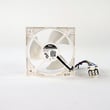
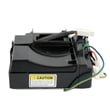

How do I reset my GE refrigerator circuit board?
For the GE CYE23TSDCSS, the practical “circuit board reset” is a power reset: unplug the refrigerator (or switch off the breaker) for 5 minutes, then restore power and let the controls reboot. Confirm your temperature settings afterward using the CYE23TSDCSS owner’s manual.
Safe reset steps (recommended)
- Unplug the refrigerator or turn off the dedicated breaker.
- Wait 5 minutes.
- Restore power.
- Verify the display and interior lights come back on.
- Recheck temperature set points for fresh food and freezer.
- Allow 24 hours for temperatures to fully stabilize.
If you are trying to clear a control issue that keeps coming back
A reset fixes temporary glitches (display lockups, odd beeping, unresponsive buttons) but it does not correct a failing sensor, fan, or defrost component that is triggering the control to act up.
Common issues that mimic a “bad board”
- Temperature reading problems from a failed sensor
- Frost buildup from a defrost system problem
- Airflow problems from an evaporator fan issue
- Doors not sealing or not closing fully
- Stored fault codes that point to a specific system
Helpful troubleshooting references
Use these resources to match symptoms to the right next step:
| What you notice | Best next check | What it helps confirm |
|---|---|---|
| Temps are off but unit runs | Sensor readings and airflow | Sensor or fan issue vs. control glitch |
| Display acts strange after outage | Power reset | Temporary control lockup |
| Repeating alarms or codes | Code lookup and meaning | Which system needs diagnosis |
For code meanings and guided checks, use GE refrigerator error codes.
Why it matters
Resetting the control restores normal operation after a power event and prevents unnecessary parts replacement. If the problem returns quickly, diagnosing the underlying cause saves time and protects food temperatures.
Last updated: February 2026
What is the most common problem with a GE refrigerator?
The most common issue we see with GE refrigerators like model CYE23TSDCSS is poor cooling (food compartment too warm or freezer not holding temperature). In most homes, the fastest wins come from cleaning airflow areas, confirming fans run, and making sure doors seal and vents are not blocked; then you move to defrost and control checks using the CYE23TSDCSS owner’s manual.
Quick checks that fix many “not cooling” complaints
- Make sure the condenser area is clean and has good airflow (dust buildup is a frequent cause of weak cooling).
- Confirm the refrigerator is not overpacked; blocked vents stop cold air from circulating.
- Check door gaskets for gaps, tears, or a door that does not close squarely.
- Listen for the evaporator fan running when the doors are closed; no airflow usually means a fan or control issue.
- Verify temperature settings are reasonable; after changes, allow about 24 hours to stabilize.
Parts that commonly relate to cooling problems on this model
If airflow is weak, temperatures swing, or frost builds up, these parts are common suspects:
| Symptom you notice | Common system involved | Example part for CYE23TSDCSS |
|---|---|---|
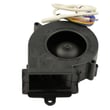
| Warm fresh food section, little airflow | Evaporator fan circuit | Refrigerator evaporator fan motor WR60X25858 |
| Frost buildup, warming over time | Defrost system | Refrigerator defrost heater WR51X10131 or refrigerator defrost bi-metal thermostat WR50X10108 |
| Temps fluctuate or seem inaccurate | Temperature sensing | Refrigerator temperature sensor WR55X10025 |
Why it matters
Poor cooling is more than an inconvenience; it can shorten food life and force the compressor to run longer, which increases wear and energy use. Catching airflow or defrost problems early usually prevents bigger repairs.
When to use diagnostics
If the basic checks do not help, use the model’s diagnostic guidance and error information in the GE refrigerator error codes resource to narrow the problem to a fan, sensor, defrost component, or control.
Last updated: February 2026
How do I find the model number on my CYE23TSDCSS?
On your GE CYE23TSDCSS bottom-mount refrigerator, the model and serial numbers are printed on a label inside the fresh food (refrigerator) compartment. Look on the left side, near the middle of the compartment; that label lists both the model and serial.
Where to look (quick steps)
- Open the refrigerator (fresh food) door.
- Check the left interior wall.
- Look near the middle height of the compartment.
- Find the rating label; it shows Model # and Serial #.
- Write the numbers down exactly as shown (letters and numbers).
Why the exact model number matters
We use the full model number to match the correct diagrams and parts for your exact configuration (counter-depth vs standard-depth, door hardware, ice maker setup, and water filter system). That helps you avoid ordering a part that looks similar but does not fit.
What you will use the model number for
| Task | What the model number helps with | Example parts on this model |
|---|---|---|
| Ordering replacement parts | Ensures correct fit and revisions | Refrigerator water filter RPWFE |
| Troubleshooting | Matches the right procedures and specs | Temperature and defrost diagnostics |
| Installation and clearances | Confirms dimensions and door removal steps | Moving and door removal guidance |
Tips for recording it correctly
- Use uppercase letters and include every character.
- Take a clear photo of the label for reference.
- Record the serial number too; it can matter for production changes.
- If the label is hard to read, wipe it gently with a damp cloth and dry it.
Reference
The label location and the “write the model and serial numbers here” section are shown in the CYE23TSDCSS owner's manual.
Last updated: March 2026