 Installation guide
 Owner’s manual
 Error Codes





How do I reset my Kenmore electric range?
To reset a Kenmore electric range model 79096019405, turn the range OFF, then cycle power at the breaker (or unplug it) for a few minutes and restore power. After power returns, reset the clock and any oven settings as needed; this is the normal “reset” for the control.
Quick reset steps (recommended)
- Turn all surface burners and the oven OFF.
- Switch the range circuit breaker OFF (or unplug the power cord).
- Wait 3 to 5 minutes.
- Switch the breaker ON (or plug the range back in).
- Set the time and reselect cooking functions using the 79096019405 owner's manual.
If the reset is after a power failure
Your 79096019405 can resume operation when power returns if it was left on. For safety and normal operation:
- Turn the range OFF during the outage.
- When power returns, reset the clock and confirm the oven is not set to bake or broil.
- Re-enter any timed bake settings.
What a reset fixes (and what it usually does not)
| Symptom | Reset helps? | What to check next |
|---|---|---|
| Control panel frozen or unresponsive | Yes | If it returns, check for stuck keys and try again |
| Wrong time displayed after outage | Yes | Set clock per the manual |
| Oven not heating | Sometimes | Check bake/broil elements and wiring |
| Burner stays on or won’t regulate | No | Suspect a surface element control switch |
Why it matters
Power-cycling clears minor control glitches and restores normal operation after an outage. It also forces you to confirm the oven is truly off, which helps prevent unintended heating when power comes back.
When to move from “reset” to repair
- The display goes blank repeatedly or trips the breaker.
- The oven still will not heat after a reset.
- A surface element will not cycle correctly.
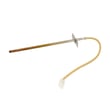
For heating problems, the oven may need a new frigidaire range bake element 316075103 or another heating circuit part matched to your 79096019405.
Last updated: January 2026
What are the most common issues with 79096019405?
The most common problems we see on the Kenmore 79096019405 electric range are uneven or no oven heating, a surface burner that will not regulate heat, and control or indicator issues. These symptoms usually trace to a failed heating element, a bad burner control switch, or a worn door seal.
Common symptoms and likely causes
- Oven will not heat or heats unevenly: failed bake or broil element, poor electrical connection
- Surface element stuck on high or will not heat: failed surface element control switch
- Oven light not working: burned-out bulb or failed light socket
- Heat escapes, long preheat times: worn or torn oven door seal
- Self-clean door will not lock or unlock: door latch mechanism issue
Parts that commonly fix these issues
If your symptoms match, these model-compatible parts are common replacements:
| Symptom | Common fix | Part to check |
|---|---|---|
| No bake heat | Replace bake element | Frigidaire range bake element 316075103 |
| No broil heat | Replace broil element | Frigidaire range broil element 316203200 |
| Burner won’t regulate | Replace infinite switch | Range surface element control switch 316436001 |
| Oven light out | Replace bulb | Range oven light bulb 316538904 |
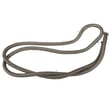
| Heat leaking at door | Replace gasket | Frigidaire range oven door seal 316405000 |
Quick checks we recommend before replacing parts
- Confirm the range is getting full power; electric ranges typically need a 240-volt supply.
- For a no-heat oven, look for visible damage on the element (blisters, cracks, burn spots).
- If a surface burner is stuck on high, stop using that burner until the switch is replaced.
- If the oven light still does not work after a new bulb, inspect the socket for heat damage.
- After any repair, verify proper operation with a short bake and broil test.
Why it matters
Heating and control problems can cause undercooked food, longer cook times, and overheating at the cooktop. Catching a failing element, switch, or door seal early helps protect the control area and wiring from excess heat.
For model-specific operating details and troubleshooting steps, use the owner's manual.
Last updated: March 2026
What is the PF code on a Kenmore stove?
On the Kenmore electric range model 79096019405, the PF code means the oven control detected a power failure or power interruption. It often clears after you reset the clock, but repeated PF codes point to an unstable power supply or a loose electrical connection. See the 79096019405 owner's manual for control and display basics.
What to do when PF shows up
- Press Clear/Off (if your control has it), then reset the clock.
- If the range is plugged in, unplug for 1 minute, then plug back in.
- Check your home electrical panel for a tripped double-pole breaker (ranges typically use 240V).
- If PF returns during baking or broiling, stop using the oven until power is stable.
- If you recently installed the range, confirm the power cord and strain relief were installed correctly per the 79096019405 installation guide.
Common causes of repeated PF codes
| Cause | What you may notice | Typical fix |
|---|---|---|
| Brief outage or flicker | PF appears after a storm | Reset clock and monitor |
| Loose terminal block connection | PF happens when oven heats | Tighten/repair wiring (power off) |
| Weak breaker or supply issue | Other appliances flicker too | Electrician checks circuit |
| Control issue after interruption | Random beeping, odd display | Diagnose control and wiring |
Why it matters
A one-time PF is usually harmless, but frequent PF events can interrupt cooking, cause nuisance beeping, and sometimes lead to overheating symptoms if the control relays cycle unexpectedly. Stable voltage and solid connections protect the oven control and heating circuits.
Related help for display and error codes
If you see an F code (for example, F11) instead of PF, use the Kenmore 790 range 4-digit error codes reference to narrow down the failure and the next checks.
Last updated: January 2026






