 Installation guide
 Owner’s manual






How to get rid of control lock on GE microwave?
On your GE JVM3670SK02 microwave/hood combo, you can turn Control Lock off by pressing and holding CLEAR/OFF for about 3 seconds until “LOCKED” or “CONTROL LOCKED” disappears from the display. This unlocks the touch control panel so the microwave will operate normally.
- Make sure the door is fully closed.
- Press CLEAR/OFF.
- Keep holding CLEAR/OFF for about 3 seconds.
- Watch the display for “LOCKED” or “CONTROL LOCKED” to turn off.
- Try a quick test: press COOK TIME, enter a short time, then press START/PAUSE.
Control Lock is a keypad feature, so the fix is usually about the button press, not a failed heating part.
- Press and hold CLEAR/OFF again, but hold it a full 5 seconds to be sure.
- Wipe the keypad area with a barely damp cloth, then dry it; a stuck key can prevent the lock from toggling.
- Unplug the microwave for 60 seconds, plug it back in, then try the 3-second CLEAR/OFF hold again.
- If the door does not latch firmly, close it again; the microwave may ignore keypad commands if the door is not fully shut.
Control Lock prevents accidental starts and unwanted keypad changes, especially in a busy kitchen. When it is on, the microwave can appear “dead” even though it has power.
| Display message | What it means | What to do |
|---|---|---|
| CONTROL LOCKED | Keypad is locked | Hold CLEAR/OFF ~3 seconds |
| LOCKED | Keypad is locked | Hold CLEAR/OFF ~3 seconds |
GE uses different key labels on different models, but for JVM3670SK02 the lock/unlock method is listed in the JVM3670SK02 owner's manual.
Last updated: February 2026
Is there a big difference between 900W and 1000W in a microwave?
Yes. A 1000W microwave typically cooks about 10% faster than a 900W model, so you will notice slightly shorter cook times and a bit better performance on dense foods. For your GE JVM3670SK02, use the power level settings and small time adjustments to match recipes written for higher wattage.
A 100-watt increase mainly changes speed, not what you can cook.
- Expect slightly shorter cook and reheat times at 1000W.
- Dense foods (casseroles, potatoes) benefit most from the extra power.
- For most everyday tasks (coffee, leftovers), the difference is modest.
- If a recipe assumes 1000W and you have 900W, add time in small steps.
- Use stirring, rotating, and standing time to improve even heating.
Use this as a practical starting point, then fine-tune by checking food temperature.
| If a recipe time is… | Start with this at 900W | What to do next |
|---|---|---|
| 2:00 | 2:10 to 2:15 | Check, then add 10-second bursts |
| 5:00 | 5:30 | Stir or rotate halfway through |
| 10:00 | 11:00 | Add standing time for carryover heat |
Your GE JVM3670SK02 lets you change power levels for better control (for example, gentler heating to reduce hot spots). Follow the steps in the JVM3670SK02 owner’s manual to select a lower or higher power level during cooking.
- Use High (Power Level 10) for most cooking.
- Use lower power for more even heating and fewer hot spots.
- Lower power often needs less stirring and helps avoid overcooking edges.
Microwave wattage affects how quickly energy is delivered; technique affects how evenly that energy spreads. When wattage is lower, small time increases plus better food placement, stirring, and standing time usually produce the same end result.
Last updated: February 2026
Is GE profile considered high end?
Yes. GE Profile is generally considered GE’s higher-end mainstream line, positioned above standard GE models because it typically adds upgraded design, more cooking features, and more advanced controls. It is a step below true luxury lines, but it is widely treated as “premium” in the GE family.
Your GE JVM3670SK02 is a GE microwave/hood combo model; “GE Profile” is a product line name, not a required feature set for this specific model. For model-specific features, operating details, and care instructions, use the JVM3670SK02 owner’s manual.
In most kitchens, “high end” refers to a combination of performance, features, and finish quality. GE Profile products commonly emphasize:
- More feature-rich controls (sensor cooking, presets, convenience settings)
- More premium styling and finishes (often stainless options)
- More advanced electronics and user interface design
- More installation and venting flexibility on some models
- Higher price point than standard GE models
| Line | Typical position | What you usually get |
|---|---|---|
| GE (standard) | Core, value-focused | Essential features, simpler controls |
| GE Profile | Premium mainstream | More features, upgraded styling, more advanced controls |
For repairs, the most important factor is the exact model number, not whether the appliance is “Profile.” Parts like door interlock components, venting parts, and electrical safety parts are model-specific.
If you’re troubleshooting door or start issues on a microwave/hood combo, common related parts for this model include the micro-switch WB24X830 and the microwave door interlock switch lever WB06X10128.
Last updated: February 2026
What's the average lifespan of a GE microwave?
Most GE microwaves, including over-the-range models like the GE JVM3670SK02 microwave/hood combo, typically last 9 to 10 years with normal household use. Heavy daily use, poor ventilation, and skipped cleaning can shorten life; good door care and routine cleaning help it reach the full average.
In real homes, lifespan usually falls into these buckets:
- Light use (reheating, a few times a day): often 10+ years
- Average use (multiple cooks daily): typically 9 to 10 years
- Heavy use (large family, frequent long cook cycles): often 6 to 8 years
- Harsh conditions (grease buildup, blocked venting, slamming door): can drop to 5 to 7 years
For model-specific care and cleaning guidance, follow the JVM3670SK02 owner's manual.
Over-the-range microwaves commonly show wear in a few areas:
- Door interlock system: unit will not start, stops when door moves, or blows a fuse after closing
- Heating circuit: runs but does not heat (often tied to high-voltage components)
- Turntable drive: plate stops turning or turns intermittently
- Vent fan system: loud vent, weak airflow, or fan not running
- Thermal protection: shuts off mid-cycle and comes back later after cooling
| Symptom | Common area | Example part on this model page |
|---|---|---|
| Won’t start or stops when door moves | Door interlock switches/lever | Micro-switch WB24X830 or microwave door interlock switch lever WB06X10128 |
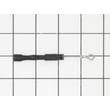
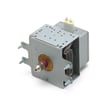
| Runs but doesn’t heat | High-voltage circuit | Microwave high-voltage diode WB27X1160 or magnetron WB27X10735 |
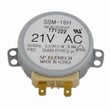
| Turntable not rotating | Turntable motor | Microwave turntable motor WB26X10038 |
Knowing the average lifespan helps you decide when a repair is worth it. If your JVM3670SK02 is near the 9 to 10-year mark and needs a major heating repair (magnetron or high-voltage parts), comparing repair cost versus replacement value usually leads to a clearer decision.
- Keep the cavity clean and wipe up splatters before they bake on
- Avoid slamming the door; the latch and interlock switches are sensitive
- Run the vent fan when cooking on the range to reduce heat and grease exposure
- Do not run the microwave empty
- Make sure the turntable and support are seated correctly after cleaning
Last updated: February 2026


