Installation guide
 Owner’s manual






How do I reset my Kenmore Elite microwave?
To reset the microwave controls on your Kenmore Elite 79049113411 wall oven/microwave combo, use the control-panel “clear stored recipes” reset. This returns many user settings to factory defaults, then you set the clock again.
Reset steps (factory-default reset)
- Press and hold CONV CONVERT until you hear the first single beep (about 6 seconds).
- After that first beep, press START once.
- When power is stable, reset the clock and re-enter any preferred settings.
What this reset changes
Clearing stored recipes also resets other adjustments back to factory settings, including:
- 12-hour or 24-hour time-of-day display
- Continuous bake or 12-hour energy savings mode
- Silent control operation
- Fahrenheit or Celsius temperature display
- Any oven temperature adjustments you previously set
If the display is acting up after a power outage
If you had a power failure, turn the appliance off; when power returns, reset the clock and any oven functions. This prevents the unit from resuming operation unexpectedly.
Quick reference table
| Situation | Best action | What to expect |
|---|---|---|
| You want a full control reset | Clear stored recipes (steps above) | Many settings return to factory defaults |
| Power outage occurred | Turn off, then reset clock/functions | Normal operation after reprogramming |
| Microwave still will not run | Check household power and door closure | May point to a door switch or fuse issue |
Why it matters
A factory-default reset is the fastest way to clear incorrect settings or control glitches on the 79049113411, especially after a power interruption or after changing multiple cooking options.
For control and feature details specific to this model, use the 79049113411 use and care manual.
Last updated: February 2026
How high should a wall oven microwave combo be?
For the Kenmore Elite 79049113411 wall oven/microwave combo, the “right” height is set by your cabinet cutout and a comfortable control height; most installs target a cutout height around 44 1/4 to 44 1/2 inches so the unit fits cleanly and the trim covers the opening. Use the 79049113411 installation guide dimensions to match your cabinet.
Recommended install height (what to measure)
Focus on cabinet cutout measurements, not just where the controls “feel” best.
- Measure the cutout height (H) in the cabinet opening.
- Confirm the minimum cabinet width for your size (27-inch vs 30-inch).
- Make sure the support surface is level front-to-back and side-to-side.
- Plan for the electrical junction box and cable routing shown in the install diagram.
- If your cutout is tall, plan for shims or a larger bottom trim option.
Cutout height guidance for this model
The installation instructions call out these common cutout-height scenarios:
| Cabinet cutout height (H) | What to do | What you’ll see |
|---|---|---|
| 44 1/4" to 44 1/2" | Standard fit | Normal trim coverage |
| 44 1/2" to 45 1/8" | Add 2" wide wood shims (each side) | Helps hide gaps above side rails |
| 45 1/8" to 46 7/8" | Order a larger bottom trim (through service) | Better coverage for taller openings |
Why it matters
Setting the combo at the correct cutout height prevents visible gaps, keeps the unit properly supported, and helps maintain safe clearances for ventilation and wiring. It also reduces stress on the frame and trim during operation.
Quick tip before you start
Confirm your exact model and serial information location in the 79049113411 owner’s manual so you order the correct trim or installation accessories for your specific unit.
Last updated: February 2026
How many cubic feet is a Kenmore Model 79049113411 microwave?
The microwave in your Kenmore Elite 79049113411 wall oven/microwave combo is typically about 1.7 cubic feet. For the exact capacity listed for your specific configuration, we recommend confirming it in the 79049113411 use and care manual.
How to confirm the exact capacity for your unit
Capacity is usually listed in the specifications or features section of the manual for the microwave (upper oven). Check these common spots:
- “Microwave / wall oven features” or “features at a glance”
- Specifications section near the front of the guide
- Model identification pages (sometimes grouped by model series)
- Product record pages that confirm the model number
Why you might see different capacity numbers online
Kenmore Elite combo units often share a similar chassis across multiple model variations, so online listings can mix specs between close models.
- Some sources list the microwave cavity size for a related model series
- Some list “usable” capacity vs. “total” cavity volume
- Some combine microwave and convection features and mislabel the spec
Quick reference: what “1.7 cu. ft.” means in real use
| Capacity | Best for | Typical fit |
|---|---|---|
| 1.5 to 1.7 cu. ft. | Most daily microwave cooking | Standard dinner plates, medium casserole dishes |
| 1.8 to 2.2 cu. ft. | Larger families, bigger cookware | Larger casserole dishes, taller containers |
Why it matters
Knowing the correct cubic feet helps you choose cookware that rotates freely, avoid turntable jams, and compare replacement combo units accurately when planning a kitchen update.
Last updated: February 2026
What is the F11 code on a Kenmore wall oven?
On Kenmore Elite model 79049113411, an F11 code is a control-panel fault that happens when the oven detects an invalid or continuous key input. Start with a breaker reset; if F11 returns, the keypad or electronic control needs diagnosis and repair using the steps in the 79049113411 owner’s manual.
What to do right away
- Turn the oven off at the circuit breaker for 5 minutes, then restore power.
- If the oven is beeping continuously, press Cancel/Off once after power is restored.
- If F11 returns, stop using the oven until the control issue is corrected.
- If the code appeared after cleaning, let the control area dry completely before restoring power.
- Use the error code and control section in the 79049113411 owner’s manual to match the code to your control style.
What F11 usually points to
F11 is triggered by the control system when it sees a problem with user input or control communication.
| What you notice | What it indicates | What we do next |
|---|---|---|
| F11 comes back quickly after reset | Key input is still being detected | Inspect keypad area; check ribbon/connector seating |
| Random beeping, keys act “pressed” | Stuck key or moisture/contamination | Dry panel; verify no key is physically stuck |
| Other control oddities with F11 | Control electronics or wiring issue | Check harness connections; test/replace control as needed |
Parts that can be involved on this model
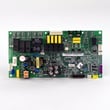
If troubleshooting points to the electronic control side, a common repair path is replacing the control board:
Why it matters
An F11 condition can cause constant beeping and unreliable oven operation. Correcting the control input problem restores predictable temperature control and helps prevent unintended operation.
Last updated: February 2026
Where is the fuse on a Kenmore Elite microwave?
On the Kenmore Elite 79049113411 wall oven/microwave combo, the microwave fuse is typically mounted inside the unit behind the control panel area, near the incoming power wiring and safety interlock circuits. Access requires removing panels, so we recommend using the steps and safety notes in the 79049113411 owner's manual.
What to check before you open anything
Microwave circuits can store high voltage even when unplugged. If the unit is dead (no display, no interior light), start with the simplest power checks first.
- Confirm the house breaker is on (or reset it fully off then on)
- If hardwired, verify the junction box has power
- If plugged in, test the outlet with a lamp or meter
- If the display works but it will not run, check the door latches and interlock system
- If it went dead during cooking, a blown fuse or a tripped safety device is likely
Common fuse locations in built-in microwave combos
Most Kenmore Elite built-in microwave combos place the fuse in one of these spots:
| Location | What you remove | Why it is there |
|---|---|---|
| Behind the control panel | Control panel screws, then tilt panel forward | Quick access to line fuse and wiring harness connections |
| Near the power input/terminal area | Upper cover or side access panel (varies) | Protects the unit from power surges and shorts |
| Near the door interlock switch bracket | Control panel area access | Protects the circuit if an interlock switch fails |
If you suspect the fuse is blown
A blown microwave fuse usually means there was a short, a surge, or an interlock-related fault. Replacing the fuse without addressing the cause can lead to another failure.
- Unplug power or shut off the breaker before servicing
- Inspect the door latch and switch area for damage or misalignment
- Test the fuse for continuity with a multimeter
- If the fuse is open, check the door interlock switches next
- Replace only with the correct fuse type and rating for this model
If you need the replacement part for this model, use the microwave fuse 5304480634. For testing guidance, follow how to tell if a fuse is blown.
Why it matters
The fuse is a primary safety device. When it opens, it prevents further damage to the control board, wiring harness, and high-voltage components, and it helps protect your home electrical circuit.
Last updated: February 2026
Where is the model number on a Kenmore Elite stove?
On Kenmore Elite model 79049113411, the model and serial number are printed on the serial plate located along the interior side trim, and you can see it when you open the lower (tower) oven door. For other Kenmore ranges, the label is often in the door jamb or on the back.
Where to look first (fastest checks)
- Open the lower oven door and look along the left or right interior side trim for the serial plate
- Use a flashlight and look for a sticker or metal tag that lists Model and Serial
- Wipe grease or cleaner residue off the trim so the print is readable
- Write the full model number exactly as shown (including any dots or dashes)
Other common model number locations (if you are checking a different Kenmore stove)
Most Kenmore Elite freestanding ranges and slide-in stoves place the model tag in one of these spots:
- Behind the oven door in the door jamb
- On the frame behind the storage drawer (pull the drawer out)
- On the back panel near the power cord or gas connection
Quick location guide
| Appliance type | Most common label location | What you do |
|---|---|---|
| Wall oven/microwave combo (79049113411) | Interior side trim | Open the lower oven door |
| Freestanding range | Door jamb or drawer frame | Open door or remove drawer |
| Slide-in range | Door jamb or side frame | Open door |
Why it matters
We use the exact model number to match the correct Kenmore parts, wiring diagrams, and installation details. That prevents ordering the wrong control board, temperature sensor, or door switch for your appliance.
For diagrams and model-specific details, use the 79049113411 owner’s manual.
Last updated: February 2026
Why has my Kenmore microwave stopped working?
If the microwave section of your Kenmore Elite 79049113411 wall oven/microwave combo stopped working, the most common causes are a power interruption, a tripped breaker or blown fuse, a door-latch or interlock problem, or a failed internal safety fuse. Follow the checks in the 79049113411 owner's manual before replacing parts.
Quick checks (no tools)
- Confirm the display is on; if it is blank, check the home breaker and outlet power.
- If there was a power failure, reset the clock and try a simple cook cycle (the manual notes the unit should not be operated during a power failure).
- Open and close the microwave door firmly; a misaligned latch can prevent operation.
- Press Stop/Clear to cancel any stuck or incomplete cycle (some functions lock out after the door is opened and closed without starting a cycle).
- Listen for the cooling blower; it can run after cooking and that is normal.
Parts that commonly stop a microwave from running
If power is present but the microwave will not start, these parts are frequent culprits on combo units like model 79049113411:
| Symptom | Most likely area | Example part for this model |
|---|---|---|
| Dead, no display | Internal fuse or power feed | Microwave fuse 5304480634 |
| Won’t start, acts like door is open | Door interlock circuit | Microwave door interlock switch 5304493153 |
| Runs but does not heat | High-voltage system | Microwave magnetron 5304501808 |
Why it matters
A microwave that will not run is often being blocked by a safety circuit (especially the door interlock). Replacing the wrong part can waste time and money, and door-switch or high-voltage issues can create unsafe operation if handled incorrectly.
When to stop and get service
- The breaker trips when you start the microwave.
- You smell burning, see arcing, or hear loud buzzing.
- The unit runs but does not heat (high-voltage components are involved).
Last updated: February 2026
Why is my Kenmore Elite microwave display not working?
If the display on your Kenmore Elite 79049113411 wall oven/microwave combo is blank, the most common causes are a power supply problem (outlet, breaker, fuse), a failed internal microwave fuse, or a control issue. Start with basic power checks, then move to component testing.
Quick checks first (no tools)
- Confirm the unit has power by testing the outlet with a small lamp or meter.
- Check your home circuit breaker, and reset it once if tripped.
- If the unit is hardwired, verify the junction box connections are tight (power off first).
- If the display comes back briefly and then goes blank, stop using the microwave and troubleshoot the door and safety circuits.
- Review the troubleshooting section in the 79049113411 owner's manual for “Before you call” guidance.
Likely causes and what to do
The manual notes that when the microwave light, cooling fan, or turntable do not work, you should check the electrical outlet, fuse, and/or circuit breaker; if those are OK, service is recommended because microwave repairs are not DIY-safe.
Common failure points
- Blown microwave fuse: A surge or door-switch issue can open the fuse and kill the display.
- Door interlock switch problem: A misaligned or failed switch can prevent the control from powering correctly.
- Control board or wiring issue: Loose connections or a failed board can cause a dead display.
| Symptom | Most likely area to check | Typical next step |
|---|---|---|
| Completely blank display | Power supply, internal fuse | Verify outlet/breaker; test fuse |
| Blank after closing door | Door interlock circuit | Inspect/diagnose interlock switches |
| Intermittent display | Loose wiring, control board | Check harness connections; board diagnosis |
Parts that commonly relate to a dead display
If power to the unit is confirmed, these model-matched parts are often involved in “no display” complaints:
- Microwave fuse 5304480634 (opens when there is an overcurrent condition)
- Microwave door interlock switch 5304493153 (safety switch that must close properly)
- Wall oven control board 316582500 (can affect overall control/display behavior)
Why it matters
A blank display is often a safety-circuit or power-protection symptom. On a microwave combo like the Kenmore Elite 79049113411, continuing to cycle the door or attempt operation can worsen an interlock or control problem.
Last updated: February 2026