Installation guide
 Owner’s manual
 Error Codes



How many cubic feet is a KitchenAid Superba refrigerator?
KitchenAid Superba refrigerators are commonly around 25.3 cubic feet total capacity; for your built-in KitchenAid KSSC48QMS00, confirm the exact listed capacity in the KSSC48QMS00 owner's manual.
How to confirm the exact capacity for KSSC48QMS00
We recommend checking the model-specific specs section in your documentation because “Superba” is a series name used across multiple sizes.
- Look for “Capacity” or “Total capacity” in cubic feet (cu. ft.).
- Verify you are reading the page for KSSC48QMS00 (not a similar model).
- If your unit has a data plate, match the model number exactly.
- Use the built-in refrigerator section (not freestanding side-by-side specs).
Typical capacity ranges (why answers vary)
“Superba” can refer to different KitchenAid side-by-side designs. Built-in units often differ from standard-depth models.
| Refrigerator type | Typical total capacity range | Notes |
|---|---|---|
| Built-in side-by-side (48-inch class) | 24 to 30 cu. ft. | Capacity varies by internal layout and dispenser features |
| Standard-depth side-by-side | 22 to 26 cu. ft. | Often quoted around the mid-20s |
Why it matters
Capacity affects food storage planning, shelf/bin fit, and how full the refrigerator should be for best airflow and temperature stability.
Need parts for your KSSC48QMS00?
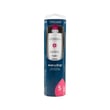
If you are servicing the water system while checking specs, common replacements include the refrigerator filter EDR5RXD1. You can also search by model number on Sears PartsDirect.
Last updated: February 2026
How to get KitchenAid fridge out of demo mode?
On the KitchenAid KSSC48QMS00 built-in refrigerator, “demo mode” is commonly confused with Holiday Mode. Holiday Mode is a documented feature that turns off the interior lights and disables the ice maker; you exit it by pressing the HOLIDAY MODE pad again. For the exact control-panel steps for your unit, follow the control instructions in the owner's manual.
Quick checks before you change settings
- Make sure the refrigerator has power and the display is lit
- Confirm the control panel is not locked (if your model has a lock feature)
- Close both doors so the controls respond normally
- Look for any indicator text such as “Holiday” or “Cooling Off”
If it is Holiday Mode (documented in the manual)
Holiday Mode is designed for travel; it keeps temperature set points unchanged, disables the ice maker, and turns off interior lights.
Steps:
- Press the HOLIDAY MODE pad to return to normal operation
- Turn the ice maker back on (if you turned it off separately)
- Give the refrigerator time to stabilize temperatures
Demo mode vs. Holiday Mode
| Mode/feature | What you’ll notice | Cooling behavior |
|---|---|---|
| Holiday Mode | Lights off, ice maker disabled | Cools normally |
| Demo mode (showroom) | Controls appear to work, unit does not cool | Does not cool |
If it still will not cool after exiting Holiday Mode
If the refrigerator is not cooling, we treat it as a “no cooling” problem rather than a mode setting.
Check these common causes:
- Airflow blocked by packages at vents
- Dirty condenser area (reduced heat removal)
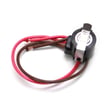
- Failed temperature sensor such as the refrigerator thermistor WP2188819
- Control issue such as the refrigerator electronic control W10823805
Why it matters
A refrigerator left in a non-cooling mode or with a cooling failure can warm quickly even though the display looks normal; correcting the mode or addressing the failed part protects food and prevents repeat temperature swings.
You can order KSSC48QMS00 replacement parts from the parts list for this model, or search by model number on Sears PartsDirect.
Last updated: February 2026
How to replace water filter on KitchenAid side by side refrigerator?
To replace the water filter on your KitchenAid KSSC48QMS00 built-in side-by-side refrigerator, remove the base grille filter, transfer the reusable cap to the new cartridge, then push in and rotate the cap to lock. Finish by flushing 2 to 3 gallons of water.
Step-by-step: replace the base grille water filter
- Rotate the filter cap counterclockwise to the vertical position.
- Pull the cap and filter cartridge out through the base grille (some water may spill).
- Slide the cartridge cap off the old filter and keep it; it is part of the refrigerator.
- Remove the protective cover from the new filter O-rings.
- Slide the cartridge cap onto the new filter.
- With the cap handle vertical, push the filter in until it stops; rotate clockwise to horizontal.
For model-specific illustrations and filter indicator details, use the KSSC48QMS00 owner's manual.
Flush the water system after replacement
Flushing clears air and carbon fines so the dispenser and ice maker fill normally.
- Use a sturdy container at the dispenser
- Dispense and discard 2 to 3 gal (8 to 12 L)
- Plan about 6 to 7 minutes
- Expect spurting at first as air clears
Quick reference
| Task | Correct position/action | Result |
|---|---|---|
| Remove old filter | Cap vertical; rotate counterclockwise; pull out | Cartridge releases |
| Install new filter | Push in; rotate clockwise to horizontal | Cap locks |
| Flush system | Dispense 2 to 3 gal | Flow steadies |
Why it matters
A correctly seated filter and a full flush prevent leaks at the base grille and reduce sputtering, helping maintain steady water flow and consistent ice production.
If you need the correct replacement cartridge, the parts list for this model includes the refrigerator filter EDR5RXD1; you can also search by model number on Sears PartsDirect.
Last updated: February 2026