 Owner’s manual
 Error Codes





What is the average lifespan of a Samsung dryer?
A Samsung dryer typically lasts 10 to 15 years. For your Samsung DV50F9A6GVW, lifespan depends most on airflow (clean venting), load size, and routine care; following the use and care guidance in the DV50F9A6GVW owner’s manual helps you reach the upper end of that range.
- Ventilation and duct cleanliness: restricted airflow drives higher heat and longer run times.
- Load size and overloading: the manual recommends filling the drum about 1/2 full for a medium load and not more than 1/4 full for a small load.
- Heat stress: repeated overheating shortens the life of thermostats, sensors, and wiring.
- Wear parts: belts and rollers wear gradually and can be replaced to extend service life.
- Installation environment: adequate fresh air and proper exhausting to the outside matter for performance and safety.
- Clean the lint screen after every load and keep the lint area clear.
- Inspect and clean the vent duct periodically; your dryer includes a Vent Sensor that notifies you when it is time to clean the ducts.
- Avoid packing the drum; use the correct cycle for the fabric and load size.
- Address new noises early (thumping, squealing, scraping) before they damage the drum or motor.
| Wear item | Typical symptom | What it can lead to if ignored |
|---|---|---|
| Drum belt | Drum not turning, burning rubber smell | Motor strain, no-dry situations |
| Drum support rollers | Thumping, rumbling | Drum wear, louder operation |
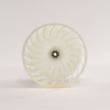
| Blower wheel | Poor airflow, rattling | Long dry times, overheating |
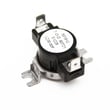
| Thermostats/sensors | Overheating or no heat | Shutdowns, inconsistent drying |
If you’re hearing rumbling or thumping, the Samsung dryer drum support roller DC97-16782A is a common wear part to check on DV50F9A6GVW.
A dryer that is vented correctly and not overloaded dries faster and runs cooler; that reduces stress on the motor, belt, and temperature controls, which is the biggest driver of real-world lifespan.
Last updated: February 2026
How do I find the part number for my dryer?
For your Samsung dryer model DV50F9A6GVW, the fastest way to find the correct part number is to match the part to your exact model number first, then confirm the part name and number in the parts list or diagrams. Your model number is the key to getting the right fit.
- Find the model number on the dryer’s data label (commonly behind the door opening).
- Use the exact model number DV50F9A6GVW when searching parts.
- Identify the failed part by name and symptom (for example: “won’t start” can point to a door switch).
- Match the part in the diagrams/parts list, then confirm the manufacturer part number.
- Double-check compatibility notes and any included hardware before ordering.
For label locations and model-specific details, use the DV50F9A6GVW manual.
If you already know what’s acting up, these are examples of part names and manufacturer part numbers used on this model:
| Symptom you notice | Part to check | Example part number |
|---|---|---|
| Dryer won’t start when door closes | Door switch | DC64-00828B |
| Loud thumping or squealing | Drum support roller | DC97-16782A |
| Drum not turning | Drum belt | 6602-001655 |
| Overheating or shuts off | High-limit thermostat / thermal cut-off | DC47-00017A / DC47-00016A |
If you’re specifically chasing a “won’t start” issue, the dryer door switch DC64-00828B is a common match for this model.
Samsung dryers often use similar-looking parts across different model series, but small differences (mounting tabs, wiring connectors, lengths) can change the correct part number. Using DV50F9A6GVW first helps prevent returns and repeat repairs.
Last updated: February 2026
How to tell if a Samsung dryer heating element is bad?
A bad heating element in your Samsung DV50F9A6GVW dryer typically shows up as “runs but no heat” or heat that cuts in and out; the most reliable check is a continuity test with a multimeter after disconnecting power. Use the DV50F9A6GVW user manual for model-specific access and safety notes.
- Confirm the cycle and temperature setting are heat-enabled (not Air Fluff or no-heat).
- Clean the lint screen and check airflow; restricted venting can mimic a heat failure.
- If your dryer has a vent diagnostic feature, run it after installation or vent changes.
- Watch for normal cycling; it is normal for the heating system to cycle on and off during drying.
- If an error code is displayed, use Smart Care or look up the code in Samsung dryer error codes.
- Unplug the dryer (or switch off the breaker) and let it cool.
- Access the heater terminals (location varies by build; follow the manual’s disassembly guidance).
- Set the meter to ohms (Ω) or continuity.
- Test terminal-to-terminal:
- Good element: continuity present (meter beeps or shows low resistance).
- Bad element: no continuity (open circuit, often shows OL or very high resistance).
- Test each terminal to the metal heater housing (ground test):
- Good element: no continuity to ground.
- Bad element: continuity to ground (shorted element).
If the element tests good, we next check the safety thermostats and temperature sensing parts that commonly stop heat:
| Symptom | Common cause | Example part for DV50F9A6GVW |
|---|---|---|
| No heat, dryer runs | Open safety device | Dryer thermal cut-off thermostat DC47-00016A |
| Overheats then stops heating | High-limit thermostat opening | DC47-00017A |
| Heat is erratic, dries poorly | Temperature sensing issue | DC32-00007A |
A failed element (or a grounded element) prevents proper heating and can also trigger repeated shutdowns from safety controls. Verifying the element with a meter helps you avoid replacing the wrong part and shortens repair time.
Last updated: February 2026








