Installation guide
 Owner’s manual
 Error Codes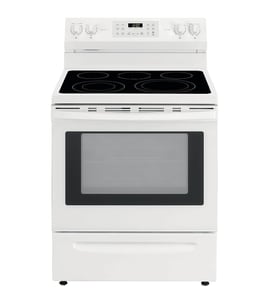


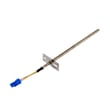

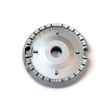
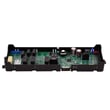

How do I tell how old my KitchenAid is?
To tell how old your KitchenAid range is, we use the model and serial number from your KitchenAid KSDB900ESS2 data plate, then match the serial number format to the manufacturer’s date code. The exact “year/week” decoding is tied to the serial number itself, so the key step is finding and recording it accurately.
For a KitchenAid KSDB900ESS2 dual-fuel range, the model and serial number are typically on a rating label around the oven door frame area or on a side frame visible when you open the oven door. Use the KSDB900ESS2 owner’s manual as your reference for the label location and identification details.
- Open the oven door and inspect the frame around the opening.
- Check the left and right side trim areas near the front.
- Look for a printed sticker or metal tag with MODEL and SERIAL.
- Write the serial number exactly as shown (letters and numbers in order).
- Take a clear photo; it helps prevent mix-ups when ordering parts like a control board or keypad.
KitchenAid ranges are Whirlpool-manufactured appliances, and their serial numbers commonly embed a production date code (often a year indicator plus a week number). Once you have the serial number, compare it to the date-code explanation in the KSDB900ESS2 owner’s manual or the manufacturer’s support guidance.
| What you have | What it tells you | What to do next |
|---|---|---|
| Model number (KSDB900ESS2) | The exact product design and parts list | Use it to match parts and manuals |
| Serial number | The build date code is embedded here | Decode it to estimate manufacture week/year |
| Purchase receipt | The in-service date | Use it for warranty and service history |
Knowing the age helps us match the correct KitchenAid parts and revisions for your KSDB900ESS2, especially for electrical and ignition-related components where compatibility matters.
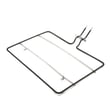
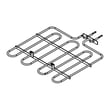
If you are troubleshooting age-related issues (weak bake performance, uneven heating, or ignition problems), common repair paths include checking the bake element W10779716 and verifying wiring connections per the installation instructions.
Last updated: February 2026
How long is the KitchenAid range warranty?
KitchenAid model KSDB900ESS2 is covered by a one-year limited warranty from the original purchase date, as long as the range is installed, operated, and maintained according to the product instructions. During that year, KitchenAid covers factory specified replacement parts and repair labor for defects in materials or workmanship.
Within 1 year of purchase, warranty service is intended to address defects that were present when the appliance was purchased.
- Factory specified replacement parts
- Repair labor to correct defects in materials or workmanship
- Service performed by a KitchenAid designated service provider
- Coverage applies when used in the country where it was purchased
These items are typically excluded even during the 1-year period.
- Consumable items (for example, oven light bulbs)
- Installation issues or corrections to household wiring, fuses, or gas supply
- Damage from misuse, accidents, fire, floods, or unauthorized modifications
- Cosmetic damage (scratches, dents, chips) unless reported within the required timeframe
- Non-residential or commercial use
KitchenAid requires proof of purchase to obtain warranty service. Keep your receipt and have key details ready when requesting service.
| What to have ready | Why it matters |
|---|---|
| Proof of purchase (receipt) | Confirms the warranty start date |
| Model and serial number | Ensures the servicer brings correct parts |
| Clear problem description | Speeds up diagnosis and scheduling |
For the exact warranty wording and service instructions for KSDB900ESS2, use the KSDB900ESS2 owner’s manual.
A one-year warranty helps protect you from early-life failures in major components like the oven control, wiring, and heating system. Knowing what is excluded also helps you avoid out-of-pocket costs for items considered normal wear or installation-related.
Last updated: February 2026
How to find KitchenAid range model number?
For your KitchenAid KSDB900ESS2 dual-fuel range, the model and serial number are printed on a label on the oven frame behind the top-right side of the oven door. Open the oven door and look along the frame on the right side to find the tag.
Check these common spots in this order:
- Oven frame behind the top-right side of the oven door (primary location for KSDB900ESS2)
- Along the front frame behind the door opening (scan the right side first)
- Storage or warming drawer frame area (if equipped)
- Back panel (only if you can safely access it without moving the range)
Use the location diagram and wording in the KSDB900ESS2 owner’s manual to match what you see on the appliance.
Record both numbers exactly as shown:
| Item | What it’s used for | Example format |
|---|---|---|
| Model number | Ensures you get the correct parts and diagrams | KSDB900ESS2 |
| Serial number | Helps identify production series and revisions | Letters and numbers |
- Copy every character, including dashes or extra suffixes
- Take a clear photo before ordering parts or scheduling service
- If the label is greasy, wipe it gently with a damp cloth and dry it (avoid abrasive cleaners)
KitchenAid ranges often have multiple versions that look identical. Using the exact model number (KSDB900ESS2) helps us match the right bake element, control board, burner parts, and installation details the first time.
Last updated: February 2026
How to reset KitchenAid electric range?
To reset your KitchenAid KSDB900ESS2 range, turn the range off and restore power by switching the circuit breaker OFF for 1 minute, then back ON. The control display may flash or go blank briefly, then return to normal; press CANCEL to clear the display.
- Press CANCEL to stop a cooking cycle and clear a flashing display.
- If the display is blank, press any keypad to wake it (Energy Save mode can blank the display after inactivity).
- Turn the breaker OFF for 1 minute, then ON to reboot the electronic oven control.
- If the controls are locked, press and hold START (Hold 3 Sec) for 3 seconds to unlock.
- If an error returns immediately after a reset, stop using the oven function and troubleshoot the cause.
| What happens | What it means | What to do |
|---|---|---|
| Display flashes after power returns | Normal after power-up or power loss | Press CANCEL |
| Display is blank when idle | Energy Save (sleep mode) is on | Press any keypad to wake; adjust Energy Save in settings |
| “Control Locked” or “Locked” shows | Control lockout is enabled | Hold START (Hold 3 Sec) to unlock |
Use these checks to narrow it down before replacing parts:
- Confirm the household circuit breaker is not tripped.
- Verify the range is plugged into a grounded outlet and the electrical supply is connected.
- If the control shows F9 or F9, E0, treat it as a possible miswired outlet; disconnect power and have a qualified electrician verify the supply.
- For dual-fuel models, confirm the gas shutoff valve is open if the oven is not heating.
A reset clears temporary control glitches and restores normal display behavior after a power interruption. If the same symptom returns right away, the reset helps confirm you are dealing with a power, wiring, lockout, or control issue rather than a one-time software hiccup.
For model-specific control and settings steps, follow the KSDB900ESS2 owner’s manual.
Last updated: February 2026
What are the common KitchenAid problems?
For the KitchenAid KSDB900ESS2 dual-fuel range, the most common problems we see are power or display issues (nothing operates, blank display), ignition or burner lighting trouble, and oven heating problems such as uneven baking or no bake. Start with the troubleshooting steps in the KSDB900ESS2 owner's manual.
- Nothing will operate: unplugged cord, tripped breaker, blown fuse, or Energy Save mode with a blank display.
- Blank display: Energy Save may be active; pressing any keypad typically wakes the display.
- Error code F9 or F9 E0: often points to a home electrical supply or outlet wiring issue.
- Oven not baking or weak bake heat: a failed bake element is a common cause.
- Burners not sparking or clicking constantly: ignition system issues can involve the spark module, wiring, or moisture around the burner base.
- Confirm the range is fully plugged into a grounded outlet.
- Check the home breaker or fuse and reset if needed.
- If the display is blank, press any keypad to exit Energy Save.
- If you see F9 or F9 E0, have a qualified electrician verify the outlet wiring.
- For burner issues, remove and dry burner parts, then reseat them carefully.
| Symptom | Common part involved | Example part for KSDB900ESS2 |
|---|---|---|
| No bake or poor baking | Bake element | Bake element W10779716 |
| No spark or constant clicking | Spark module | Spark module (red) WPW10475149 |
| Dead unit, intermittent power | Terminal block connection area | Range terminal block WPW10245259 |
Catching power-supply and heating issues early helps prevent nuisance shutdowns, poor cooking results, and damage to electrical connections. Following the model-specific troubleshooting flow also reduces unnecessary part replacement.
Last updated: February 2026
What is the life expectancy of a KitchenAid oven?
A KitchenAid oven typically lasts 10 to 15 years. For your KitchenAid KSDB900ESS2 dual-fuel range, lifespan depends most on how often you cook, how well you keep the oven cavity and vents clean, and whether high-heat cleaning cycles are used frequently (which adds stress to components).
- Heat exposure over time: frequent high-temp baking and broiling accelerates wear on wiring, sensors, and controls.
- Self-cleaning habits: using high-heat cleaning too often can shorten the life of door latches, insulation, and electronics.
- Ventilation and airflow: blocked vents can overheat the control area and shorten component life.
- Power quality: surges and loose connections can damage the control board and terminal connections.
- Routine cleaning: wiping spills after the range cools helps protect finishes and reduces smoke and odor issues.
| Component area | Common symptom | Typical outcome |
|---|---|---|
| Oven controls and keypad | Dead display, unresponsive keys | Control or keypad replacement |
| Ignition and gas controls (cooktop) | Clicking, no ignition, weak flame | Spark or valve diagnosis |
| Oven heating circuit | Slow preheat, uneven baking | Element or wiring repair |
| Cooling/venting | Hot control panel, fan noise | Cooling fan service |
- Follow the cleaning and operating guidance in the KSDB900ESS2 owner’s manual.
- Keep the oven bottom and door area free of heavy baked-on spills.
- Avoid slamming the oven door; it protects hinges, latch parts, and door alignment.
- If you notice slow preheat or uneven baking, test and replace the bake element W10779716 when it is faulty.
- If the control area feels unusually hot, check for blocked airflow and inspect the cooling fan system.
A range that is cleaned correctly and kept properly ventilated runs cooler at the controls and wiring. That reduces heat stress, which is one of the biggest drivers of early failures in modern ovens.
Last updated: February 2026