 Installation guide

Can I still use my dishwasher with error E25?
Error E25 on your Bosch SHP7PT55UC dishwasher points to a drain problem (restricted drain path or a drain pump issue). We do not recommend continuing to run cycles until you clear the blockage; repeated drain failures can leave dirty water in the tub and trigger more shutdowns.
What to do first (safe checks)
- Turn off power at the breaker.
- Remove standing water if needed.
- Check the drain path for simple restrictions.
Use these quick checks before pulling the dishwasher out:
- Clean the filter area in the bottom of the tub (food debris commonly causes E25).
- Inspect the sink drain connection or garbage disposal inlet where the dishwasher hose connects.
- Look for kinks, pinches, or a sagging loop in the drain hose.
- If your setup uses a high loop or air gap, make sure it is not clogged.
- Run a cancel/drain function after cleaning to see if it now evacuates normally.
When E25 usually means a part problem
If the drain path is clear but the unit still will not drain, the most common suspects are:
- A jammed or failing drain pump
- A blocked or damaged drain hose
- A restriction at the check valve area near the pump (varies by design)
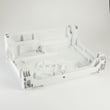
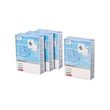
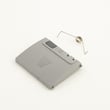
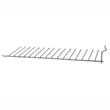
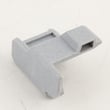
Helpful part matches for this model:
Quick symptom guide
| What you notice | Most likely cause | What we do next |
|---|---|---|
| Hums but water stays | Pump jam or blockage | Check pump inlet, then consider replacing the drain pump |
| Drains slowly | Partial clog in hose or plumbing | Clear hose and sink/disposal connection |
| Intermittent E25 | Debris shifting in sump/filter | Deep clean filter area and re-test |
Why it matters
A dishwasher that cannot drain cannot rinse correctly, and standing water can redeposit soil on dishes. Fixing the drain restriction first is the fastest way to restore normal wash performance and prevent repeat E25 errors.
Model-specific guidance
For routing requirements (high loop/air gap), hose connection points, and how to safely pull the unit for service, follow the installation guide.
Last updated: January 2026
How can I force my Bosch dishwasher to drain?
To force-drain a Bosch dishwasher like model SHP7PT55UC, we cancel the current cycle so the control runs the drain pump. If it still will not drain after canceling, a clogged filter, kinked drain hose, or a failing drain pump is usually the cause.
Quick ways to force a drain
- Press and hold Start/Reset (or Cancel/Drain) for about 3 to 5 seconds.
- Close the door fully; many Bosch dishwashers will not drain with the door open.
- Wait 1 to 2 minutes for the drain pump to run.
- If the display shows an error, use Bosch dishwasher error codes to identify the drain-related fault.
If it still will not drain: what to check first
Turn off power at the breaker before reaching into the sump or accessing wiring.
- Filter and sump: Remove and rinse the filter; clear labels, glass, and food debris.
- Drain hose routing: Confirm the hose is not kinked or crushed behind the dishwasher.
- High loop or air gap: Verify the drain hose is routed high under the counter (or through an air gap if used).
- Disposal connection: If connected to a garbage disposal, make sure the inlet knockout plug was removed.
- Water level: A small amount of water in the sump is normal; water standing across the tub floor is not.
Parts commonly involved when a Bosch dishwasher will not drain
| Symptom | Most likely cause | Part to consider |
|---|---|---|
| Hums, no drain flow | Jammed or failed pump | Dishwasher drain pump 00631200 |
| Drains slowly or backs up | Restricted or kinked hose | Dishwasher drain hose 00744881 |
| Intermittent draining | Debris at pump cover/lid | Cover 00611322 |
Why it matters
A forced drain clears a stopped cycle and helps prevent odors and leaks. If you have to force-drain repeatedly, clearing the filter area and verifying the drain hose setup usually fixes the root cause.
For model-specific drain and installation requirements (high loop, air gap, and drain connection), follow the installation guide.
Last updated: January 2026
How do I find the model number on my SHP7PT55UC?
Your Bosch dishwasher’s model number is printed on the rating label; on SHP7PT55UC units it’s typically located along the inside edge of the door where it’s visible when you open the door. Use that full model number to match the correct diagrams, parts, and installation details.
Where to look on the dishwasher
Check these common Bosch dishwasher label locations (in order):
- Top or side edge of the inner door (most common)
- Door frame around the tub opening (left or right side)
- Right or left side wall of the tub near the front
- Along the bottom edge of the door, near the hinge area
What to write down (so parts match)
For the best parts match, copy the information exactly as shown on the label:
- Model number (for example, SHP7PT55UC)
- FD number (factory date code, common on Bosch labels)
- Serial number
- Any index/version after the model (often shown after a slash, such as “/07”)
Quick check: model vs. series vs. index
Bosch dishwashers often show multiple identifiers. Here’s what each one means.
| Label item | What it tells you | Why it matters |
|---|---|---|
| Model number (SHP7PT55UC) | The base model family | Gets you to the right parts list |
| Index (often “/07”) | The specific revision of the model | Ensures exact-fit parts |
| Serial number | Your unit’s unique ID | Helpful for service history |
Why it matters
Bosch uses model indexes and revisions that can change components like the water inlet valve, circulation pump with heater, or drain hose. Using the exact model and index helps us point you to the correct replacement part the first time.
If the label is hard to read
- Wipe the label gently with a damp cloth and dry it
- Use a flashlight and take a close-up photo
- Avoid scraping; the print can lift off
For installation-related label and access details, use the installation guide.
Last updated: March 2026





