Owner’s manual
 Error Codes



What's the average lifespan of a Kenmore refrigerator?
Most Kenmore refrigerators, including model 79579433214, typically last 12 to 15 years with normal household use. Regular maintenance like keeping the condenser area clean, maintaining good door seals, and using the correct filters helps you reach (and often exceed) that average; see the 79579433214 owner's manual.
Typical lifespan and what affects it
A refrigerator’s life depends most on heat load, airflow, and how hard the sealed system has to work.
- Maintenance habits: cleaning, leveling, and keeping vents clear
- Door use: frequent openings and warm food loads increase run time
- Room conditions: hot rooms make the compressor run longer
- Seal condition: worn gaskets leak cold air and raise run time
- Water and ice use: heavy use can wear valves and ice maker components
Maintenance checklist that helps a fridge last longer
Use this as a simple routine for a Kenmore top-mount refrigerator like 79579433214:
- Vacuum dust from the condenser area (as accessible) every 6 to 12 months
- Keep door gaskets clean and check for gaps; replace if torn or warped
- Confirm the refrigerator is level so doors close fully
- Replace the water filter on schedule if your model uses one
- Avoid blocking interior air vents with large containers
Quick guide: symptoms vs likely wear items
| Symptom | Common cause | Example part for 79579433214 |
|---|---|---|
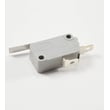
| Light stays off or won’t turn on when door opens | Door switch issue | Lg refrigerator door switch 6600JB1010A |
| Door not sealing, moisture, warm spots | Worn or deformed gasket | Refrigerator door gasket ADX52752644 |
| No ice or weak water flow (with good house supply) | Inlet valve not opening fully | Refrigerator water inlet valve AJU73292403 |
Why it matters
A refrigerator that runs longer than normal uses more energy and puts extra wear on the compressor. The manual notes that modern refrigerators can run a large portion of the time (especially in warm conditions and with frequent door openings), so reducing heat and air leaks directly supports longer service life.
Last updated: January 2026
How to know fridge model number?
For Kenmore refrigerator model 79579433214, the model number is printed on the appliance identification label inside the refrigerator compartment. On this model family, that label is on the interior liner of the fresh food section, so you can read it as soon as you open the refrigerator door.
Where to look first (fastest checks)
- Open the fresh food (refrigerator) door and look along the interior side wall
- Check the interior liner near the crisper area
- Look along the door frame area where the door closes
- If you still do not see it, check behind the base grille area for the tech sheet location noted in the manual
What the label looks like and what to write down
The identification label typically includes both a model and serial number. Record both so we can match the correct Kenmore parts and diagrams.
| Item on label | Example format | Why you need it |
|---|---|---|
| Model number | 79579433214 (may include a color code on some versions) | Ensures correct parts fit |
| Serial number | Letters and numbers | Helps confirm production details |
Tips if the label is hard to read
- Wipe the label gently with a damp cloth and dry it
- Use your phone camera and zoom in for clearer characters
- Copy the number exactly; do not add spaces or dashes
Why it matters
Kenmore model numbers (like 79579433214) determine the exact door bins, shelves, switches, and water system parts your refrigerator uses. Even small model differences can change which parts fit.
For more model-specific details and label location notes, use the 79579433214 owner's manual.
Last updated: January 2026
Is there a reset button on a Kenmore refrigerator?
Kenmore refrigerator model 79579433214 does not use one universal “reset button” for everything. Most resets are done by restoring power (unplugging briefly) or by using the temperature controls to exit modes like Demo mode. For exact control steps, use the 79579433214 owner's manual.
How to reset (most common methods)
- Power reset: Unplug the refrigerator (or switch the breaker off) for 5 to 10 minutes, then restore power.
- Control reset after power returns: Set the refrigerator and freezer controls back to your normal settings.
- If cooling is off because controls are OFF: Turn the temperature controls back on (OFF does not remove power to the light circuit).
- If the unit is in Demo mode: Use the temperature adjust control to deactivate Demo mode so cooling resumes.
Demo mode vs. a true “reset”
Demo mode can look like a failure because lights and the display work, but the cooling system is disabled. If you see an OFF indicator and the refrigerator is not cooling, use the temperature adjust button to set a temperature and exit Demo mode.
| Situation | What you’ll notice | What to do |
|---|---|---|
| Minor control glitch | Display odd behavior, cooling may still work | Power reset (unplug 5 to 10 minutes) |
| Controls set to OFF | No cooling | Turn controls back to a cooling setting |
| Demo mode enabled | Lights/display work, no cooling | Use temperature adjust to disable Demo mode |
Quick checks before you reset
- Confirm the power cord is fully plugged into a working outlet.
- Check the house breaker or fuse.
- Make sure doors close fully and seals are making contact.
- Wait up to 24 hours for full cooling after the refrigerator has been unplugged or newly plugged in.
Why it matters
A “reset” clears temporary control issues and restores normal operation, but it also helps you spot when the real issue is a setting (OFF or Demo mode) versus a part problem such as a door switch like the lg refrigerator door switch 6600JB1010A.
Last updated: January 2026