Installation guide
 Owner’s manual
 Error Codes







What are the electrical requirements for a wall oven?
For the Kenmore 79040192400 electric wall oven, you need an individual, properly grounded branch circuit with single-phase 120/240V or 120/208V, 60 Hz AC power using a 3-wire or 4-wire connection. The circuit must be protected by a time-delay fuse or circuit breaker.
Use these requirements as your baseline, then confirm the exact amperage on the oven’s rating plate (typically on the oven frame) and follow the wiring method shown in the 79040192400 installation guide.
- Single-phase 120/240V or 120/208V, 60 Hz AC only
- 3-wire or 4-wire supply connection
- Separate (dedicated) circuit, fused on both sides of the line
- Do not fuse neutral
- No extension cord for a wall oven
The installation instructions call out common maximum loads and matching protection for single vs. double wall ovens.
| Oven type | Typical max load | Typical breaker | Typical wire gauge |
|---|---|---|---|
| Single wall oven | Up to 4000W @ 240V | 30 Amp | #8 AWG |
| Double wall oven | Up to 8000W @ 240V | 40 Amp | #8 AWG |
Correct voltage, grounding, and overcurrent protection help the oven heat properly and protect key electrical components like the control board, wiring connections, and terminal block from overheating or damage.
- Verify the rating plate amperage before selecting breaker size.
- Confirm whether your home wiring is set up for 3-wire or 4-wire.
- Use a junction box connection with approved cable (as shown in the install instructions).
- Shut off power at the breaker before making line connections.
- Follow all applicable electrical codes and local ordinances.
For operating and feature details (like cooling blower behavior and venting), use the 79040192400 owner’s manual.
Last updated: February 2026
What are the parts of an electric oven?
An electric wall oven like Kenmore model 79040192400 is built around heating elements, controls, and airflow parts that work together to bake and broil evenly. Common core parts include the bake element (bottom heat), broil element (top heat), oven controls, racks, and the oven vent system described in the 79040192400 owner's manual.
Most electric ovens include these components (your exact feature set can vary by model):
- Bake element: provides primary heat for baking (lower element)
- Broil element: provides high, direct top heat for broiling (upper element)
- Electronic oven controls: temperature selection, clock, and timer functions
- Oven vent and trim vent outlet: releases warm air for proper circulation
- Oven racks: adjustable cooking positions
- Oven light system: bulb, lens/cover, and socket to illuminate the cavity
- Cooling blower/fan (some models): helps keep electronic components cooler during baking and self-clean
For Kenmore 79040192400, these are common service items we see on the parts list:
| What it affects | Common part | What it does |
|---|---|---|
| Oven light not working | Range oven light bulb 316538904 | Lights the oven cavity |
| Oven temperature seems off | Frigidaire range oven temperature sensor 316217002 | Helps the control regulate temperature |
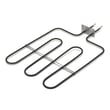
| No/weak bake heat | Frigidaire range bake element 318255101 | Provides lower heating for baking |
| No/weak broil heat | Range broil element 318255606 | Provides upper heating for broiling |
Your oven is vented at the center trim; warm air exits there while the oven runs. Some models also use a blower during baking and self-cleaning to keep internal components cooler, and it can continue running after you turn the oven off until temperatures drop.
Use these steps to match the right component the first time:
- Open the oven door and locate the model and serial plate along the side trim
- Match symptoms to the system: heat (elements), accuracy (sensor), visibility (light parts)
- If the oven was recently installed, confirm the unit is centered and installed per the 79040192400 installation guide
- For electrical parts, shut off power at the breaker before inspecting wiring
Last updated: February 2026
What is the F1 code on a Kenmore oven?
On a Kenmore electric wall oven model 79040192400, an F1 error means the electronic oven control detected a fault condition. In most cases, the problem is in the control (keypad/control board), but a wiring issue or a bad oven temperature sensor can also trigger F1.
- Press STOP/CLEAR to silence the beeping and clear the code.
- Reprogram the oven and try a simple bake cycle.
- If F1 returns, write down the exact code and when it happens (at idle, during preheat, or after heating).
- Turn off power at the breaker for 1 minute, then restore power and retest.
- If the code repeats, move to component checks below.
F1 is usually caused by one of these issues:
- Stuck or failing keypad (touch panel) sending false inputs
- Failed electronic oven control (EOC) logic
- Loose, damaged, or overheated wiring/connectors between the keypad, control, and sensor
- Out-of-range oven temperature sensor
- Power supply problems (intermittent voltage, poor connection at the terminal block)
These are model-compatible parts we commonly see tied to F-code and heating faults:
| What it affects | Part to consider | When it is suspect |
|---|---|---|
| Temperature feedback | Range oven temperature sensor 316217002 | Oven overheats, underheats, or F1 appears during/after preheat |
| Incoming power connection | Terminal block 5304409888 | Burnt smell, melted wires, intermittent power/reset issues |
An F1 fault can stop cooking mid-cycle and, if it is caused by overheating or a wiring problem, it can lead to repeated shutdowns and damage to connectors. Addressing it early helps protect the control and keeps temperatures stable.
Use the “Before You Call” and control information in the 79040192400 owner’s manual to match symptoms (beeping, display behavior, when the code appears) to the next best check.
Last updated: February 2026
Where is the model number on a wall oven?
On the Kenmore wall oven model 79040192400, the model and serial number are printed on the serial plate along the interior side trim of the oven; you can see it when you open the oven door. For a picture and exact wording, check the 79040192400 owner's manual.
- Open the oven door and look along the left and right interior side trim (the vertical trim beside the oven cavity).
- Look for a metal or foil serial plate with Model, Serial, and sometimes a lot number/letter.
- Use a flashlight; the plate can be easier to read from an angle.
- If the label is greasy, wipe gently with a damp cloth and mild dish soap, then dry.
Some wall ovens also place identification labels in other common spots. Check these next:
- Along the front frame behind the door (near the gasket area)
- On the side trim slightly higher or lower than eye level
- On the oven rim area where the door closes
Having the full ID helps us match the correct Kenmore parts and diagrams.
| What to record | Example format | Why we need it |
|---|---|---|
| Model number | 79040192400 | Confirms the exact wall oven version |
| Serial number | Letters and numbers | Helps match production changes |
| Lot number/letter (if shown) | Single letter/number | Can affect part compatibility |
Kenmore wall ovens can have multiple versions that look identical. Using the exact model and serial information from the serial plate prevents ordering the wrong part (for example, an oven temperature sensor or bake element that does not match your wiring or mounting).
Last updated: February 2026