 Installation guide




How do I turn off the loc on my Frigidaire dishwasher?
On the Frigidaire FDB2410LDC4 dishwasher, “LOC” indicates the control lock (child lock) is turned on. Turn it off by pressing and holding the Lock/Control Lock pad on the control panel for about 3 seconds until the indicator goes out, then start a normal cycle.
Quick checks before you try again
- Make sure the door is fully latched; some models will not unlock if the door is not closed.
- Press and hold the correct key; on many Frigidaire panels it is labeled Lock or Control Lock.
- Hold the key steadily for the full time; quick taps usually do nothing.
- If the panel is wet, dry it and try again (moisture can cause false key presses).
- If the dishwasher is mid-cycle, press Cancel/Drain first, then try unlocking.
If “LOC” will not clear
- Reset power: turn the dishwasher breaker off for 1 minute, then back on.
- Try the lock key again (press and hold about 3 seconds).
- If the keypad is unresponsive or acts “stuck,” inspect for physical damage around the console.
Parts that can be involved (when symptoms match)
If the lock will not toggle and other keys also fail, the issue is usually in the console/keypad circuit rather than a single mechanical part. If you also have a door that will not latch consistently, check the latch strike alignment.
| Symptom | Most likely area | What to do next |
|---|---|---|
| Only “LOC” shows, keys otherwise work | Control lock is enabled | Hold Lock/Control Lock ~3 seconds |
| Multiple keys do not respond | Keypad/console circuit | Reset power; inspect console wiring |
| Door must be pushed hard to start/unlock | Door latch alignment | Inspect/adjust strike and latch |
Why it matters
With control lock enabled, the dishwasher prevents accidental starts and button presses. Clearing “LOC” restores normal operation so you can select cycles, options, and start the wash.
For model-specific installation and access details (kickplate removal, anchoring, and safety notes), use the FDB2410LDC4 installation guide.
Last updated: January 2026
How can I force my Frigidaire dishwasher to drain?
To force a drain on your Frigidaire dishwasher model FDB2410LDC4, cancel the cycle (typically by pressing and holding the Start/Cancel pad for about 3 to 5 seconds), then close the door so the drain pump can run. If the drain hose is loose, water can discharge immediately.
Quick steps to force a drain
- Press and hold Start/Cancel for 3 to 5 seconds.
- Watch for the cancel indicator (light or tone, depending on console style).
- Close the door fully to let the drain pump engage.
- Let the drain run until you no longer hear water moving.
- If water remains, check for a kinked hose or a clog at the sink/disposer connection.
Drain system checks that matter on FDB2410LDC4
The installation requirements for this dishwasher are important for draining performance. Use the installation guide to confirm your drain routing and connection method.
- Make sure the drain hose has no sharp bends or kinks.
- Secure the hose to the sink drain, disposer, or trap with a clamp (do not overtighten).
- Do not connect the hose to a horizontal pipe between the sink drain and disposer.
- If connecting to a disposer for the first time, remove the disposer inlet knockout plug.
- Keep the drain hose positioned so the dishwasher does not rest on it.
Common causes when it still will not drain
| What you see | Most likely cause | What to do next |
|---|---|---|
| Hums but little or no water leaves | Kinked/blocked drain hose | Inspect routing; replace the hose if soft, split, or restricted |
| Drains slowly into sink | Clog at disposer or sink tailpiece | Clear the disposer inlet and drain connection |
| Water returns to tub | Missing/low drain loop | Re-route hose to maintain a proper high loop |
| No drain sound at all | Drain pump issue | Check the drain pump and wiring connections |
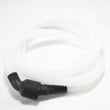
If the hose is damaged or repeatedly clogging, replacing the hose 807117001 is a common fix for FDB2410LDC4.
Why it matters
A proper cancel-drain and correct drain hose routing prevents standing water, odor, and poor wash results. It also reduces the chance of backflow from the sink or disposer into the dishwasher.
Last updated: January 2026
How do I clear the error code on my Frigidaire dishwasher?
On a Frigidaire FDB2410LDC4 dishwasher, you clear most error codes by canceling the current cycle, then restoring power and restarting a new cycle with the door fully latched. If the code returns right away, correct the drain, fill, heat, or door-latch problem that triggered it.
Quick reset steps (safe order)
- Press and hold Cancel (or Start/Cancel) for 3 to 5 seconds to stop the cycle.
- Wait 30 seconds, then select a cycle and press Start.
- If the code stays on, turn power off at the breaker for 5 minutes, then restore power.
- Close the door firmly and start a new cycle.
If the code comes back, check these first
- Drain: standing water, kinked drain hose, clogged filter.
- Fill: house shutoff valve open, inlet screen not blocked.
- Overfill: float moves freely and is not stuck.
- Heat/dry: water stays cool, poor drying.
- Door latch: door closes smoothly and latches consistently.
Installation issues that can trigger repeat errors
Improper routing or setup can cause recurring drain and fill faults.
| Installation item | What to verify | Why it affects errors |
|---|---|---|
| Drain hose connection | Hose is attached securely to the drain pump | Prevents leaks and no-drain faults |
| Line routing | Drain, water, electrical lines do not cross in front of motor/frame | Prevents pinches and restrictions |
| Leveling and anchoring | Unit is level and secured so the door closes correctly | Helps prevent door and leak-related faults |
Confirm these steps in the FDB2410LDC4 installation guide.
Parts that commonly solve repeat error conditions
If troubleshooting points to a failed component, these model-matched parts are common fixes:
- Dishwasher drain pump 154580301 for no-drain symptoms
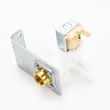
- Dishwasher water inlet valve 154637401 for slow fill or no fill
- Heater 154825001 for no-heat or poor drying complaints
Why it matters
A reset only clears the symptom. When the control detects the same condition again (no drain, no fill, no heat, or door not latched), it re-displays the code and may stop the cycle to protect the dishwasher.
Last updated: January 2026
What does lo mean on a Frigidaire dishwasher?
On the Frigidaire dishwasher model FDB2410LDC4, “LO” is a display message used for normal status or settings, not a single failure code. It commonly relates to rinse aid dosage (L0 to L6), time remaining (1 to 199 minutes), or a door prompt such as CL/Close/LOC.
What “LO” can indicate
Frigidaire uses similar display characters across many dishwashers; on FDB2410LDC4 you will typically see “LO” in these situations:
- Rinse aid setting: L0 to L6 shows the rinse aid dosage level (L0 is the lowest).
- Cycle time remaining: a number from 1 to 199 shows minutes left in the cycle.
- Door prompt: CL or “Close” appears when the door is not fully latched.
- Lock indication: LOC appears when a lock feature is active.
For installation and model-specific setup details that affect door closing and operation, use the FDB2410LDC4 installation guide.
Quick checks to identify which message you have
Use these checks to match the display to what the dishwasher is doing:
- If you see L0 through L6 while changing options, you are adjusting rinse aid dosage.
- If the dishwasher is running and the display changes to a countdown number, it is showing minutes remaining.
- If the dishwasher will not start and you see CL/Close, open and firmly re-latch the door.
- If you see LOC, turn off the lock feature using the control-panel key sequence for your model.
- If the unit will not fill or start after the door is latched, confirm the household water supply is on and the inlet system is not restricted.
When a part inspection makes sense
“LO” itself is usually informational, but if it appears along with a symptom, these model-matched parts are common inspection points:
| Symptom happening with the message | What to check | Model-matched part |
|---|---|---|
| Not filling or fills slowly | Water inlet system | Valve 154637401 |
| Leaking at the bottom of the door | Door sealing surfaces | Dishwasher door seal 809006501 |
| Poor cleaning, debris left behind | Filter and sump area | Dishwasher filter 5304532206 |
Why it matters
Interpreting “LO” correctly helps you avoid replacing parts unnecessarily. On FDB2410LDC4, “LO” is most often tied to a normal setting or prompt (rinse aid level, time remaining, or door/lock status).
Last updated: January 2026





