 Installation guide
 Owner’s manual
 Error Codes





What is the most common problem with GE dishwashers?
The most common problems we see with the GE CDT836P3M5D1 dishwasher are draining issues (clogged filters or drain path), the dishwasher not starting because the door is not fully latched, and leak-related shutdowns. Many of these are resolved by cleaning the filter and confirming proper door closure per the CDT836P3M5D1 owner's manual.
Most common issues and what to check first
- Not draining: Clean the filter assembly and check for a kinked or restricted drain hose.
- Won’t start or stops mid-cycle: Make sure the door is fully closed and latched; if the cycle was interrupted, restart correctly.
- Beeping with the door open: The unit can beep as a reminder that the door is open during operation.
- Leak detected message: Some models cancel the cycle when a leak is detected.
- Poor cleaning or odors: Food debris buildup in the filter area and spray path is a frequent cause.
Quick troubleshooting steps (safe DIY)
- Turn off power at the breaker before touching internal components.
- Remove and clean the fine and ultra-fine filters; reinstall them correctly under the retaining tabs.
- Check that dishes are loaded so spray arms can rotate freely.
- If the Start light is flashing after the door was opened, press Start and close the door within a few seconds to resume.
- If the dishwasher has a wall switch, confirm it is on; if it was off, wait 5 to 10 seconds after turning it on before pressing Start.
Parts that commonly relate to these symptoms
| Symptom | Common area | Example part for CDT836P3M5D1 |
|---|---|---|
| Won’t start, won’t stay running | Door latch system | GE dishwasher door latch lock WD21X10490 |
| Not draining, water left in tub | Drain system | Dishwasher drain hose (routing, clogs) |
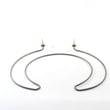
| Not drying well | Heating circuit | Dishwasher heating element |
Why it matters
Drain clogs and door-latch problems can look like “electrical” failures, but they often come down to basic airflow, water flow, and safety interlocks. Cleaning the filter and confirming a solid latch can prevent repeat shutdowns and improve wash performance.
Last updated: January 2026
Can a clogged drain cause an FTD error?
Yes. On the GE CDT836P3M5D1 dishwasher, an FTD (fail to drain) condition commonly happens when the drain path is restricted, such as a clogged air gap, blocked disposer connection, or a kinked drain hose. Use the steps in the CDT836P3M5D1 installation guide to confirm the drain setup and clear restrictions.
What to check first (fast, common fixes)
- Cancel the cycle so the dishwasher attempts to drain, then verify whether water leaves the tub.
- Check the sink and disposer: if the sink drains slowly, the dishwasher may not drain well either.
- If your dishwasher uses an air gap, remove the cover and clean the air gap cap and passage.
- Confirm the disposer inlet plug was removed (new disposer installs commonly leave the plug in place).
- Inspect the drain hose behind/under the dishwasher for kinks, crushing, or a low spot that traps water.
- Make sure the drain line routing matches the required high loop or air gap setup.
Parts that can be involved if the drain path is clear
If the hose and plumbing are clear but the dishwasher still will not pump out, a failed drain pump or a restricted hose is a common next step.
| Symptom | Most likely area | What to do next |
|---|---|---|
| Water standing in tub after cancel/drain | Air gap or disposer connection | Clean air gap, clear disposer inlet |
| Hums but drains slowly or not at all | Drain hose restriction | Inspect/replace hose if damaged |
| No drain sound, no water movement | Drain pump issue | Test/replace pump |
Relevant model parts:
Why it matters
A restricted drain can leave dirty water in the sump, trigger drain-related errors, and cause poor cleaning results in later cycles. Clearing the drain path also prevents repeat FTD symptoms after you restart the dishwasher.
Helpful reference
For code meaning and related drain symptoms on GE models, use GE electronic dishwasher error codes.
Last updated: January 2026
How do I clear the error code on my GE dishwasher?
On the GE CDT836P3M5D1 dishwasher, most error conditions clear after you cancel the current cycle and let the control restart. Press and hold Start for 3 seconds, then close the door so the dishwasher drains and resets; if the code returns, address the underlying issue.
Fast reset steps (most common)
- Press and hold Start for 3 seconds.
- Close the door to complete the cancel; the dishwasher will drain and the cycle light turns off.
- Wait about 30 seconds, then select a cycle.
- Press Start and close the door within 4 seconds to begin.
- If the display went dark while the door was open, close and open the door or press any pad to wake it.
For the exact button sequence and display behavior, follow the CDT836P3M5D1 owner’s manual.
If the code comes back right away
An error code usually returns because the dishwasher is still detecting the same problem. Check these common causes first:
- Door not fully latched: make sure the door closes firmly; inspect the latch area.
- Power interruption: if your dishwasher is on a wall switch, ensure it is ON; after turning it on, wait 5 to 10 seconds before pressing Start.
- Drain or leak condition: confirm the unit drains fully and there is no water under the dishwasher.
- Kinked drain hose: verify the hose is not pinched behind or under the unit.
- Loose water connections: if you see moisture, turn off power at the breaker and correct the leak.
Helpful guide for code meanings
Use the code list to match the display to the likely system involved (drain, fill, heating, leak detection, control). We recommend using GE electronic dishwasher error codes for quick code lookups.
| What you see | What it usually means | What to do next |
|---|---|---|
| Code clears after cancel | Temporary interruption | Restart cycle correctly (Start, close door within 4 seconds) |
| Code returns immediately | Active fault still present | Check latch, drain path, leaks, power switch |
| “LEAK DETECTED” | Leak detection triggered | Stop use and correct leak source before running again |
Why it matters
Clearing the code without fixing the cause can lead to repeat shutdowns, poor cleaning, or water on the floor. A proper cancel and restart also confirms the control is receiving the correct door-latch and drain signals.
Last updated: January 2026
What is the error code F128 on a GE dishwasher?
On the GE CDT836P3M5D1 dishwasher, error code F128 indicates the dishwasher’s leak protection has been triggered (water is detected where it should not be, typically in the base). The cycle may stop to prevent flooding until the condition is corrected.
What to do right away
- Press Cancel/Drain if the control allows it.
- Turn off power to the dishwasher at the breaker (or wall switch, if your installation uses one).
- Shut off the water supply valve under the sink.
- If you see standing water in the tub, remove it with a cup or towels.
- Check the floor around the dishwasher for water and dry it.
For model-specific safety and operating steps, follow the CDT836P3M5D1 owner’s manual.
Common causes of an F128 leak condition
Most GE dishwashers show this code when a float, flood switch, or leak sensor detects water in the base pan. Typical sources include:
- Loose or leaking drain hose connection
- Door seal or tub gasket leak
- Over-sudsing from wrong detergent (hand soap) pushing water past seals
- Internal leak at the pump, sump, or circulation components
- Water inlet or fill issue causing overfill
Quick checks (what you can inspect)
| Check | What you’re looking for | Next step |
|---|---|---|
| Detergent type | Suds, foam, or recent soap use | Use only automatic dishwasher detergent; clear suds and retry |
| Door perimeter | Drips at corners, wet insulation | Inspect gasket area; clean debris from sealing surfaces |
| Under-sink drain connection | Moisture at clamp or disposer inlet | Tighten/replace clamp; verify high loop/air gap setup |
| Base area (if accessible) | Water in the bottom pan | Dry the pan; find the leak source before restarting |
Parts that are often involved
If you confirm a leak at a specific component, these model-matched parts are commonly used in repairs:
- Dishwasher drain hose WD24X10062 (leaks at connections or splits)
- Dishwasher tub gasket WD08X23477 (leaks around the tub opening)
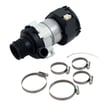
- Dishwasher circulation pump assembly WD26X23258 (leaks from pump seals or housing)
Why it matters
When leak detection is active, the dishwasher can stop mid-cycle to prevent water damage. Clearing the code without fixing the leak usually leads to repeat shutdowns and can damage wiring or components in the base.
Last updated: January 2026





