 Installation guide
 Owner’s manual




How do you deep clean a Maytag dryer?
For the Maytag MDE508DAYW dryer, we deep clean by removing lint buildup, washing the lint screen to clear residue, and cleaning the drum and venting path. Do this about every 6 months (and clean the lint screen every load) to keep drying fast and safe; see the MDE508DAYW owner's manual.
Deep-clean steps (every ~6 months)
- Unplug the dryer (or switch off the breaker) and let it cool.
- Clean the lint screen and housing: remove the screen, vacuum the lint chute, then wash the screen with hot water and a small amount of liquid detergent; scrub gently with a nylon brush and dry completely.
- Wipe the drum: use a clean rag with mild soap diluted in warm water to remove residue; the MDE508DAYW installation guide also notes wiping the drum to remove any manufacturing oil.
- Vacuum inside accessible areas: carefully vacuum around the blower inlet area and base (without disturbing wiring).
- Check the exhaust path: disconnect the vent from the back, remove lint from the outlet and vent pipe, and confirm the outside hood flap opens freely.
When to clean sooner
| Symptom | What it usually points to | What to do first |
|---|---|---|
| Clothes take longer to dry | Restricted airflow | Clean lint screen, then venting |
| Dryer feels hot, room gets humid | Vent restriction or crushed duct | Inspect and correct vent routing |
| Burning or musty odor | Lint buildup or odors in room air | Deep clean and ventilate the room |
Parts that commonly affect airflow and lint control
- If the lint screen is damaged or won’t seat correctly, replace the dryer lint screen WP37001142.
- If venting is hard to route or needs a directional outlet, use the exhaust kit WP528P3 (listed as an optional directional exhaust kit).
Why it matters
A clean lint screen and clear exhaust duct help the MDE508DAYW dry more efficiently, reduce cycle times, and prevent overheating. The manual also recommends keeping the exhaust area free of lint and having the interior and exhaust duct cleaned periodically by qualified service personnel.
Last updated: February 2026
How long is the Maytag dryer warranty?
For the Maytag MDE508DAYW dryer, the warranty language in the Service & Warranty section limits implied warranties (where allowed) to 1 year or the shortest period allowed by law. For the full coverage terms, exclusions, and how service is handled, use the MDE508DAYW owner's manual.
What the warranty period covers in practice
Warranty coverage is about defects in materials or workmanship under normal residential use; it is not the same as routine maintenance or wear.
Typical warranty-service expectations include:
- Proof of purchase is used to confirm warranty status
- Service is performed by an authorized servicer
- Installation and venting issues are commonly excluded
- Wear items and damage from misuse are commonly excluded
- You will be asked for the model and serial number
How to verify your exact start date and coverage
The warranty start date is normally tied to the purchase date. Confirm these details in your documentation so you know what costs to expect.
| Item to confirm | Where to look | Why it matters |
|---|---|---|
| Warranty length | Warranty section | Sets the time limit for coverage |
| Parts vs. labor | Warranty terms | Determines out-of-pocket repair cost |
| Exclusions | “What is not covered” | Prevents denied claims |
| Service process | “If you need service” | Speeds up scheduling |
Why it matters
Many dryer complaints (long dry times, overheating, burning smell) come from restricted airflow, not a manufacturing defect. Keeping airflow strong helps performance and reduces heat-related shutdowns.
Start with these airflow basics:
- Clean the lint screen every load
- Check the vent hood flap opens fully outside
- Use rigid or semi-rigid venting when possible
- Keep the vent run short with minimal elbows
- Replace a torn or warped screen such as the dryer lint screen WP37001142
Last updated: February 2026
How to remove front panel of Maytag front load dryer?
To remove the front panel on a Maytag MDE508DAYW dryer, we unplug the dryer first, then remove the fasteners securing the lower/front access area and front bulkhead so the panel can lift off its retaining clips. Follow the step-by-step disassembly sequence in the MDE508DAYW installation guide to keep wiring and grounding safe.
Before you start (safety and prep)
- Unplug the dryer (or switch off the breaker) before opening any panels.
- If it is a 240V electric dryer, confirm power is fully off at the outlet.
- Pull the dryer forward so you can work from the front and sides.
- Protect the floor and cabinet edges with a towel or cardboard.
- Keep a cup or magnetic tray for screws.
Front panel removal: common steps for this Maytag-style front load dryer
- Disconnect power.
- Remove the lint screen (if your configuration allows) and any screws near the lint screen housing.
- Open the door and remove screws that secure the front panel or front bulkhead (locations vary by revision).
- Release the top or front retaining clips (typically by lifting the panel slightly, then pulling it forward).
- Support the panel and disconnect any door switch wiring harness before fully removing the panel.
- Set the panel aside where it will not bend.
What you should see after the panel is off
| Area | What to check | Why it matters |
|---|---|---|
| Drum support | Rollers and glides | Worn supports cause thumping or squealing |
| Airflow path | Lint buildup near blower housing | Restrictions cause long dry times and overheating |
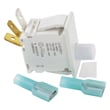
| Wiring | Loose connectors at door switch | Prevents no-start and intermittent operation |
Parts that are commonly involved (if you are opening the front for noise or drag)
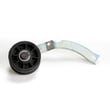
- Thumping or rumbling: inspect the dryer drum support roller WP37001042
- Scraping or metal-on-metal sound: inspect the drum glide area and felt seals
- Poor airflow symptoms: check the lint screen and venting path
Why it matters
Removing the front panel the right way prevents broken retaining clips, pinched door-switch wires, and reassembly issues that can lead to vibration, noise, or a dryer that will not start.
Last updated: February 2026





