Owner’s manual












Is a 7.4 cu ft dryer big?
Yes. For the Whirlpool WED5100HW1, a 7.4 cu. ft. drum is generally considered a large-capacity dryer; it is a good fit for family-size loads and bulkier items (like comforters) compared with many standard-capacity dryers.
What “large capacity” means in real use
A 7.4 cu. ft. dryer typically handles bigger loads with fewer cycles, as long as you do not pack the drum too tightly.
- Better for bulky items (comforters, blankets, jackets)
- More room for mixed loads (towels + jeans) to tumble freely
- Often dries more evenly because airflow can move through the load
- Can reduce total laundry time by cutting down the number of loads
Quick size comparison (typical ranges)
| Dryer capacity | Common label | Best for |
|---|---|---|
| ~6.0 to 6.9 cu. ft. | Standard | Singles, couples, smaller loads |
| ~7.0 to 7.4 cu. ft. | Large | Families, frequent laundry, bulky items |
| ~7.5 cu. ft. and up | Extra-large | Very large households, oversized bedding |
Tips to get the best drying performance from a large drum
Even with a large-capacity dryer like the WED5100HW1, drying speed depends heavily on airflow and heat.
- Clean the lint screen before every load
- Avoid overloading; clothes should tumble, not “roll” as a tight ball
- Use the correct cycle (sensor cycles for mixed loads, timed dry for small loads)
- Keep the vent run short and as straight as possible
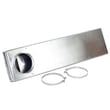
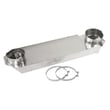
- Replace crushed or flimsy venting with heavy metal venting when needed
For venting and airflow guidance specific to this model, follow the venting section in the WED5100HW1 dryer installation and care manual.
Why it matters
Capacity is not just about “how much fits”; it affects tumbling, airflow, and drying efficiency. A large drum like 7.4 cu. ft. can dry faster and more evenly, but only when the load has room to move and the vent system is clear.
Last updated: January 2026
What is the average lifespan of a whirlpool dryer?
For a Whirlpool dryer like model WED5100HW1, a typical average lifespan is about 10 to 13 years with normal household use. Consistent venting and lint maintenance often helps it run longer, while restricted airflow and heavy use can shorten its service life (see the WED5100HW1 installation and care manual).
What affects lifespan the most
The biggest “life-shorteners” are heat stress and airflow restriction. Focus on these items:
- Clean the lint screen before every load; a clogged screen increases drying time and heat.
- Keep the exhaust vent clear and properly sized (4-inch heavy metal venting is recommended).
- Avoid overloading; it strains the drive system and reduces tumbling.
- Use the right cycle and heat setting; excessive high heat accelerates wear.
- Listen for new squealing, thumping, or scraping; those are early warnings of wear parts.
Quick maintenance schedule (practical)
| Task | How often | Why it helps |
|---|---|---|
| Clean lint screen | Every load | Improves airflow and drying efficiency |
| Check outside vent hood flap | Monthly | Confirms air is exhausting outdoors |
| Clean the full vent run | About every 2 years (more with heavy use) | Reduces overheating and long dry times |
| Inspect drum support and belt path noises | As needed | Prevents secondary damage |
Parts that commonly extend a dryer’s usable life
If your WED5100HW1 starts getting noisy or takes longer to dry, these model-compatible parts are often involved:
- Dryer drum support roller WPW10314173 (worn rollers can cause thumping or rumbling)
- Dryer idler pulley W10837240 (a failing pulley can squeal and affect belt tracking)
- Whirlpool dryer thermal cut-off fuse kit 279973 (overheating events can open safety fuses)
Why it matters
A dryer that runs with poor airflow can overheat, dry slowly, and wear out components faster. Keeping the venting and lint areas clean is one of the simplest ways to protect the heater system, motor, and drum support parts.
Last updated: January 2026
How to hard reset a whirlpool dryer?
For the Whirlpool WED5100HW1 dryer, the most reliable “hard reset” is a power reset: turn the dryer off, unplug it (or switch the breaker off) for about 1 to 5 minutes, then restore power and try a cycle again. For model-specific operating and safety details, use the WED5100HW1 dryer manual.
Steps to hard reset (power reset)
- Press Power/Cancel to stop the cycle.
- Unplug the dryer (or turn OFF the dedicated dryer breaker).
- Wait 1 to 5 minutes to let the control fully power down.
- Plug back in (or turn the breaker ON).
- Run a Timed Dry, heated cycle to test operation.
If the dryer still acts up after the reset
A reset clears many temporary control glitches, but it will not fix a failed component or an airflow problem.
- Check the dryer door closes firmly (a bad door switch can prevent starting).
- Confirm the house breaker is not tripped (electric dryers can run but not heat if one leg of power is missing).
- Clean the lint screen and verify strong airflow at the outside vent hood.
- If you see an error code, look it up in our Whirlpool electronic control model dryer error codes guide.
- If the dryer overheated, a safety device may have opened; a common repair is replacing the Whirlpool dryer thermal cut-off fuse kit 279973.
Quick comparison: reset vs repair
| What you do | What it helps | What it will not fix |
|---|---|---|
| Power reset (unplug 1 to 5 min) | Frozen keypad, minor control glitches | Broken switch, blown fuse, heating failure |
| Vent/airflow check | Long dry times, “check vent” style warnings | Control board faults |
| Part replacement | No heat, no start, overheating symptoms | Incorrect cycle settings |
Why it matters
A proper reset is a fast first step for the WED5100HW1, but repeated issues usually point to airflow restriction, power supply problems, or a failing safety/temperature component. Addressing the root cause helps prevent no-heat complaints and repeat shutdowns.
Last updated: January 2026
What is the most common problem with whirlpool dryers?
For Whirlpool dryers like model WED5100HW1, the most common issues we see are no heat, won’t start, or drum not turning. Very often, restricted airflow from lint buildup or a crushed vent overheats the dryer and can lead to safety devices opening or drive components wearing out.
Quick checks first (fast, no tools)
- Clean the lint screen before every load and make sure it seats fully.
- Confirm strong airflow outside at the vent hood while the dryer runs.
- Avoid overloading; heavy loads strain the belt, idler, and rollers.
- Verify the door closes firmly and the door switch clicks.
- If it is an electric dryer, confirm the breaker is not tripped (dryers can run but not heat if one leg of power is lost).
For model-specific venting and airflow guidance, follow the venting section in the WED5100HW1 dryer manual.
Most common symptoms and likely causes
| Symptom | Most common cause | What we recommend checking |
|---|---|---|
| No heat or long dry times | Poor venting or airflow restriction | Lint screen, vent hose, outdoor vent cap, internal lint buildup |
| Won’t start | Door not sensed closed or power issue | Door switch, outlet/breaker, start sequence |
| Drum not turning | Worn drive system parts | Belt path, idler pulley, drum rollers |
| Squealing/thumping | Worn support components | Drum support rollers, idler pulley, blower wheel |
Parts that commonly fix “noise” or “no tumble” problems
If your WED5100HW1 is squealing, thumping, or the drum is hard to turn by hand (with power disconnected), these model-compatible parts are common wear items:
- Dryer drum support roller WPW10314173 (supports the drum as it turns)
- Dryer idler pulley W10837240 (keeps belt tension so the drum can rotate)
- Dryer repair kit 4392067 (often used when multiple wear parts are replaced together)
Why it matters
Airflow problems do more than slow drying; they raise operating temperatures. That can shorten the life of heating and safety components and can also make the dryer shut down mid-cycle. Keeping the vent system clear is one of the best ways to prevent repeat failures.
Last updated: January 2026