Owner’s manual



Can you get parts for a Kenmore dryer?
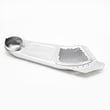
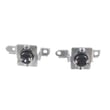
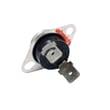
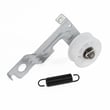
Yes. We can help you get replacement parts for your Kenmore Elite dryer model 79661622310, including common wear items (like belts and lint screens) and repair parts (like thermostats, sensors, and heating components). Use the model’s parts list and diagrams in the 79661622310 owner's manual to match the exact part to your dryer.
These are some of the most frequently needed Kenmore dryer parts for this model:
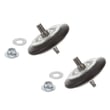
- Drum drive parts: belt, idler pulley, drum support rollers
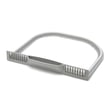
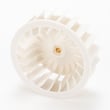
- Airflow and lint parts: lint screen, lint screen grille, blower wheel
- Heat and temperature control: heating element, high-limit thermostat, blower thermostat, thermistor
- Controls and safety: door switch
- Moisture drying system: moisture sensor
Use this as a fast starting point, then confirm fit using your model number.
| Symptom | Most likely part area | Example part for this model |
|---|---|---|
| Drum will not tumble | Belt or idler system | Dryer drum belt 4400EL2001F |
| Loud thumping or squealing | Rollers or idler pulley | Dryer drum support roller 4581EL2002H |
| Runs but no heat | Heating or thermostat circuit | Lg dryer heating element 5301EL1001H |
| Clothes overdry or underdry | Moisture sensing | Dryer moisture sensor 6500EL3001A |
| Poor drying, “check vent” concerns | Airflow and lint path | Dryer blower wheel 5835EL1002A |
Getting the correct part is mostly about matching the full model number and the exact part ID.
- Confirm the model number from the ID plate inside the dryer door
- Look up the part by name in the model’s diagrams (drum, blower housing, heater, door)
- Match the part ID exactly (letters and numbers)
- Replace related wear parts together when the dryer is opened (belt plus idler, or rollers)
- After repair, verify airflow and clean the lint path to prevent repeat failures
Kenmore Elite dryers use multiple similar-looking parts across different series. Matching parts to 79661622310 prevents fit issues, repeat breakdowns, and drying problems caused by incorrect airflow or temperature control.
Last updated: February 2026
How do I know if my Kenmore dryer thermal fuse is blown?
If your Kenmore Elite dryer model 79661622310 won’t start at all (no motor run) and you’ve confirmed the outlet has power, a blown thermal fuse is a common cause. The sure way to know is to unplug the dryer and test the fuse for continuity with a multimeter.
- Dryer won’t turn on or respond when you press Start
- Drum light may work, but the motor will not run
- You recently had long dry times or poor airflow (lint buildup)
- The dryer stopped mid-cycle and then would not restart
- You find heavy lint in the lint screen housing or vent duct
- Unplug the dryer (or switch off the breaker).
- Access the thermal fuse (location and panel removal steps are shown in the 79661622310 owner's manual).
- Pull one wire off the fuse terminal.
- Set your multimeter to continuity (or the lowest ohms setting).
- Touch a probe to each terminal.
| Meter result | What it means | Next step |
|---|---|---|
| Beep / near 0 ohms | Fuse is good (closed circuit) | Check door switch, control, or power supply issues |
| No beep / OL / very high ohms | Fuse is blown (open circuit) | Replace the thermal fuse and correct the airflow problem |
A thermal fuse is a one-time safety device; it opens when the dryer overheats. Replacing the fuse without fixing the overheating cause (usually restricted venting or lint buildup) often leads to another failure.
- Clean the lint screen before every load (the manual recommends this)
- Check and clean the vent duct and outside hood for lint restriction
- Avoid crushing or kinking the vent hose when pushing the dryer back
- Don’t overload; heavy loads can reduce airflow and increase heat
- If your model shows a vent restriction warning, clear the duct and run several cycles so the indicator can reset
Last updated: February 2026
How to hard reset a Kenmore dryer?
To hard reset your Kenmore Elite dryer model 79661622310, disconnect power (unplug the cord or switch the breaker off) for 1 to 5 minutes, then restore power and turn the dryer back on. This clears many control glitches and restores normal operation.
- Press POWER to turn the dryer off.
- Unplug the dryer, or turn OFF the circuit breaker.
- Wait 1 to 5 minutes.
- Restore power.
- Press POWER, then select a cycle and press START/PAUSE.
For control panel behavior and normal start/pause operation, follow the 79661622310 owner's manual.
A “reset” will not fix a mechanical failure or a safety condition that stops the dryer. Check these common causes next:
- Control lock is on: “CL” shows; press and hold CONTROL LOCK for 5 seconds.
- No power: loose plug, tripped breaker, blown fuse.
- Door not closed: the door switch must engage.
- Dryer turned off after being paused: if stopped for more than 4 minutes, the dryer turns off and settings are lost.
| What you see | What it usually means | What to do |
|---|---|---|
| Display shows CL | Control lock enabled | Hold CONTROL LOCK 5 seconds |
| Dryer powers on, then won’t start | Door not latched or cycle not started | Close door firmly; press START/PAUSE |
| Dryer dead, no lights | Power supply issue | Check outlet, breaker, and fuse |
A hard reset clears stored control states after a power glitch, but it also helps you quickly separate a simple control issue from problems like a failed door switch, wiring issue, or a drive problem (belt, idler pulley, motor).
Last updated: February 2026
What are common problems with Kenmore dryers?
Common problems on the Kenmore Elite dryer model 79661622310 include long dry times from restricted venting, no-heat conditions, the drum not turning, and loud squealing or thumping. We see many issues traced to airflow restrictions, worn drum drive parts, or failed temperature-sensing and safety thermostats; check the 79661622310 owner's manual for model-specific indicators like CHECK VENT.
- Takes too long to dry / CHECK VENT light on: clogged or crushed exhaust duct, blocked vent hood, wrong vent material (plastic or foil)
- No heat or weak heat: failed heating circuit component (heater, thermistor, high-limit thermostat), or poor airflow causing overheating shutdowns
- Drum will not tumble: broken belt, seized roller, or failed idler pulley
- Squealing, grinding, thumping: worn drum support rollers, idler pulley, or belt wear
- Stops mid-cycle: overheating from restricted venting, or a temperature control/safety device opening
- Clean the lint screen and confirm strong airflow at the outside vent hood.
- Inspect the entire vent run for kinks, lint buildup, or crushed sections.
- Confirm you are using rigid or semi-rigid metal ducting (not plastic or foil).
- If drying performance drops, clean the vent system; most homes need vent cleaning at least yearly.
| What we find | What it causes | What to do |
|---|---|---|
| Dirty/damaged ducts | Long dry times, overheating | Clean and repair ducting |
| Restricted vent hood | Poor airflow, CHECK VENT | Clear lint, verify damper opens |
| Excessively long vent | Slow drying | Shorten run, reduce elbows |
If the drum is not turning or the dryer is noisy, these model-matched parts are common fixes:
- Dryer drum belt 4400EL2001F (broken or stretched belt)
- Dryer drum support roller 4581EL2002H (thumping, rumbling)
- Dryer idler pulley 4560EL3001A (squeal, belt slack)
Poor exhaust venting is the most common cause of dryer problems because it reduces airflow, increases drying time, and can trigger overheating protection. Fixing venting first often restores performance and prevents repeat failures of thermostats and other heat components.
Last updated: February 2026
Where is the model number on a Kenmore Elite dryer?
On Kenmore Elite dryer model 79661622310, the model number is printed on the identification plate inside the dryer door. Open the door and look along the door opening on the cabinet frame for the label that lists both the model and serial number (useful for parts and service).
- Open the dryer door and inspect the cabinet frame around the door opening
- Check the upper area of the door opening first (common placement)
- Look for a sticker or metal plate that lists Model No. and Serial No.
- Wipe lint and dust off the label so the numbers are readable
- Write the full model number exactly as shown before ordering parts
| Label item | What it’s used for | Example on your dryer |
|---|---|---|
| Model number | Matching correct parts diagrams and parts | 79661622310 |
| Serial number | Identifying production run details | Varies |
| Electrical ratings | Confirming power requirements | Varies |
We use the model number to match the exact Kenmore Elite configuration (heater, drum, controls, and wiring). Even small model-number differences can change which parts fit, such as a dryer drum belt 4400EL2001F or a heating component.
- Confirm you are reading the label inside the door, not the door glass or trim
- Use a flashlight and check both left and right sides of the door opening
- If the label is damaged, use the 79661622310 owner’s manual to see where the identification plate is located and what information to record
Last updated: February 2026
Why is Kenmore Elite dryer not heating?
If your Kenmore Elite dryer model 79661622310 runs but doesn’t heat, the most common causes are a failed heating circuit part (heating element, thermostat, or thermistor) or restricted airflow that triggers poor heating performance. We start by checking venting, then test heat components.
- Confirm the cycle uses heat (avoid Air Fluff/No Heat).
- Clean the lint screen and make sure it seats fully.
- Check the exhaust duct for kinks, crushing, or heavy lint buildup.
- If the CHECK VENT indicator comes on after several loads, treat it as an airflow restriction warning and clean the vent path.
- Run a timed dry cycle for 10 minutes; weak airflow at the outside hood points to a vent restriction.
On model 79661622310, these parts are frequent no-heat suspects:
- Lg dryer heating element 5301EL1001H
- Dryer thermistor AGM30045804
- Dryer high-limit thermostat 6931EL3003D
- Dryer blower thermostat 6931EL3002M
- Heating element: look for a broken coil or visible burn spot; test for continuity.
- Thermostats: test for continuity at room temperature (many are closed when cool).
- Thermistor: verify resistance changes with temperature (a failed sensor can prevent proper heating control).
| Symptom | More likely cause | What we do next |
|---|---|---|
| Clothes take much longer, dryer feels hot | Vent restriction | Clean/shorten vent run; confirm strong airflow |
| Dryer runs, no heat at all | Heating element or thermostat issue | Test element and thermostats for continuity |
| Heat starts then stops mid-cycle | Overheating from poor airflow or thermostat cycling | Check venting, blower area, thermostats |
A restricted vent can reduce drying performance and can also cause the dryer to overheat and shut heat off. Fixing airflow first prevents repeat failures of heating parts and improves dry times.
For diagnostic indicators (including CHECK VENT) and Kenmore Connect instructions, follow the steps in the 79661622310 owner’s manual.
Last updated: February 2026