 Owner’s manual
 Error Codes






How to reset Kenmore 11084722400 dryer?
To reset your Kenmore 11084722400 dryer, unplug it (or switch the breaker off) for 1 minute, restore power, then set a cycle and press PUSH TO START. This clears most temporary control glitches and gets the dryer ready to run again; see the owner's manual for normal start and stop steps.
- Turn the Cycle Control knob to OFF.
- Unplug the dryer (or turn the circuit breaker OFF).
- Wait 1 minute.
- Plug back in (or turn breaker ON).
- Close the dryer door fully.
- Select a heated cycle and press PUSH TO START.
A reset helps only when the issue is a temporary control state. If the dryer still will not start, check these common basics first:
- The door is fully closed and latching.
- The cycle knob is set to a running position (not OFF).
- The outlet has power and the breaker is not tripped.
- The PUSH TO START button is being pressed firmly.
- The lint screen area is clear and nothing is obstructing the door.
If the door will not latch or the start button feels inconsistent, these model-compatible parts are common fixes:
| Symptom | What to check | Model-compatible part on this page |
|---|---|---|
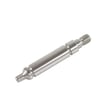
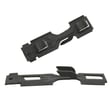
| Door won’t stay shut | Door catch/strike alignment | Dryer door catch WP3389441 or strike 279570 |
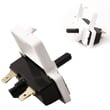
| Start button does nothing | Push-to-start switch | Dryer push-to-start switch WP3977456 |
Resetting restores normal operation after a power interruption or a stuck control state. If the dryer still will not start, the problem is usually power, a door-latch issue, or a failed start switch, not something a reset can correct.
Last updated: February 2026
What does CE mean on my dryer?
On a Kenmore dryer like model 11084722400, a CE display is treated as an electronic control-related fault. The fastest fix is to reset power and check basic wiring connections; if CE returns, the control circuit needs diagnosis using the troubleshooting steps in the owner's manual.
- Unplug the dryer (or switch off the breaker) for 2 minutes, then restore power.
- Make sure the dryer is plugged directly into a grounded outlet (no extension cord).
- Confirm the outlet has steady power; a loose plug can trigger control errors.
- If the dryer starts but stops quickly, check that the door closes and latches firmly.
- If you recently moved the dryer, re-check that no wires were pinched during installation.
CE commonly shows up when the dryer’s electronics detect an abnormal condition such as a control sensing issue, unstable power, or a wiring/connection problem. If the code comes back after a reset, we treat it as a control circuit troubleshooting situation.
If your symptoms include “won’t start” or “starts only when the button is held,” these parts are common suspects:
| Symptom you see | Part to check | Example part for this model |
|---|---|---|
| No start, button feels normal | Start switch circuit | Dryer push-to-start switch WP3977456 |
| Door won’t stay shut, dryer won’t run | Door latch/catch alignment | Dryer door catch WP3389441 and strike 279570 |
| Intermittent operation after cabinet work | Harness/connection issue | Dryer wire harness (inspect connections) |
When a dryer flags an electronics error, it can prevent heating or tumbling to protect the appliance. Resetting power and confirming safe, grounded power eliminates the most common non-part causes before you replace anything.
Last updated: February 2026
How do I find the model number on my 11084722400?
For Kenmore dryer model 11084722400, the model and serial number label is located at the top inside the dryer door well. Open the dryer door and look along the upper inside frame area for the sticker or metal tag; it lists both numbers.
- Open the dryer door fully
- Look at the top inside edge of the door opening (the door well)
- Find the model and serial number label (sticker or tag)
- Write down the full model number and serial number
- Keep the info with your receipt for future parts lookup and service
| Item on label | What it’s used for |
|---|---|
| Model number | Matching the correct parts diagrams and replacement parts |
| Serial number | Identifying production details for service and compatibility |
| Purchase date (you record it) | Warranty and maintenance records |
Using the exact model number helps us match your dryer to the correct parts list and diagrams so you get the right fit the first time. This is especially important for common repairs like replacing a drum belt, heating element, timer, or door catch.
- Copy it exactly as printed (include all digits)
- If the label is worn, use a flashlight and take a close-up photo
- Confirm the number against the format shown in the 11084722400 owner's manual
Last updated: March 2026







