Installation guide
 Owner’s manual


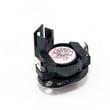
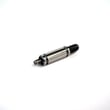
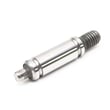
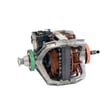
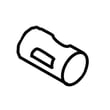
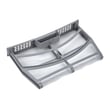
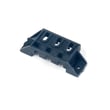
How to tell if a dryer switch is bad?
On a Kenmore electric dryer model 11069133413, a bad switch usually shows up as a safety or control input that does not change state when you use it (for example, the dryer will not start even though the door is shut and you press and hold Start). Use the checks below to confirm the switch is the problem before replacing parts; see the 11069133413 owner's manual for model-specific operating checks.
Quick symptoms that point to a bad switch
- Dryer will not run even with the door fully closed.
- You have to slam, lift, or hold the door to get the dryer to start.
- The dryer stops when the door is bumped (intermittent contact).
- Start/Pause is pressed correctly (held up to 3 seconds), but nothing happens.
- The switch actuator (lever/plunger) feels loose, sticks, or does not click.
How we test a dryer switch (safe, practical steps)
- Unplug the dryer (electric shock hazard).
- Access the switch (typically in the door opening area behind the front panel or top, depending on design); follow the 11069133413 installation guide for access and safety notes.
- Check the actuator: press the lever/plunger by hand. It should move smoothly and click.
- Continuity test with a multimeter:
- With the actuator pressed (door closed position), the main contacts should read closed (near 0 ohms).
- With the actuator released (door open position), the main contacts should read open (OL).
- If readings are inconsistent or do not change, the switch is bad.
Rule out common “no-start” lookalikes first
The manual’s no-run checks help confirm you are not chasing the wrong part:
| What to check | What it means if it fails |
|---|---|
| Door fully closed | Door switch may not be actuated |
| Hold START/PAUSE up to 3 seconds | Control input not being accepted |
| Power supply and breakers/fuses | Electric dryers often use two fuses/breakers |
| Cycle selection (Timed Dry heated) | Confirms you are starting a valid cycle |
Why it matters
A door switch is a safety device; if it is failing, the dryer can act “dead” or run intermittently. Confirming the switch with a continuity test prevents unnecessary replacement of higher-cost parts like a motor.
Last updated: January 2026
How to tell if your dryer element is bad?
A bad heating element in your Kenmore electric dryer model 11069133413 usually shows up as a dryer that tumbles normally but does not heat, takes much longer to dry, or triggers an L2 (low/no line voltage) message because the heater is not turning on. Use a heated Timed Dry cycle to confirm the symptom before testing parts.
Quick checks before blaming the heating element
- Run Timed Dry with heat selected (do not use Air Only).
- Confirm the drum tumbles and airflow feels strong at the outside vent.
- Check the lint screen and make sure the vent is not crushed or blocked.
- Watch for an L2 code; it often points to a home power supply issue, not a failed element.
- Verify the dryer door fully closes and the cycle actually starts.
What the symptoms usually mean
| What you notice | Most common cause | What to do next |
|---|---|---|
| Tumbles, no heat at all | Power supply issue (missing one leg of 240V) or a blown thermal fuse | Check breakers/fuses; then test the thermal fuse and heater circuit |
| Heats sometimes, then stops | Overheating from restricted venting | Clean venting; inspect blower wheel and airflow |
| Runs but dries very slowly | Poor airflow or weak heat | Check venting, blower wheel, and heater circuit |
Parts that commonly mimic a “bad element”
On this model, these parts can stop heat even when the element itself is fine:
- Thermal fuse (opens if the dryer overheats): thermal fuse W10909685
- High-limit thermostat (opens on overheating): dryer high-limit thermostat WP8557403
- Thermistor (temperature sensing issues can affect heat control): dryer thermistor WP8577274
Why it matters
Replacing a heating element without fixing airflow or a power supply problem can lead to repeat failures. A restricted vent can overheat the heater housing and open safety devices, and an L2 condition can prevent the heater from energizing even though the dryer still runs.
For model-specific cycle and diagnostic details, follow the steps in the 11069133413 installation guide.
Last updated: January 2026
How do I find the model number on my 11069133413?
Your Kenmore electric dryer’s model number is printed on the dryer’s serial/rating plate. On model 11069133413, check the door opening area first; the label is typically on the door frame or just inside the opening.
Where to look on the dryer
Check these common label locations in this order:
- Open the dryer door and look along the door frame (left or right side)
- Look on the inside lip of the door opening near the top or bottom
- Check the back panel of the cabinet (upper area)
- If it’s a stacked or tight installation, use a flashlight and mirror to read the plate
What the label looks like (and what to write down)
The serial/rating plate usually includes several identifiers. Record them exactly as shown:
- Model number (for example, 11069133413)
- Serial number (needed for some parts lookups and production changes)
- Electrical rating (volts/amps; helpful for installation and troubleshooting)
- Type (electric dryer information)
| Item on label | Why it matters |
|---|---|
| Model number | Ensures diagrams and parts match your exact dryer |
| Serial number | Helps confirm version changes within the same model |
| Electrical rating | Confirms correct power supply and cord/terminal block setup |
Why it matters
Kenmore dryers can have multiple versions that look similar. Using the exact model number from the serial/rating plate helps us match the correct parts (like a thermal fuse, heater element, or drum belt) and the correct wiring and installation details.
If the label is hard to read
- Wipe the plate gently with a damp cloth and dry it
- Take a close-up photo and zoom in
- Avoid scraping; the print can rub off
For diagrams and model-specific identification details, use the 11069133413 owner's manual.
Last updated: March 2026