 Installation guide
 Owner’s manual
 Error Codes




How do I reset my KitchenAid Superba oven?
To reset a KitchenAid Superba oven like model KEBS107SSS00, we restore power to the oven and then clear the control. After power is reconnected, the display may show “PF” (power failure); press OFF/CANCEL to return to normal operation. See the KEBS107SSS00 owner's manual for control-specific steps.
Quick reset steps (most common)
- Press OFF/CANCEL to stop any active cycle.
- Turn the oven’s circuit breaker OFF (or remove the fuse) for 1 minute.
- Turn the breaker ON.
- If “PF” appears, press OFF/CANCEL to clear it.
- Set the clock if prompted (many functions require the clock to be set).
If the display is blank or the oven will not heat after reset
Use these checks from the installation and operation guidance:
- Confirm the household fuse is intact or the circuit breaker has not tripped.
- Verify the electrical supply is connected.
- Try BROIL for a quick heat test; after about 5 minutes, you should feel heat.
- If an error code appears (often “F” followed by numbers), turn the oven off and have it serviced.
What you should see after restoring power
| Display/behavior | What it means | What to do |
|---|---|---|
| “PF” shows briefly | Power was interrupted | Press OFF/CANCEL |
| “CLOCK ENTER TIME” | Clock needs to be set | Touch START, then set time |
| No display at all | No power to control | Check breaker, wiring, terminal connections |
Why it matters
A proper reset clears a stuck control state after a power interruption and helps you confirm whether the issue is a control glitch or a power, wiring, or heating-circuit problem.
Last updated: January 2026
What is the life expectancy of a KitchenAid oven?
Most KitchenAid wall ovens, including model KEBS107SSS00, typically last 15 years with normal household use and basic maintenance (keeping vents clear, avoiding heavy slamming of the door, and addressing heating issues early).
Typical lifespan and what affects it
A wall oven’s life depends more on heat stress and electronics than on the cabinet itself. These factors have the biggest impact:
- How often you bake/broil (daily use shortens life compared to occasional use)
- Self-clean frequency (high heat can accelerate wear on wiring, fuses, and controls)
- Ventilation and cooling airflow (blocked airflow raises internal temperatures)
- Power quality (surges can damage control boards and transformers)
- Door seal condition (heat leaks make elements run longer)
What usually fails first (and what it looks like)
Many ovens reach their full lifespan with only a few common repairs.
| Component area | Common symptom | Example part for KEBS107SSS00 |
|---|---|---|
| Heating | Slow preheat, uneven baking, no heat | Bake element WPW10207398 |
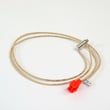
| Temperature sensing | Overheats, underheats, temp swings | Wall oven temperature sensor WPW10131825 |
| Safety/overheat protection | Oven dead, no heat after self-clean | Wall oven thermal fuse WP8304452 |
| Cooling | Fan noisy, oven shuts down when hot | Wall oven cooling fan assembly WP8303972 |
How we recommend extending the life of your KEBS107SSS00
These steps reduce heat stress and prevent repeat failures:
- Use bake for most cooking; reserve broil for short finishing
- Run self-clean only when needed; wipe spills sooner instead
- Keep the oven vent area clear and confirm the cooling fan runs during/after baking
- Replace a worn door gasket if you feel heat leaking around the door
- If temperatures seem off, verify with an oven thermometer and recalibrate if your model supports it (see KEBS107SSS00 owner’s manual)
Why it matters
A wall oven that is running hot, leaking heat, or struggling to preheat puts extra load on the heating elements, thermal fuse, and controls. Fixing those early often adds years of reliable service.
Last updated: January 2026
What model number is the KitchenAid Superba double oven?
KitchenAid “Superba” built-in electric convection ovens use several KEBS model families; the double-oven families listed include KEBS207, KEBS208, KEBS277, and KEBS278. The exact model number for your oven is printed on the model and serial rating plate; confirm it using the KEBS107SSS00 owner’s manual.
How to identify your exact model number
Use the rating plate on the appliance, not the marketing name “Superba,” because parts and wiring vary by the full model suffix.
- Locate the model and serial rating plate on the oven
- For many KitchenAid built-in ovens, it is at the bottom of the right-hand mounting rail
- Copy the full model number exactly (letters and numbers)
- Use that full model number when ordering parts and accessories
Model families shown in the Superba oven manual
The manual covers both single and double ovens; these are the model families it lists.
| Model family | Configuration |
|---|---|
| KEBS107 | Single oven |
| KEBS177 | Single oven |
| KEBS207 | Double oven |
| KEBS208 | Double oven |
| KEBS277 | Double oven |
| KEBS278 | Double oven |
Why it matters
The full model number determines the correct fit for components like the bake element, temperature sensor, door latch, and wiring harness. Matching by family only (example: “KEBS207”) can lead to the wrong part.
Helpful part example for this model page
If your oven’s rating plate shows KEBS107SSS00, a common replacement part is the wall oven temperature sensor WPW10131825.
Last updated: January 2026






