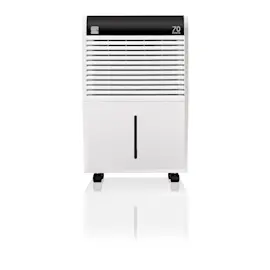
Owner’s manual
 Error Codes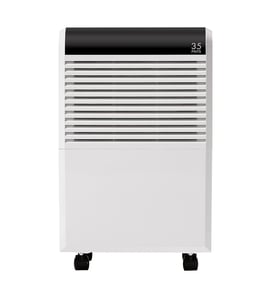



Can I look up Frigidaire parts by model number?
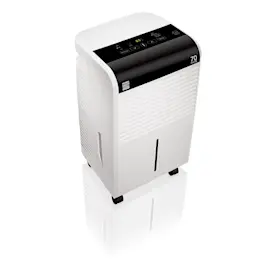
Yes. Looking up parts by model number is the most accurate way to get compatible replacement parts for your Frigidaire dehumidifier, including model LAD304NUL10. Use the complete model number from the unit’s data tag, then confirm the part fits your exact version in the LAD304NUL10 use and care manual.
How to find the model number on your dehumidifier
On most portable dehumidifiers, the model/serial tag is on the cabinet (often on the back or side), or near the bucket area. Once you have it, match every character exactly.
- Write the model number exactly as shown (example: LAD304NUL10).
- Keep any letters and numbers in the same order; do not shorten the model.
- If there is a serial number, record it too (it can help confirm production version).
- Use the model number to narrow to the correct parts list first, then choose the part.
What to verify before ordering a part
Even within the same model family, parts can vary by revision. We recommend confirming the symptom and the part’s function before you buy.
| What you’re checking | Why it matters | Example on a dehumidifier |
|---|---|---|
| Exact model number | Ensures the correct parts breakdown | LAD304NUL10 vs. similar-looking models |
| Symptom match | Prevents replacing the wrong component | Not running, leaking, not draining |
| Maintenance items | Many issues are caused by upkeep, not failed parts | Dirty filter, full bucket, blocked drain |
Why it matters
Using the correct model number helps you avoid returns and downtime. It also helps you find the right maintenance steps; for example, the manual outlines routine filter and bucket cleaning and basic operating guidance that can resolve common performance complaints.
Last updated: February 2026
Does the dehumidifier shut off when the humidity level is reached?
Yes. On the Frigidaire LAD304NUL10 dehumidifier, the unit automatically shuts off when the selected dryness (humidity) level is reached, then runs again as humidity rises or when you choose Continuous operation (if your model has that setting). See the LAD304NUL10 owner's manual.
How the automatic shutoff works
When the room reaches your set humidity level, the control stops the compressor to prevent over-drying and save energy. The fan may also stop, depending on the mode.
You will typically see one of these behaviors:
- The unit stops running after reaching the set dryness level.
- The unit cycles on and off to maintain the set humidity.
- The unit runs nonstop in Continuous mode (if selected).
- The unit shuts off if the bucket is full or not seated correctly.
Quick checks if it seems to shut off “too soon”
These items commonly make it look like the dehumidifier is turning off early even when it is working normally:
- Humidity setting is too high; lower the setpoint for drier air.
- Bucket is full or the bucket is not installed correctly.
- Airflow is restricted; keep the front grill and intake area clear.
- Room temperature is low; performance drops below about 41°F (5°C).
- Doors/windows are open; outside air keeps adding moisture.
Normal cycling vs. a problem (at a glance)
| What you notice | Most likely cause | What to do |
|---|---|---|
| Stops after reaching set level | Normal automatic control | Leave setting as-is or lower humidity setpoint |
| Runs constantly | Continuous mode or high moisture load | Exit Continuous mode or raise setpoint |
| Stops and “bucket full” light is on | Bucket full or mis-seated | Empty and reinstall bucket |
| Runs but room stays damp | Setting too high, low temp, poor airflow | Adjust setting, warm room, improve airflow |
Why it matters
Automatic shutoff is the main way the LAD304NUL10 maintains steady humidity without constant adjustments; it also helps reduce energy use and prevents unnecessary compressor run time.
For more background on operation and common symptoms, we also recommend dehumidifier common questions.
Last updated: February 2026
How long will a Frigidaire dehumidifier last?
A Frigidaire dehumidifier like model LAD304NUL10 typically lasts 5 to 10 years with normal home use and regular cleaning. Keeping airflow clear, operating it within its designed temperature range, and draining properly are the biggest factors in reaching the high end of that lifespan (see the LAD304NUL10 owner's manual).
What affects lifespan the most
- Operating conditions: This unit is designed to run between 41°F and 96°F; running outside that range can reduce performance and strain components.
- Airflow and clearance: Keep about 12 inches of clearance around the cabinet so the fan and coils can breathe.
- Filter and coil cleanliness: Dust buildup makes the fan and sealed system work harder.
- Drainage habits: A mis-seated bucket or frequent overflow events can cause extra shutoffs and wear.
- Run time: Continuous operation in very damp spaces increases total hours on the compressor.
Maintenance checklist (best ROI)
- Vacuum or wash the air filter on a regular schedule.
- Clean the intake and exhaust grilles so airflow stays strong.
- Empty and rinse the bucket; confirm it seats fully so the float switch works.
- Keep the unit upright for 1 hour before first use or after moving it.
- Avoid rapid power cycling; the compressor uses a built-in 3-minute delay to protect itself.
Quick expectations by usage pattern
| Usage pattern | Typical outcome | What to watch |
|---|---|---|
| Seasonal basement use | Often closer to 8 to 10 years | Storage dust, stale water in bucket |
| Daily use in humid climate | Often 5 to 8 years | Filter clogging, long run times |
| Cold space operation | Shorter life and poor drying | Frosting, low performance below 41°F |
Why it matters
A dehumidifier’s most expensive components are in the sealed system (compressor, condenser, evaporator, tubing). Good airflow, correct temperature operation, and simple cleaning reduce heat and run time, which directly supports longer service life.
Last updated: February 2026
Is it worth repairing a dehumidifier?
Yes, repairing a Frigidaire LAD304NUL10 dehumidifier is worth it when the problem is a basic airflow, drainage, control, or sensor issue. If symptoms point to sealed-system or compressor trouble, replacement is the better value for most homeowners.
Quick decision checklist (LAD304NUL10)
- If it won’t run, verify a properly grounded outlet and correct operating steps in the LAD304NUL10 manual.
- If it runs but doesn’t dry, lower the humidity setting or use CONTINUOUS, and operate it in an enclosed room.
- If it ices up, keep room temperature above 41°F (5°C); initial frost can clear within about 60 minutes.
- If it leaks or won’t drain, confirm the bucket is seated, the unit is level, and the drain path is clear.
- If you notice sparks or a burning smell, stop operation, unplug the unit, and schedule professional service.
What’s usually worth repairing vs. not
| Symptom | Often worth repairing | Often not worth repairing |
|---|---|---|
| Not removing moisture | Filter cleaning, blocked intake grille, humidity setting, clearance issues | Sealed-system/compressor failure |
| Frost on coil | Low room temp, restricted airflow | Persistent icing under correct conditions |
| Not draining / leaking | Bucket seating, level placement, drain routing | Major internal water-path damage |
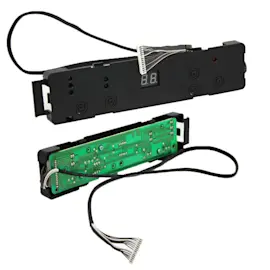
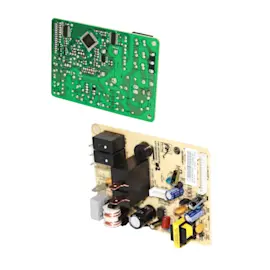
| Not running | Power supply, user interface, sensor/control issues | Repeated electrical failures or burnt wiring |
Why it matters
This model depends on correct operating conditions: an enclosed area, level placement that supports a full bucket, and about 12 inches of clearance for airflow. When those basics are off, performance problems can mimic a major failure.
Helpful DIY resources
- Dehumidifier doesn't remove moisture
- Dehumidifier not running
- Dehumidifier not draining
- Dehumidifier leaks water
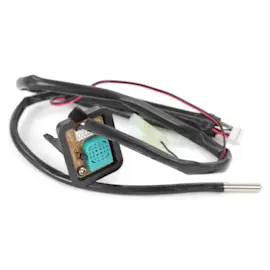
- How to replace a dehumidifier sensor assembly
Last updated: February 2026
What are the most common problems with dehumidifiers?
The most common problems we see on Frigidaire dehumidifiers like model LAD304NUL10 are: not removing enough moisture, not running, water leaks or not draining, frost on the coil, and unusual noise. Many of these trace back to airflow, room conditions, or bucket and drain setup (not a major part failure).
Most common symptoms and what usually causes them
- Room not dry enough: humidity setting too high, doors or windows open, unit undersized for the space, or airflow blocked.
- Runs too much: continuous mode selected, high moisture load after restart, or outside air entering the room.
- Not running: bucket full, bucket not seated correctly, or unit not turned on.
- Leaks or not draining: bucket not positioned correctly, drain path restricted, or unit not level.
- Frost on coils: room temperature too low (below about 41°F/5°C) or normal frost shortly after startup.
- Fan noise: normal sound of air moving through the unit.
Quick checks we recommend first (fast, no tools)
- Operate the unit in an enclosed area; close doors and windows.
- Keep at least 12 inches of clearance around the cabinet; do not block the intake grille or discharge louvers.
- Confirm the bucket is empty and fully reinstalled; a “bucket full” condition stops operation.
- Make sure the unit sits on a level floor that can support a full bucket.
- If performance is weak, lower the humidity setting or use continuous mode (if your control panel supports it).
What “normal” vs “needs attention” looks like
| Symptom | Often normal | Usually needs attention |
|---|---|---|
| Frost on coil | Up to ~60 minutes after startup | Frost that persists; room below ~41°F |
| Fan noise | Steady airflow sound | Rattling, grinding, or vibration |
| Long run times | Very damp room after restart | Doors/windows open; airflow blocked |
Why it matters
Dehumidifiers depend on steady airflow across the coil and the right room conditions. When airflow is restricted or the space is not enclosed, the unit can run longer, remove less moisture, and may frost up.
For model-specific operating limits, placement, and troubleshooting steps, use the LAD304NUL10 owner’s manual. For deeper DIY symptom help, see dehumidifier doesn't remove moisture and dehumidifier leaks water.
Last updated: February 2026