 Installation guide
 Owner’s manual
 Error Codes





Are all 30 inch wall ovens the same size?
No. “30-inch” wall ovens are grouped by a nominal width, but the exact cabinet cutout width, cutout depth, and overall oven dimensions vary by model. For the Kenmore 79048733901, the installation specs call for a 30 1/8-inch minimum cabinet cutout width and a 28 1/2 to 29-inch minimum cutout depth (depending on the installation diagram). See the 79048733901 installation guide for the exact cutout chart.
What “30-inch” usually means (and what it does not)
Manufacturers use “30-inch” as a category, not a guarantee that every unit fits the same opening.
- The overall oven width can be close to 30 inches, but trim and side clearances differ.
- The cabinet cutout width is what matters for fit.
- The cutout depth (Dimension G) is critical; if it is short, trim may not sit flush.
- The cutout height varies more between single vs. double ovens.
- Door swing clearance in front of the oven also affects usability.
Kenmore 79048733901 cutout sizing: key numbers to compare
Use these as your baseline when comparing another “30-inch” wall oven to this model.
| Measurement type | What to match | Kenmore 79048733901 (30-inch class) |
|---|---|---|
| Cabinet cutout width | Minimum opening width | 30 1/8 in min |
| Cutout depth (G) | Minimum depth behind trim | 28 1/2 to 29 in min |
| Cutout height | Opening height range | Varies by single vs. double configuration |
| Front clearance | Space for door when open | 21 in minimum in front |
How we recommend measuring before you buy
- Measure the cutout width at the front and back of the cabinet.
- Measure cutout depth from the cabinet front to the back wall (Dimension G).
- Measure cutout height on both sides (cabinets can be out of square).
- Confirm the junction box location and cable routing space.
- Verify the base can support the oven weight (installation instructions specify support requirements).
Why it matters
A wall oven that is “30-inch” but needs a slightly different cutout can leave gaps, prevent the trim from seating, or force cabinet modification. Matching the cutout chart to your cabinet opening prevents fit issues and heat buildup problems.
Last updated: February 2026
How do I reset my Kenmore oven control board?
To reset the control board on your Kenmore wall oven model 79048733901, turn the oven OFF, then cycle power at the breaker for about 5 minutes and restore power; once power is back, reset the clock and reselect your oven function as described in the 79048733901 owner's manual.
Quick reset steps (most common)
- Press STOP/CLEAR to cancel any active bake, broil, or self-clean cycle.
- Turn OFF the oven at the household circuit breaker (or unplug if accessible).
- Wait 5 minutes to let the control fully discharge.
- Restore power.
- Set the clock, then test BAKE at 350°F.
If the control is beeping or showing an F-code
Your oven can beep and display an error code when the electronic control detects a fault. Use this sequence:
- Press STOP/CLEAR to silence the beeping.
- Reprogram a simple bake cycle.
- If the same code returns, write down the exact code.
- Check for overheating symptoms (fan running a long time, recent self-clean).
- If the oven will not heat after the reset, troubleshooting often starts with the temperature sensor.
Helpful DIY reference: Kenmore 790 manual clean wall oven error codes.
What a reset does (and does not do)
| Action | What it helps | What it will not fix |
|---|---|---|
| Power reset at breaker | Clears a “glitch” after a power interruption; restores normal keypad response | Failed control board, stuck relay, broken wiring |
| STOP/CLEAR reset | Stops beeping and cancels a cycle | Underheating/overheating caused by a bad sensor |
Why it matters
After a power failure or interruption, the oven may not accept programming until you restore normal control operation. Resetting power and then setting the clock gets the control back into a known good state so you can safely test bake and broil.
Last updated: February 2026
How do I tell how old my Kenmore oven is?
To tell how old your Kenmore wall oven model 79048733901 is, we use the serial number from the model label and decode it based on the model prefix. For this model family, the 790 prefix points to a specific serial-number date format that reveals the manufacture date when decoded.
Where to find the model and serial number
On Kenmore wall ovens like 79048733901, the model/serial label is typically found in one of these spots:
- Along the oven frame behind the door (open the door and check the frame)
- On the side trim area visible with the door open
- On the lower front frame area near the door opening
- Occasionally behind the bottom trim area (installation-related access)
For label location and safe access guidance, use the 79048733901 installation guide.
How to decode the age (what to look for)
Once you have the serial number, focus on the characters that represent the date code. The exact positions vary by manufacturer format, but the serial number typically includes:
- A month code (often a letter or 2-digit month)
- A year code (often a digit or 2-digit year)
- Additional digits for production sequence
Quick decode checklist
- Confirm the model number starts with 790 (yours does: 79048733901)
- Write the serial number exactly as shown (include letters)
- Identify the month and year portion of the serial
- Convert that code into a calendar month and year
Why the model prefix matters
Kenmore used different manufacturing sources over time, so the first three digits of the model number (the prefix) determine which serial-number format to use.
| What you have | What it tells us | What to do next |
|---|---|---|
| Model 79048733901 | Prefix 790 | Decode serial using the 790-format date code |
| Serial number | Contains date code | Translate to month/year of manufacture |
Related help if you are troubleshooting
If you are checking the oven’s age because of an error code or heating issue, these guides help narrow the problem quickly:
Last updated: February 2026
How to read Kenmore model numbers?
Kenmore model numbers are read left to right; the first three digits are the manufacturer prefix, and the remaining digits identify the specific product series and feature variations. For your Kenmore wall oven, the model number 79048733901 starts with 790, which identifies the manufacturer family used for many Kenmore cooking products.
Where to find the model number on a wall oven
We recommend matching the full model number exactly (all digits) before ordering parts or using troubleshooting charts.
- Check the frame around the oven opening (visible when the door is open)
- Look along the door edge or inner door frame
- Check the side trim area near the front frame
- If needed, look on the unit label behind the lower access panel (power off first)
For model-specific labeling and service information, use the 79048733901 owner's manual.
How the number is typically structured
Kenmore model numbers commonly follow this pattern:
| Section | Example | What it means |
|---|---|---|
| Prefix (first 3 digits) | 790 | Manufacturer code family |
| Core model digits | 48733 | Series and platform identifiers |
| Suffix digits | 901 | Feature, color, or revision variation |
Why it matters when ordering parts
Using the complete model number helps us match the correct wiring, controls, and oven cavity components for your exact build.
- Prevents ordering the wrong bake or broil heating circuit parts
- Helps match electrical connection components and harnesses
- Ensures the correct temperature sensing and control strategy
- Improves accuracy when looking up error codes and diagnostics
If you are troubleshooting an error message, use Kenmore 790 manual clean wall oven error codes to interpret the code and narrow down likely causes.
Last updated: February 2026
How to unlock Kenmore wall oven door?
On Kenmore wall oven model 79048733901, the door lockout unlocks by pressing and holding the oven lockout pad for 3 seconds until you hear a beep; the “LOC” indicator goes away and “DOOR” and “LOCKED” will flash until the latch fully releases. See the 79048733901 owner's manual for the exact keypad symbol on your control panel.
Quick unlock steps (control lockout)
- Make sure the oven is not in Self-Clean and is cooling down.
- Press and hold the oven lockout pad for 3 seconds.
- Listen for the beep.
- Watch the display: “LOC” disappears.
- Wait while “DOOR” and “LOCKED” flash until the door is completely unlocked.
- Try opening the door gently; do not force it.
If the door still will not open
If the display shows it is unlocked but the door stays stuck, the latch mechanism may be binding or the lock system may not be returning fully.
- Give it time to cool; the lock can stay engaged while temperatures are high.
- Cancel any active cooking mode and confirm the oven is idle.
- Power reset: turn the breaker OFF for 1 minute, then back ON, and retry the 3-second unlock.
- If the lock motor runs but does not release, inspect the lock mechanism and wiring.
Common causes and what they point to
| What you notice | What it usually means | What to check next |
|---|---|---|
| “LOC” stays on | Control lockout still enabled | Repeat 3-second press and hold |
| “DOOR/LOCKED” flashes for a long time | Latch is moving or waiting to release | Let oven cool, then retry |
| No response to keypad | Control not accepting input | Breaker reset, then check for error codes |
Why it matters
Forcing a locked wall oven door can damage the latch, hinges, or inner door glass. Using the correct lockout procedure protects the door hardware and keeps the control working normally.
Last updated: February 2026
What are the parts of an electric oven?
An electric wall oven like Kenmore model 79048733901 is built around a heating system (bake and broil elements), temperature sensing and controls, and supporting parts like the door, racks, lights, and cooling/venting. These components work together to heat evenly, regulate temperature, and operate safely (see the 79048733901 owner's manual).
Main parts you will find in most electric wall ovens
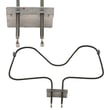
- Bake element: Provides the primary heat for baking and roasting (typically at the bottom of the oven cavity).
- Broil element: Provides high, direct heat from the top for broiling.
- Oven temperature sensor: Measures oven temperature so the control can cycle heat accurately.
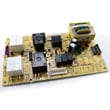
- Electronic oven control: The clock/timer and control board that manages bake, broil, and other functions.
- Oven door and glass: Helps retain heat and lets you view food while cooking.
- Oven racks: Support cookware at different heights.
- Oven light system: Bulb, lens, and socket to illuminate the cavity.
- Cooling fan and venting: Moves heat away from controls; on some models the fan can keep running after the oven is turned off.
Common parts customers replace on 79048733901
If you are troubleshooting a no-heat, uneven baking, or no-light issue, these are frequent suspects:
- Range oven temperature sensor 5304504897
- Appliance light bulb, 40-watt 316538904
- Range oven light socket 316116400
- Range oven light lens 5304524341
- Wall oven thermal fuse 5304506123
Quick “part to symptom” guide
| Symptom | Most likely part area | What to check first |
|---|---|---|
| Oven will not heat | Heating circuit, safety cutoff | Thermal fuse, wiring, elements |
| Temperature is off | Sensing and calibration | Temperature sensor, control calibration |
| Light does not work | Light circuit | Bulb, socket, door switch |
| Fan runs after cooking | Cooling system | Normal on some models after high heat |
Why it matters
Knowing the major oven parts helps you troubleshoot faster and order the correct replacement part the first time. It also helps you separate normal operation (like a cooling fan running after shutdown) from a true failure.
Last updated: February 2026
What kind of Kenmore oven do I have?
If your oven’s model tag shows 79048733901, you have a Kenmore electric wall oven (a built-in wall oven, not a freestanding range). The model number on the tag is the most reliable way to identify the exact “kind” of Kenmore oven you own.
Where to find the model number on a Kenmore wall oven
Check these common locations first:
- Open the oven door and look along the door frame (front frame) for a rating plate
- Check the left or right side trim area just inside the opening
- Look along the lower front frame near the bottom edge of the oven cavity
- If it’s a double wall oven, check the frame area between the upper and lower doors
For model-specific identification details and installation notes, use the 79048733901 installation guide.
How to read the tag so you know what you have
On the rating plate, you’ll typically see labels such as Model No., MOD, or MO. Use these fields to confirm:
- Model number: Identifies the exact Kenmore wall oven (example: 79048733901)
- Serial number: Helps date the unit and match certain revisions
- Electrical rating: Confirms it is an electric wall oven (important for parts and wiring)
Quick ID checklist
| What you see | What it usually means | Why it matters |
|---|---|---|
| “79048733901” on the tag | Kenmore electric wall oven | Ensures correct parts diagrams and fit |
| Built into a cabinet cutout | Wall oven (built-in) | Installation and mounting differ from ranges |
| Hardwired to a junction box | Typical wall oven wiring | Affects service and safety steps |
Why it matters
Kenmore model numbers are the key to getting the right parts (like a temperature sensor, thermal fuse, or light bulb) and following the correct installation clearances and electrical requirements.
Last updated: February 2026
Why is my Kenmore Elite double oven not working?
If your Kenmore wall oven model 79048733901 is not working at all (no heat, no display, or it will not start), the most common causes are a power supply problem, a control fault that needs clearing, or an open safety device such as a thermal fuse. Use the checks below, then follow the reset and troubleshooting steps in the 79048733901 owner's manual.
Quick checks we recommend first
- Confirm the oven is not in a power failure state; after an outage the display can flash and the oven will not program until the clock is set.
- Check the home breaker (wall ovens typically use a 240V double-pole breaker); reset it fully OFF then ON.
- If the control is beeping and showing an F-code, press STOP to clear it; if it returns, write down the code.
- Make sure the oven door is fully closed; some modes will not run with the door open.
- If the oven appears dead, inspect for signs of overheating; a blown thermal fuse can shut the oven down.
Parts that commonly cause a “dead” or “won’t heat” oven
If power is correct and the control is set up properly, these parts are frequent culprits:
- Thermal fuse (opens if the oven overheats): wall oven thermal fuse 5304506123
- Temperature sensor (can trigger faults or bad temperature control): range oven temperature sensor 5304504897
- Terminal block / power connection (loose or burned connection can kill power): terminal block 5304409888
What each symptom usually points to
| Symptom | Most likely direction | What to do next |
|---|---|---|
| No display, no heat | Power supply, terminal block, thermal fuse | Verify breaker, then check connections and fuse continuity |
| Display works, no heat | Heating circuit issue | Check bake/broil elements and sensor |
| Beeping with F-code | Control detected a fault | Clear with STOP, record code, troubleshoot by code |
Why it matters
A wall oven that is fully inoperative is often a power or safety shutoff issue. Fixing the root cause (loose wiring, overheating, failed sensor) helps prevent repeat failures and protects the electronic control.
For model-specific fault guidance, use Kenmore 790 manual clean wall oven error codes.
Last updated: February 2026





