Installation guide
 Owner’s manual



What is the average lifespan of a GE microwave?
Most GE microwaves average 8 to 10 years of service life with normal household use. For a GE microwave/hood combo like model JVM6175SF1SS, lifespan depends most on daily run time, ventilation (grease and heat), and keeping the cavity and filters clean per the JVM6175SF1SS owner’s manual.
What affects lifespan the most
- Heavy daily use (multiple long cook cycles per day) shortens life.
- Poor airflow or clogged filters makes the unit run hotter.
- Slamming the door can damage door latches and interlock switches.
- Running the microwave empty can overheat internal components.
- Grease buildup in a microwave/hood combo stresses the vent fan area and can lead to overheating.
Typical lifespan by usage pattern
| Usage pattern | What it looks like | Typical lifespan |
|---|---|---|
| Light | reheating, short cycles | 10+ years |
| Normal | daily cooking and reheating | 8 to 10 years |
| Heavy | frequent long cook times | 5 to 8 years |
Signs your microwave is nearing end of life
- Food takes much longer to heat than it used to
- Loud humming, buzzing, or burning smell during operation
- Door feels loose, won’t close smoothly, or the unit won’t start unless you push the door
- Interior light or turntable operation becomes intermittent
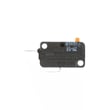
If door-related symptoms show up, common wear items include the micro-switch WB24X830 and the microwave latch body WB06X10676.
Why it matters
A microwave/hood combo works in a hotter, greasier environment than a countertop unit. Keeping it clean and ensuring proper venting helps prevent heat stress, which is one of the biggest factors that shortens microwave lifespan.
Last updated: January 2026
How do I do a hard reset on my GE microwave?
To hard reset your GE JVM6175SF1SS microwave/hood combo, disconnect power to the unit for about 1 to 2 minutes (unplug it or switch the circuit breaker off), then restore power and set the clock again. This clears many control glitches after a power surge.
Hard reset steps (power reset)
- Press Cancel/Off to stop any cooking cycle.
- Unplug the microwave; if it’s hardwired, turn off the microwave circuit at the breaker.
- Wait 1 to 2 minutes.
- Restore power.
- Re-set the time using the clock steps in the JVM6175SF1SS owner’s manual.
If the display says “LOCKED” (control lock)
This is not a power problem; it’s the child lock feature.
- Press and hold Cancel/Off for about 3 seconds.
- Confirm “LOCKED” disappears.
- Try a simple cook test (for example, 30 seconds with a cup of water).
What a reset fixes vs. what it won’t
| Symptom | Reset usually helps | More likely a part or door issue |
|---|---|---|
| Blank display after a surge | Yes | Sometimes |
| “LOCKED” on display | No (use control lock steps) | No |
| Runs but does not heat | Sometimes | Yes |
| Won’t start when door closes | Sometimes | Yes |
Why it matters
A hard reset restores normal operation after a power interruption and clears minor control-board logic errors. If the microwave still will not start, door-interlock problems are common on over-the-range models; the door switch system (for example, the micro-switch WB24X830 and latch components) must close properly for safe operation.
Last updated: January 2026
What replaced JVM6175SF1SS?
GE model JVM6175SF1SS is an over-the-range microwave/hood combo; the correct “replacement” depends on whether you mean a direct fit in the same cabinet cutout and venting setup. We use the JVM6175SF1SS specifications in the JVM6175SF1SS owner’s manual and JVM6175SF1SS installation guide to match dimensions, mounting, and ducting before choosing a successor model.
How to choose the right replacement (what must match)
A replacement microwave/hood combo needs to match your existing installation so you do not have to modify cabinets, ductwork, or electrical.
- Width and cabinet opening (most are 30-inch class, but exact fit matters)
- Mounting pattern (rear wall plate and top cabinet bolt locations)
- Venting configuration (top, rear, or recirculating)
- Electrical requirements (dedicated circuit and outlet location)
- Door swing and handle clearance (especially near adjacent cabinets)
Quick fit checklist for JVM6175SF1SS
Use this checklist while comparing any newer GE model you are considering.
| What to compare | What you’re looking for | Where to confirm |
|---|---|---|
| Cutout and overall dimensions | Same class and same cabinet fit | JVM6175SF1SS installation guide |
| Venting options | Same duct direction or recirculating capability | JVM6175SF1SS installation guide |
| Filter setup | Grease filter and optional charcoal filter support | JVM6175SF1SS owner’s manual |
| Lighting and features | Cooktop light, vent fan speeds, sensor features | JVM6175SF1SS owner’s manual |
Why it matters
Over-the-range microwaves are “built around” the mounting plate and duct path. If the mounting and venting do not match, the microwave may not sit flush, the damper may not seal, or you may need cabinet and duct modifications.
Helpful tip if you are switching to recirculating
If your setup cannot vent outside, this GE design uses a disposable charcoal filter that gets replaced when dirty or discolored (often every 6 to 12 months depending on hood use). That detail helps you compare newer models that support recirculation.
Last updated: January 2026
What are common problems with GE profile microwaves?
Common problems we see on GE over-the-range units like the GE JVM6175SF1SS include not heating, arcing/sparking, a dead display or unresponsive keypad, turntable issues, and door latch or interlock switch problems. Many symptoms trace back to door interlocks, high-voltage components, or overheating protection devices.
Most common symptoms and likely causes
- Microwave runs but does not heat: magnetron, high-voltage diode, high-voltage capacitor, or high-voltage transformer
- Sparks or arcing inside: food splatter or metal contact; mispositioned shelf (if equipped); damaged waveguide cover or interior coating
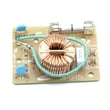
- Dead unit or intermittent power: blown fuse, loose power connection, noise filter, or control issue
- Turntable not rotating: turntable motor, coupler, or tray support not seated correctly
- Door won’t close or unit won’t start with door closed: latch body, door alignment, or door interlock switch/lever
Parts that commonly fix these issues on JVM6175SF1SS
If your troubleshooting points to a failed component, these model-matched parts are common culprits:
- Micro-switch WB24X830 (door interlock switch)
- Microwave latch body WB06X10676 (door latch mechanism)
- Microwave magnetron WB27X11079 (primary heating component)
- Microwave high-voltage diode WB27X10597 (part of the high-voltage heating circuit)
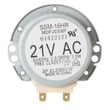
- Microwave turntable motor WB26X10233 (drives the turntable)
Quick checks we recommend before replacing parts
- Confirm basic settings: try a timed cook at full power with a cup of water.
- Check for arcing causes: remove any metal, clean splatter, and avoid running with an incorrectly placed shelf.
- Inspect the door: make sure it closes firmly and the latch area is not cracked or loose.
- Verify turntable seating: tray and support should sit flat and rotate freely by hand.
- Use the correct cleaning products: avoid ammonia or alcohol cleaners on the microwave surfaces.
DIY vs. service: what’s safe to tackle
| Issue | Typical DIY-friendly? | Notes |
|---|---|---|
| Cleaning, arcing from splatter | Yes | Clean cavity and remove metal sources. |
| Turntable not rotating | Often | Motor/coupler issues are usually accessible. |
| Door latch alignment issues | Sometimes | Replace broken latch parts; ensure proper fit. |
| Not heating | No (recommended service) | High-voltage components can retain dangerous charge. |
Why it matters
Door interlock and latch problems can prevent the microwave from starting, while heating failures often involve the high-voltage system. Addressing arcing quickly helps prevent interior damage and repeat failures.
For operating guidance and safety notes specific to this model, use the JVM6175SF1SS owner’s manual.
Last updated: January 2026