- Kenmore refrigerator water filters
- Whirlpool refrigerator water filters
- Samsung refrigerator water filters
- GE refrigerator water filters
- LG refrigerator water filters
- Frigidaire refrigerator water filters
- KitchenAid refrigerator water filters
- Maytag refrigerator water filters
- Kenmore Elite refrigerator water filters
- Estate refrigerator water filters
- GE Profile refrigerator water filters
- Amana refrigerator water filters
- Bosch refrigerator water filters
- Dacor refrigerator water filters
- Electrolux refrigerator water filters
Top DIY repair help
View All Repair Categories
Appliances
Lawn & Garden
Power Tools
Home Improvement
Sports & Leisure
Heating & Cooling
Quick Links
How to replace an electric water heater thermostat
less than a minute readMay 20Lyle Weischwill
Repair time and Difficulty
30 minutes or less
Tools Required
- Work gloves
- Phillip screwdriver
- Slot screwdriver
- Needle nose pliers
This DIY repair guide explains how to replace the thermostat in an electric water heater. The thermostat turns the heating element on and off to maintain the water temperature. If the thermostat stops working, the element either won't come on at all and the water is cold or the element stays on too long and the water is scalding. Replace a broken thermostat with the manufacturer-approved replacement part.
Follow these steps to replace a thermostat in Kenmore, State, A. O. Smith, Rheem, Whirlpool and Reliance electric water heaters.
Instructions
- 1. Shut off the electricity
Switch the two house circuit breakers dedicated for the water heater to OFF.
Wear work gloves to protect your hands.
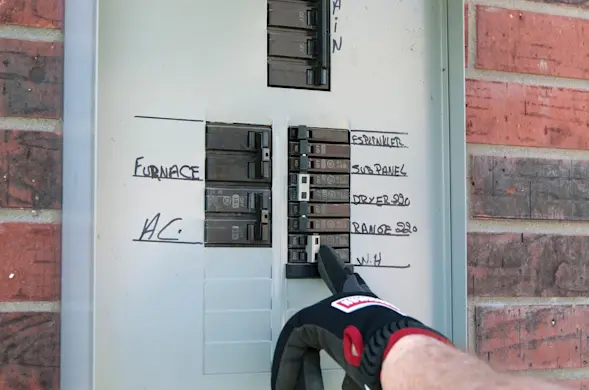
PHOTO: Switch the water heater circuit breakers off.
- 2. Remove the heating element’s access cover
Remove the heating element’s access cover mounting screw and pull off the cover.
Fold the insulation back to expose the thermostat.
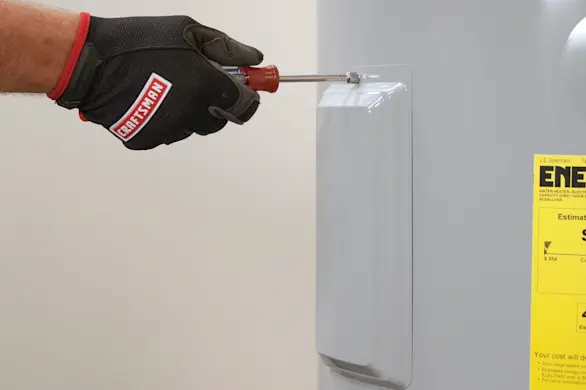
PHOTO: Remove the cover screw. 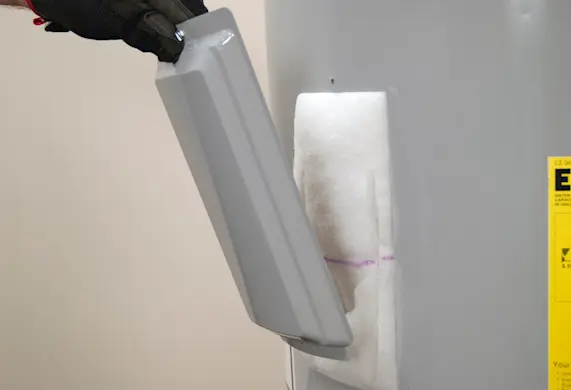
PHOTO: Remove the cover. 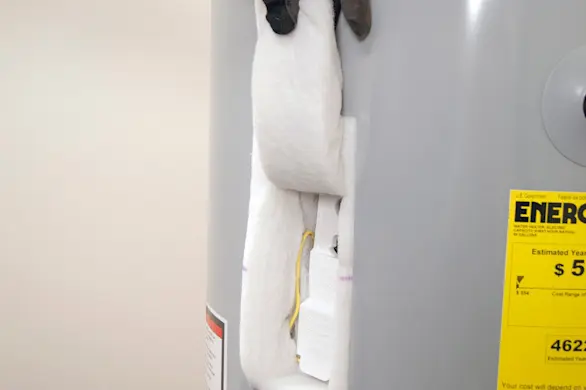
PHOTO: Fold the insulation up.
- 3. Remove the plastic shield
Lift up the tab located at the top of the plastic shield to release the shield from the thermostat.
Remove the shield.
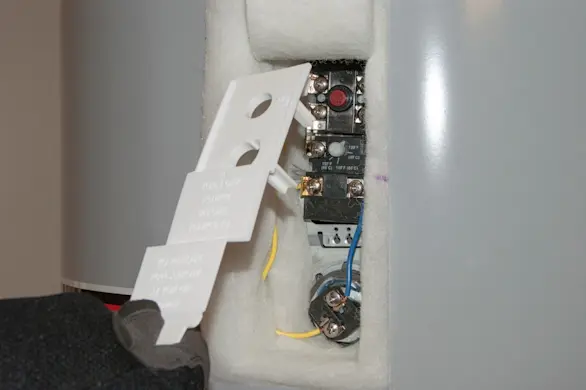
PHOTO: Remove the shield.
- 4. Remove the thermostat
Loosen the screws securing the wires to the thermostat. Pull the wires out.
To release the thermostat, pull the tabs outward at the top of the thermostat bracket.
Slide the thermostat up and remove it from behind the thermostat bracket.
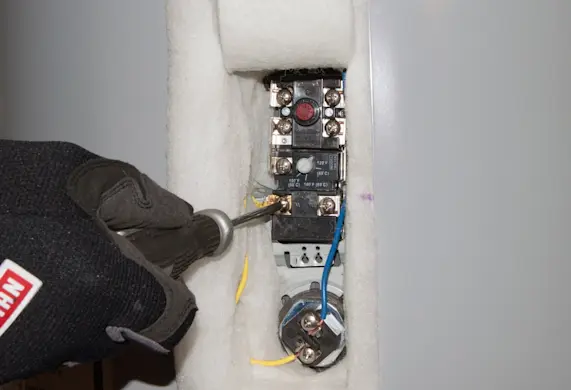
PHOTO: Disconnet the wires. 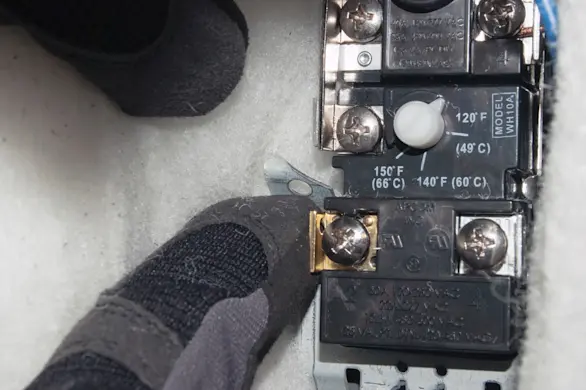
PHOTO: Release the thermostat. 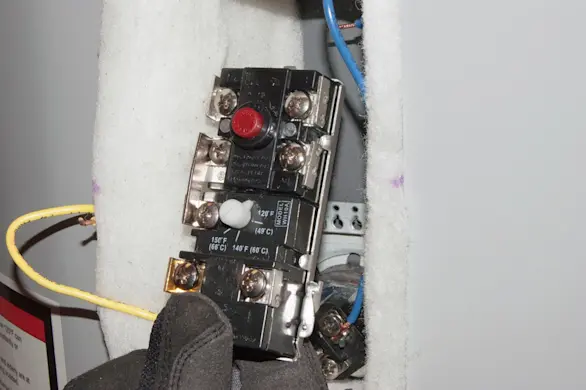
PHOTO: Remove the thermostat.
- 5. Install the new thermostat
Place the new thermostat in the bracket making sure it fits firmly behind the tabs and against the tank.
Reattach the wires to the new thermostat and tighten firmly.
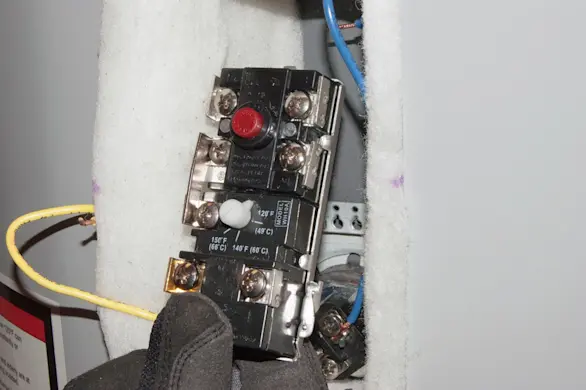
PHOTO: Install the new thermostat. 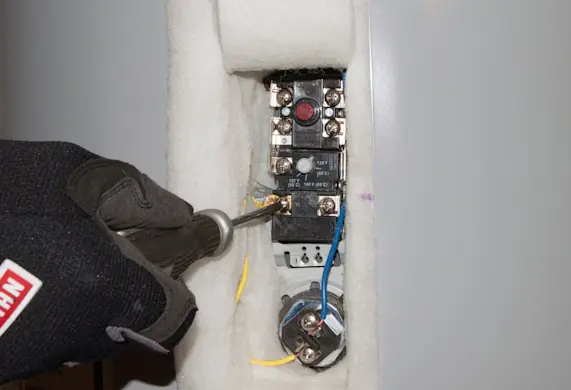
PHOTO: Attach the thermostat wires. Tip: Use the wire diagram located on top of the water heater showing where each wire connects to the thermostat.
- 6. Reinstall the plastic shield
Reinstall the plastic shield over the thermostat and heating element.
Fold the insulation back over the thermostat and heating element.
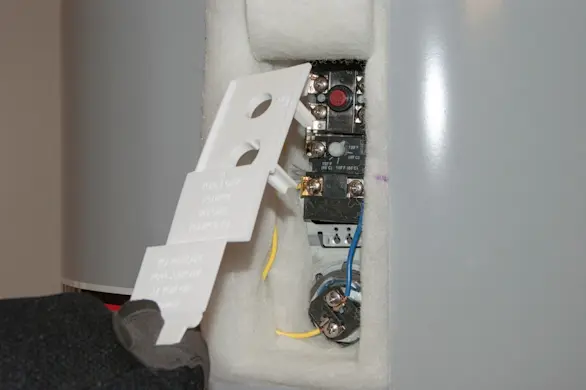
PHOTO: Reinstall the thermostat shield.
- 7. Reinstall the access cover
Reinstall the heating element cover and screw.
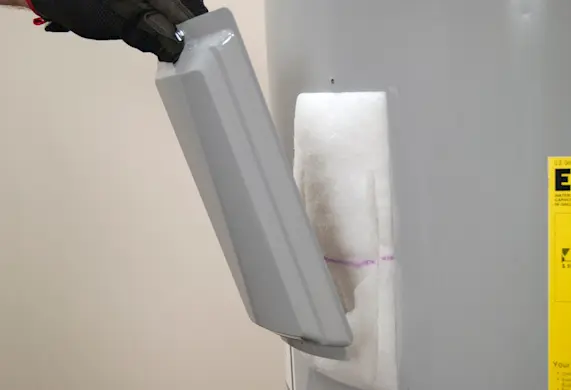
PHOTO: Reinstall the heating element cover. 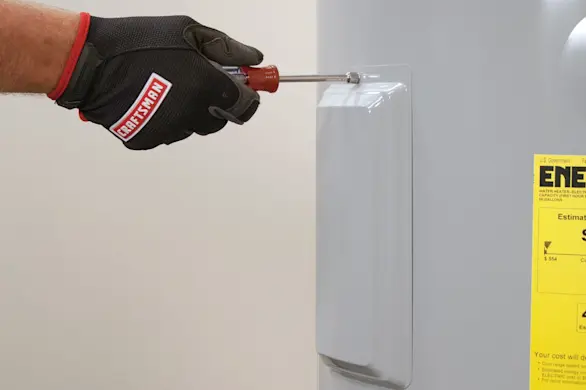
PHOTO: Reinstall the screw.
- 8. Restore power
Flip the house circuit breakers to the ON position.
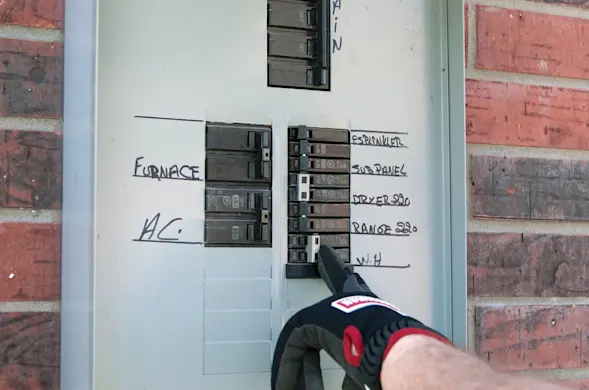
PHOTO: Flip the circuit breakers to the On position.