 Error Codes


What are common problems with Jenn Air refrigerators?
Common problems we see on Jenn-Air refrigerators (including the JCD2289AES side-by-side) are weak cooling, freezer cold but refrigerator warm, ice maker or dispenser failures, water leaks, and unusual noises. These issues are most often tied to airflow restrictions, dirty condenser coils, door seal leaks, or a failing fan motor.
Most common symptoms and what they usually point to
- Refrigerator warm, freezer OK: blocked air vents, iced-up evaporator area, weak evaporator fan, or a defrost problem
- Both sections warm: dirty condenser coils, condenser fan issue, compressor start problem, or poor ventilation around the cabinet
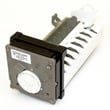
- No ice or slow ice: clogged water supply, frozen fill tube, failed ice maker components, or low water pressure
- Water under the unit or in fresh food section: clogged/iced defrost drain, cracked water line, or leaking water inlet valve
- Noisy operation (buzzing, rattling, clicking): fan blade hitting ice, worn fan motor, or vibration from the drain pan or tubing
Quick checks you can do before replacing parts
- Confirm temperatures: set freezer near 0°F and refrigerator near 37°F (typical targets for side-by-side units).
- Check airflow: make sure food packages are not blocking return vents or supply vents.
- Clean condenser coils: dust buildup commonly causes poor cooling and longer run times.
- Inspect door gaskets: look for gaps, tears, or areas that do not seal flat.
- Listen for fans: you should typically hear a fan running when the compressor is running.
What to replace first (typical priority)
| Symptom | Most common area | Typical first parts to suspect |
|---|---|---|
| Fridge warm, freezer cold | Airflow/defrost | Evaporator fan motor, defrost heater, defrost thermostat, control board/timer |
| No ice | Water/ice system | Water inlet valve, ice maker assembly, door switch |
| Leaking water | Drain/water lines | Defrost drain components, water tubing/fittings, inlet valve |
| Loud noise | Fan/vibration | Evaporator fan motor, condenser fan motor, fan blade, mounting grommets |
Why it matters
Cooling and ice-making problems usually get worse over time. A simple airflow issue (blocked vents or dirty coils) can mimic a major failure, and fixing the basics first helps you avoid unnecessary part replacement and food spoilage.
If you need replacement parts for your Jenn-Air JCD2289AES, start with the parts list for this model; you can also search by model number on Sears PartsDirect.
Last updated: February 2026
Can I replace fridge parts myself?
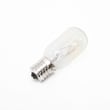
Yes. For the Jenn-Air JCD2289AES side-by-side refrigerator, we can replace many common, non-technical parts ourselves (like shelves, bins, and light bulbs) with basic tools; sealed-system and high-voltage repairs (compressor, refrigerant lines, control board diagnostics) are best left to a technician.
Good DIY replacements (typical)
These repairs are usually straightforward and low-risk when the refrigerator is unplugged:
- Door bins, shelves, and crisper drawers
- Light bulb and light cover (lens)
- Water filter (if equipped)
- Door gasket (requires careful alignment and warming the gasket)
- Ice maker bin and auger bucket parts (mechanical pieces)
- Leveling feet and toe grille (kick plate)
Repairs we treat as “pro-only”
These can involve electrical shock risk, refrigerant handling, or specialized testing:
- Sealed cooling system parts (compressor, evaporator, condenser, refrigerant tubing)
- Refrigerant leaks or any work that opens the sealed system
- Advanced electrical troubleshooting (wiring harness damage, intermittent power issues)
- Control board replacement when the root cause is unknown
Before you start: quick safety and prep checklist
- Unplug the refrigerator (or switch off the breaker) before removing panels or touching wiring
- Shut off the water supply if you are working on the water inlet valve, tubing, or ice maker feed line
- Protect floors; side-by-side units are heavy and can scratch easily
- Take photos of wire connectors and screw locations as you disassemble
- Use the model number JCD2289AES when selecting replacement parts to avoid fit issues
What to expect: DIY vs technician
| Repair type | Typical difficulty | Typical tools |
|---|---|---|
| Shelves, bins, bulbs | Easy | None to screwdriver |
| Door gasket | Medium | Nut driver, hair dryer (for shaping) |
| Ice maker mechanical parts | Medium | Nut driver, pliers |
| Sealed-system cooling problem | Pro-only | Specialized gauges and equipment |
Why it matters
Choosing the right DIY jobs helps us save time and money while avoiding damage to the cooling system, water lines, or electrical components. A simple parts swap is very different from diagnosing why the refrigerator is not cooling.
If you do not see the part you need listed for JCD2289AES, we can search by model number on Sears PartsDirect to find compatible replacements.
Last updated: February 2026
Why is the ice chute door staying open on my Jenn-Air side by side refrigerator freezer?
On the Jenn-Air JCD2289AES side-by-side refrigerator, the ice chute (dispenser) door usually stays open when ice chips, frost, or sticky residue builds up around the chute or door flap and prevents a full seal. Cleaning and fully drying the chute area typically restores normal closing.
What to check first (quick fixes)
- Clear any ice fragments lodged in the dispenser chute.
- Wipe the chute and the bottom of the ice bin with a warm, damp cloth.
- Dry the chute and flap area completely (moisture refreezes and re-blocks the door).
- Empty the ice bin and break up clumped ice before reinstalling it.
- Confirm the ice bin is seated all the way back; a mis-seated bin can interfere with the flap.
Step-by-step cleaning that solves most “door won’t close” issues
- Remove the ice storage bin from the freezer door.
- Use a warm, damp cloth to clean:
- The ice delivery chute
- The flap/door sealing surface
- The bottom of the ice bin where ice dust collects
- Dry all surfaces thoroughly.
- Reinstall the bin and dispense a few cubes to confirm the flap closes immediately after dispensing.
If cleaning does not fix it
These are the most common mechanical or alignment causes on side-by-side dispenser doors:
- Flap not sealing: the door flap can warp or the sealing surface can get nicked.
- Return mechanism issue: the spring, hinge, or linkage can bind and leave the flap partially open.
- Ice bin fitment: worn bin guides or a bin that is not fully seated can keep the door from closing.
Symptoms and what they usually mean
| What you notice | Most likely cause | What to do |
|---|---|---|
| Door stays open only after dispensing crushed ice | Ice dust buildup, clumping | Clean and dry chute and bin; switch to cubes for a day |
| Door never fully closes, even when idle | Flap/hinge/return issue | Inspect flap movement; replace worn dispenser-door components |
| Frost forms around dispenser opening | Air leak from flap not sealing | Clean sealing surfaces; check flap alignment |
Why it matters
A dispenser flap that stays open lets warm, humid air into the freezer. That creates frost buildup, can clump ice in the bin, and can make the ice maker and dispenser work harder than they should.
For replacement dispenser parts for model JCD2289AES, use the parts list for this model, or search by model number on Sears PartsDirect.
Last updated: February 2026
What is the life expectancy of a JennAir refrigerator?
A Jenn-Air refrigerator typically lasts about 15 to 20 years with normal household use and consistent maintenance. For your Jenn-Air JCD2289AES side-by-side refrigerator, keeping airflow clear, temperatures stable, and seals tight is what most directly extends service life.
Typical lifespan ranges (what to expect)
Refrigerator life varies most by usage, installation conditions, and maintenance. Here are practical ranges we see for side-by-side units:
- Average refrigerators (all brands): 10 to 14 years
- Premium-brand refrigerators (including Jenn-Air): 15 to 20 years
- Shortened lifespan conditions: frequent power issues, poor ventilation, dirty condenser area, or worn door gaskets
What shortens or extends refrigerator life
These are the biggest real-world factors that determine whether a refrigerator reaches the high end of its lifespan.
- Keep the condenser area clean so the compressor runs cooler
- Maintain proper cabinet ventilation (don’t block air intake or exhaust)
- Confirm doors close fully; replace worn door gaskets when they stop sealing
- Avoid overpacking; it restricts airflow and forces longer run times
- Set stable temps (typical targets: 37°F fresh food, 0°F freezer)
- Address symptoms early (warm temps, loud fan noise, frost buildup, water leaks)
Quick “age vs. repair” decision guide
If you are deciding whether to repair or replace, this simple framework helps.
| Refrigerator age | What it usually means | Common next step |
|---|---|---|
| 0 to 7 years | Plenty of remaining life | Repair is usually worthwhile |
| 8 to 14 years | Midlife; efficiency may drop | Repair if the issue is limited (fan, gasket, defrost) |
| 15 to 20 years | Near typical premium lifespan | Repair only if the fix is straightforward and cost-effective |
Why it matters
A side-by-side refrigerator that runs hot (dirty condenser area, restricted airflow, weak door seal) cycles longer and stresses the compressor and fans. Reducing heat and run time is the most reliable way to push lifespan toward the 20-year mark.
Finding the right replacement parts
We recommend using the parts list for model JCD2289AES to match components by fit and function. If you need to search more broadly by model number, we also support lookup on Sears PartsDirect.
Last updated: February 2026
Why is my Jenn Air refrigerator not getting cold?
If your Jenn-Air JCD2289AES side-by-side refrigerator is running but not getting cold, the most common causes are dirty condenser coils, blocked airflow between compartments, or a failed fan (evaporator or condenser). Start with airflow and coil cleaning before moving to defrost or compressor checks.
Quick checks (10 to 20 minutes)
- Set temperatures to typical targets: freezer 0°F, fresh food 37°F.
- Make sure packages are not blocking return or supply vents.
- Listen for the evaporator fan in the freezer (it should run when cooling is called for).
- Clean dust and pet hair from the condenser coils and grille area.
- Check door gaskets for gaps; confirm doors close fully.
What the symptoms usually mean
| Symptom | Most likely cause | Best next step |
|---|---|---|
| Freezer cold, refrigerator warm | Airflow issue (blocked vents, damper problem, weak evaporator fan) | Clear vents; confirm strong airflow |
| Both sections warm, unit runs a lot | Dirty coils, condenser fan issue, or start device/compressor problem | Clean coils; verify condenser fan runs |
| Frost on freezer back wall | Defrost system problem | Defrost fully; then test defrost components |
| Clicking, little or no cooling | Start device/overload or compressor issue | Check power supply; plan service diagnosis |
If cleaning coils does not fix it
Focus on the parts most tied to “runs but not cold”:
- Evaporator fan motor (moves cold air)
- Condenser fan motor (removes heat at the condenser)
- Defrost heater and defrost thermostat (prevents ice blockage)
- Temperature control or electronic control (calls for cooling)
Why it matters
Poor cooling can spoil food and forces longer run times, which increases energy use and stresses the compressor and fan motors.
You can look up replacement parts for the JCD2289AES using the parts list for this model, or search by model number on Sears PartsDirect.
Last updated: February 2026





