 Error Codes




How do you reset a Kenmore electric stove?
To reset your Kenmore electric range model 91193471891, we recommend doing a hard power reset: shut off power at the breaker (or unplug the range if accessible) for 1 minute, then restore power and test oven bake and surface burners.
- Turn all burner knobs to OFF.
- If the range is plugged in, unplug it; otherwise switch OFF the range circuit breaker.
- Wait 60 seconds (this clears many control glitches).
- Restore power (plug back in or switch the breaker ON).
- Test Bake for 5 to 10 minutes and test one surface element on LOW.
A reset fixes control lockups, but it will not fix a failed heating part or a power supply problem. Check these common causes:
- Tripped breaker: many electric ranges use a 2-pole breaker; one side can trip and leave partial power.
- Loose power cord connection at the terminal block (burning or arcing can stop heating).
- Failed bake element: the oven will not bake properly if the element is open.
- Bad surface element switch: a burner may not respond even after a reset.
- Temperature sensor issue: the oven may heat incorrectly or not at all.
| Symptom | Most likely area to check | What to do next |
|---|---|---|
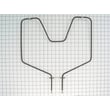
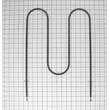
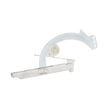
| Display works but oven will not bake | Bake element | Inspect and test the g.e. range bake element WB44K5012 |
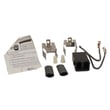
| Burners dead but oven light/display works | Terminal block / power supply | Inspect wiring and consider the terminal block assembly 330031 |
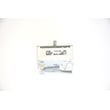
| One surface burner stuck on high or won’t heat | Infinite switch | Test/replace the range surface element control switch WB23K5027 |
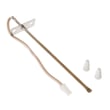
| Oven heats erratically or not to temp | Sensor | Test/replace the sensor WB21X5301 |
A proper reset restores normal operation after a power surge or control glitch, but repeated heating failures usually point to a component like a bake element, terminal block, sensor, or surface element control switch that needs testing and replacement.
Last updated: February 2026
What does F11 mean on a Kenmore electric stove?
On the Kenmore 91193471891 electric range, the F11 error code means the control is sensing a stuck key or shorted keypad circuit (a “phantom key press”). It commonly causes constant beeping and can prevent normal oven operation until the control panel issue is corrected.
- Press CANCEL/OFF once.
- Turn power off at the breaker for 1 minute, then restore power.
- If F11 returns right away, leave power off until you troubleshoot.
- If you recently cleaned the control panel, let it dry fully; moisture can trigger F11.
- Keypad button physically stuck or contaminated with grease.
- Moisture intrusion behind the keypad overlay.
- Loose, dirty, or corroded ribbon cable connection between keypad and control.
- Electronic oven control (clock/control board) failure.
- Shorted or pinched wiring in the control console.
- Disconnect power.
- Access the control console area.
- Reseat the keypad ribbon connector (unplug, inspect for corrosion, reconnect firmly).
- Restore power and test.
If you see heat damage or melted wiring at the power cord connection, repair that first; an overheated connection can cause erratic control behavior.
| What you notice | Most likely issue | What we do next |
|---|---|---|
| Beeping starts immediately with F11 | Keypad circuit | Inspect keypad and ribbon connection |
| F11 after wiping/steam | Moisture in keypad | Dry thoroughly; check for residue |
| Flickering display, hot/burnt smell | Power connection | Inspect cord terminals and wiring |
For safe electrical testing basics, use how to use a multimeter to test electrical parts video. If the cord connection is overheated, the terminal block assembly 330031 is a common replacement item.
A stuck-key condition can lock out baking and broiling and keep the range beeping continuously. Correcting the keypad/control circuit restores reliable operation and prevents repeated error lockouts.
Last updated: February 2026
Where can I find my Kenmore electric range model number?
For your Kenmore electric range model 91193471891, the model number is printed on a rating label attached to the range body. We most often see it in the oven door jamb, behind the storage drawer, or on the back panel near the vent area.
Look for a paper or metal tag with the model and serial numbers in these spots:
- Oven door jamb: open the oven door and check the frame around the opening
- Behind the bottom storage drawer: pull the drawer out and look on the frame rails or side panel
- Back of the range: near the power cord entry, terminal block cover, or vent area
- Side frame: sometimes on the left or right side behind the drawer opening
- Lower front frame: near the leveling legs on some builds
- Use a flashlight and check for a label that starts with “Model”.
- Wipe grease and dust off the tag; numbers can be faint.
- If you have the range pulled out, check the back panel before pushing it back in.
| What you’ll see | Why it helps |
|---|---|
| Model number (example: 91193471891) | Ensures you get the correct Kenmore range parts |
| Serial number | Helps identify production run details |
| Electrical rating (volts/amps) | Useful when diagnosing power and heating issues |
The model number is how we match the correct parts for your exact 30 inch Kenmore electric range, including common repairs like replacing a terminal block assembly 330031 if the power connection area is damaged or overheated.
Last updated: February 2026
Why is my Kenmore electric range not heating up?
If your Kenmore 91193471891 30" electric range is not heating, the most common causes are a failed bake or broil element, a bad surface element control switch, or a power supply issue (loss of one 120V leg so the range has lights but no heat). Start with a visual check, then confirm with a continuity test.
- Confirm the range is on a dedicated 240V circuit; reset the double breaker fully OFF then ON.
- Try Bake and Broil; if neither heats, suspect power supply, wiring, or a control issue.
- If Broil works but Bake does not, suspect the bake element or its wiring.
- If Bake works but Broil does not, suspect the broil element or its wiring.
- If only one surface burner is dead, suspect that burner or its switch.
- Bake element: Look for blisters, cracks, or a burned spot; then test continuity. If it is open, replace the g.e. range bake element WB44K5012.
- Broil element: If broil will not heat, inspect the broil element and its connections (a failed broil element can also make preheat slow).
- Element wiring and terminals: Check for loose, overheated, or broken wires at the element terminals.
- Surface heating issues: If a surface element will not heat, test the element and the switch; a failed range surface element control switch WB23K5027 can prevent a burner from heating.
- Power connection: If the range is completely dead or heating is intermittent, inspect the cord connection and terminal block area for heat damage; replace the terminal block assembly 330031 if connections are burned or loose.
| Symptom | Most likely cause | What we do next |
|---|---|---|
| Oven light works but no bake/broil heat | Lost 240V supply (one breaker leg tripped) | Reset breaker; verify outlet voltage |
| Bake does not heat, broil heats | Failed bake element | Test/replace bake element |
| Broil does not heat, bake heats | Failed broil element | Test broil element and wiring |
| One surface burner not heating | Bad burner or infinite switch | Test element; test switch |
An electric range needs the full 240V supply for heating. A single failed element or a burned terminal connection can stop heating, cause slow preheat, or create intermittent operation. Testing with a meter prevents replacing the wrong part.
Last updated: February 2026




