 Error Codes




How long do Jenn Air wall ovens last?
A Jenn-Air wall oven like model JMW8530DAS typically lasts 15 years with normal household use and basic maintenance. Keeping airflow clear, avoiding slamming the door, and fixing heat or control issues early helps you reach (and often exceed) that lifespan.
Typical lifespan and what affects it
Most wall ovens fall into a similar range, but real-world life depends on heat stress, ventilation, and how often you run self-clean.
- Typical lifespan: about 15 years
- Heavier use (daily high-heat cooking): often shorter
- Good ventilation and clean cooling paths: often longer
- Frequent self-clean cycles: can shorten life by stressing electronics and door parts
Parts that most often determine “end of life”
When a wall oven starts failing, it is usually one of a few serviceable components. Replacing the right part can restore reliable baking and broiling.
- Temperature regulation issues: consider the wall oven temperature sensor WP74008369
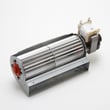
- Overheating or shutdown symptoms: cooling airflow and safety controls matter (cooling fan, high-limit switch)
- Door not sealing or heat escaping: inspect the wall oven door gasket WPW10162386
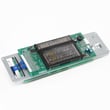
- Display or keypad problems: control board or control panel may be involved
Quick “repair vs. replace” guide
Use this as a practical decision tool for JMW8530DAS.
| Situation | Usually makes sense to repair | Usually makes sense to replace |
|---|---|---|
| Oven heats unevenly but powers on | Sensor, gasket, or airflow-related parts | If multiple major symptoms stack up |
| Door leaks heat or won’t close right | Gasket, hinge, latch | If cabinet or door frame is damaged |
| No heat and control issues together | If a single failed part is confirmed | If repeated electronic failures occur |
Why it matters
A wall oven is a long-term built-in appliance; getting to the 15-year mark often comes down to controlling heat stress on electronics, keeping the door sealing correctly, and addressing small symptoms before they become repeated failures.
Last updated: January 2026
What does F9 mean on a Jenn air oven?
On the Jenn-Air JMW8530DAS wall oven, an F9 error typically points to a door latch or door lock circuit problem. The oven may think the door is not locking or unlocking correctly (often during or after self-clean), so it stops the cycle for safety.
What to check first (quick reset and simple causes)
- Power reset: Turn the breaker off for 1 minute, then back on; retry Bake.
- Cancel self-clean (if running): Let the oven cool completely, then try again.
- Door alignment: Make sure the door closes fully and evenly.
- Latch movement: If you can access the latch area, look for grease buildup or anything physically blocking the latch.
- Wiring connections: A loose connector at the latch switch or control can trigger F9.
Parts commonly involved
If the latch is sticking, not moving, or the switch is not changing state, these parts are common suspects for this model:
Symptom-to-cause guide
| What you notice | Most likely issue | What usually fixes it |
|---|---|---|
| F9 appears during self-clean | Door lock not reaching locked position | Inspect/replace latch or door switch |
| Door stays locked after cooling | Latch motor/mechanism stuck | Check latch, linkage, wiring |
| F9 returns after reset | Electrical fault in latch circuit | Test switch continuity, inspect harness, control output |
Why it matters
The door latch system is a safety feature. If the control cannot confirm the door is locked or unlocked, it can disable heating or stop self-clean to prevent overheating or a locked-door situation.
When to use a technician
- The door is stuck locked and you cannot open it after cooling.
- You smell burning insulation or see heat damage near wiring.
- F9 returns immediately after a power reset.
Last updated: January 2026
How to hard reset jenn air oven?
To hard reset a Jenn-Air wall oven like model JMW8530DAS, we recommend doing a full power reset at the breaker to clear a frozen control or glitch. Turn the oven circuit OFF long enough for the control board to fully discharge, then restore power and re-test basic functions.
Hard reset steps (power reset)
- Turn OFF the oven’s dedicated circuit breaker (typically a 240V double-pole breaker).
- Wait 5 minutes.
- Turn the breaker ON.
- Set the clock (if it prompts you).
- Test Bake for 5 minutes and confirm the display responds normally.
If the display is still unresponsive
A hard reset fixes temporary control lockups. If the oven still will not respond, focus on the most common causes below.
- Check the home electrical panel for a tripped breaker (reset fully OFF, then ON).
- Confirm the oven is not in a lock mode (door latch engaged or controls locked).
- If the oven overheated, a high-limit device may have opened and needs time to cool.
- If the oven runs but temperatures are erratic, the sensor circuit is a top suspect.
- If the control is dead or random, the electronic control board is a common failure point.
Parts that commonly relate to “won’t power up” or “acts frozen”
| Symptom | What it often points to | Example part for JMW8530DAS |
|---|---|---|
| No display, no response | Power supply connection issue | Terminal block WPW10245259 |
| Oven overheats, shuts down | Over-temp protection opening | Circuit protection components (varies) |
| Temps inaccurate, long preheat | Sensor out of range | Wall oven temperature sensor WP74008369 |
| Random beeping, blanking, stuck keys | Control board issue | Control, sin WP74009714 |
Why it matters
A breaker-level reset is the fastest safe way to clear a control glitch without replacing parts. If the problem returns after a reset, it usually indicates an electrical connection issue, a failing sensor circuit, or a failing electronic control.
Last updated: January 2026
Why is my JennAir wall oven not turning on?
If your Jenn-Air wall oven model JMW8530DAS won’t turn on, the most common causes are a power supply problem (tripped breaker, loose wiring) or a failed internal component such as the control board or thermal protection. Start by confirming the oven is getting the correct power at the junction box.
Quick checks we recommend first
- Reset the home breaker for the oven circuit by switching it fully OFF, then back ON.
- Confirm the oven is not in a locked or disabled state (some models appear “dead” when controls are locked).
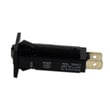
- Check for a tripped internal breaker if your unit uses one, such as the circuit breaker WP71002286.
- If the display is blank, check for loose or overheated wiring at the terminal block WPW10245259.
- If the oven turns on briefly then shuts down, suspect overheating protection or a cooling airflow issue.
What usually fails when power is present but the oven stays dead
If you have verified proper supply voltage to the oven but the control panel stays blank, these are the most likely culprits:
| Symptom | Most likely area | What to do next |
|---|---|---|
| No display, no beeps, no response | Control board or power feed into control | Inspect wiring connections; test for voltage into the control area |
| Powers on intermittently | Loose connection, overheating, failing breaker | Check terminal connections; check internal breaker; look for heat damage |
| Shuts off during or after preheat | Cooling system or high-limit protection | Verify cooling fan operation and airflow |
Why it matters
A wall oven that will not power up is often a simple electrical supply issue, but it can also be a heat-damage situation at the terminal block or a failing control. Catching a loose connection early helps prevent repeated shutdowns and further component damage.
Safety notes before troubleshooting
- Turn off the breaker before removing any panels.
- If you see melted wiring, scorching, or a burning smell, stop and have the wiring and connections repaired before restoring power.
Last updated: January 2026





