How to hard reset kenmore washer?
For Kenmore washer model 11026722690, a hard reset is done by removing power long enough to fully clear the control; unplug the washer (or switch the breaker off) for 2 minutes, then restore power and try a normal cycle.
- Turn the washer OFF.
- Unplug the power cord (or turn the breaker OFF).
- Wait 2 minutes.
- Restore power.
- Lift and close the lid once, then select a cycle and press Start.
A “reset” will not fix a failed safety switch or a drain problem. These quick checks often pinpoint the real issue:
- Confirm the outlet has power (test with a lamp).
- Make sure the lid closes firmly; a bad lid switch can stop agitation and spin.
- If the tub is full of water, check for a drain restriction or a weak pump.
- If the washer agitates but will not spin, inspect common drive components.
| Symptom after reset | Common cause | Example part for this model |
|---|---|---|
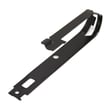
| No spin or no agitation with lid closed | Lid safety circuit not closing | Washer lid switch WP3949238 |
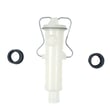
| Won’t drain or drains slowly | Pump jammed or failing | Washer drain pump WP3363394 |
| Motor runs but washer won’t agitate/spin | Motor coupling worn/broken | Coupling 285753A |
A hard reset clears a temporary control “lockup,” but repeated failures usually point to a lid switch, drain pump, or drive-train problem. Fixing the root cause prevents mid-cycle stops and protects the motor and gear case.
Last updated: January 2026
What is the average lifespan of a Kenmore washer?
A Kenmore washer typically lasts 10 to 15 years with normal household use and basic maintenance; for Kenmore model 11026722690, that same 10 to 15-year range is the practical expectation, with wear items and water-related parts usually determining end-of-life.
Most Kenmore washers fall into these real-world ranges:
| Washer type | Typical lifespan | What usually ends it |
|---|---|---|
| Top-load (traditional) | 12 to 15 years | Drive system wear, leaks |
| Front-load | 10 to 12 years | Bearings, door seal leaks |
| High-efficiency top-load | 10 to 14 years | Suspension, control issues |
We see longevity improve most when these basics are handled consistently:
- Avoid chronic overloading; it strains the drive system, clutch, and suspension.
- Use the right detergent amount; oversudsing can cause poor draining and extra wear.
- Fix small leaks early; water damage often spreads to bearings, wiring, and the motor.
- Keep fill hoses in good shape and don’t overtighten connections.
- Level the washer; out-of-balance operation accelerates tub and suspension wear.
On many Kenmore top-load designs, these parts are frequent decision points for repair vs. replace:
- Washer lid switch WP3949238 (won’t spin or won’t start symptoms)
- Washer drain pump WP3363394 (won’t drain, slow drain, or leaks)
- Coupling 285753A (motor runs but washer won’t agitate or spin)
- Clutch 285785 (weak spin, burning smell, noisy spin)
A washer can “run” past 10 years but still cost more in water, time, and repeat repairs. Knowing the typical 10 to 15-year lifespan helps you decide when a single repair (like a pump or lid switch) makes sense versus when multiple drive or tub issues point to replacement.
Last updated: January 2026
How do I turn off the control lock on my Kenmore Elite washer?
On Kenmore model 11026722690, Control Lock turns off by pressing and holding the same key used to enable it for about 3 seconds until the lock indicator goes out and the controls respond again.
- Look for a button labeled Control Lock, Lock, or a key icon.
- If no button is labeled, look for small text on the console that says “Hold 3 sec” under a button.
- Press and hold that button for 3 seconds.
- Release when the lock light turns off or the display changes.
- Try Start to confirm the washer accepts commands.
These quick checks solve most “stuck lock” situations on Kenmore top-load washers:
- Make sure the washer is not mid-cycle; press Pause/Cancel once, then try the 3-second hold again.
- Unplug the washer (or switch off the breaker) for 1 minute to reset the control, then retry.
- Press the correct key; on many models it is an Option button, not Start.
- Check that the lid is fully closed; a lid that is not registering closed can confuse the control.
- If the washer will not start and acts like the lid is open, inspect the washer lid switch WP3949238.
Control Lock is designed to prevent accidental button presses during a cycle. If it stays on, the washer can appear “dead” even though power is present.
| What you see | What it usually means | What to check first |
|---|---|---|
| Lock light on, buttons do nothing | Control Lock enabled | Hold the lock-designated button 3 seconds |
| Will not start, lid-related behavior | Lid not being detected | Lid closure, then lid switch |
| Unlock works after power reset | Control glitch | Unplug 1 minute, retry |
Last updated: January 2026
How to force a Kenmore Elite washer to drain?
For Kenmore washer model 11026722690, the fastest way to force a drain is to cancel the cycle (if possible), then remove power and manually drain the tub through the drain hose or by removing the pump inlet hose; a failed lid switch or clogged pump commonly prevents draining.
- Try a cancel/drain reset: Turn the timer to Spin and pull the knob (or press Cancel if your console has it). If the washer won’t run the drain portion, move to manual draining.
- Unplug the washer first: This prevents the motor from starting while you’re working.
- Lower the drain hose into a bucket or floor drain: Gravity-drain as much water as possible (keep the hose end below tub water level).
- If gravity drain is slow or stops: Check for a kinked hose or a clog at the standpipe.
- Unplug the washer.
- Bail out water into a shallow pan if the tub is very full.
- Access the pump area (typically from the front lower panel or by tilting the cabinet back).
- Place towels and a shallow pan under the pump.
- Loosen the pump inlet hose clamp and slowly crack the hose loose to control the flow.
- Clear coins, socks, or debris from the hose and pump ports.
If the pump is jammed or leaking, replacing the pump is often the fix: washer drain pump WP3363394.
- Lid not closing or lid switch not clicking (washer may not drain/spin): washer lid switch WP3949238
- Pump impeller jammed or pump motor seized
- Drain hose kinked, crushed, or pushed too far into the standpipe
- Standpipe or household drain backing up
- Motor coupling broken (motor runs but pump does not move water): coupling 285753A
| What you see | Most likely cause | What we recommend |
|---|---|---|
| Hums but no drain | Pump jammed | Check pump for debris; replace pump if seized |
| No sound at all | Lid switch not made or no power | Verify lid switch operation; check outlet/breaker |
| Drains very slowly | Partial clog or restricted hose | Clear hose, standpipe, and pump ports |
Standing water can overflow, cause odors, and leave clothes soaked. Draining safely also lets you troubleshoot the real failure point (pump, lid switch, hose, or coupling) without making a bigger mess.
Last updated: January 2026