Installation guide
 Owner’s manual





Does a LG microwave have a reset button?
LG microwave/hood combos like model LMV1813ST do not use a dedicated physical “reset” button. Most reset-type fixes are done by restoring power (unplugging or switching the breaker off briefly) or by using control-panel features such as Child Lock and Custom Set described in the LMV1813ST owner's manual.
- Power reset: Unplug the microwave (or turn the circuit breaker off), wait 1 minute, then restore power.
- Clear the control panel: Press STOP/CLEAR (if your keypad has it) to cancel a cooking cycle.
- Check Child Lock: If the keypad seems “dead,” turn Child Lock off (this feature is listed in the manual).
- Confirm the door is fully closed: A slightly open door can prevent operation.
- Try a simple cook test: Heat 1 cup of water for 1 minute to confirm normal operation.
If the display works but the microwave will not start, stops when the door moves, or acts like it is resetting randomly, the issue is often in the door-safety circuit (interlock system) rather than a software setting.
Common parts involved on LMV1813ST include:
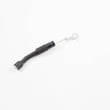
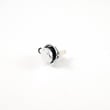
- Microwave door interlock switch 6600W1K001D
- Microwave door interlock switch 6600W1K001C
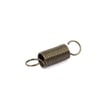
- Microwave door latch spring 4970WRA001G
| Symptom | Most likely area | What we recommend |
|---|---|---|
| No response from keypad | Child Lock or power supply | Power reset; then check Child Lock in the manual |
| Runs only with door held a certain way | Door latch/interlock | Inspect latch alignment; consider interlock switch/latch spring |
| Light and fan work, but no heat | High-voltage circuit | Stop using it and have it checked; HV parts can retain charge |
Microwaves rely on door interlocks and high-voltage components for safe operation. A “no reset button” design is normal; consistent operation problems usually point to power, door-switch, or high-voltage issues, not a setting.
You can order LMV1813ST replacement parts from the parts list for this model, or search by model number on Sears PartsDirect.
Last updated: February 2026
What does F3 mean on an LG microwave?
On an LG microwave, an F3 error code points to a keypad or control-panel input problem (a stuck key, moisture/grease contamination, or a failing control). On the LG LMV1813ST microwave/hood combo, start with a safe power reset and then check the keypad area for sticking.
- Cancel/Stop the cycle and wait 30 seconds.
- Power reset: unplug the microwave or switch off the breaker for 1 minute, then restore power.
- Wipe the keypad and surrounding trim with a barely damp cloth, then dry fully (grease can cause false key presses).
- Press each key once to feel for a stuck or “mushy” button.
- If the code returns immediately after reset, avoid repeated use until the cause is found.
Because this is a microwave/hood combo, treat any internal electrical work as high risk.
- Disconnect power before removing any covers.
- Do not use extension cords.
- Use a dedicated 120V, 60Hz, 15A or 20A circuit (typical for this style of microwave).
For model-specific safety and access steps, follow the LMV1813ST owner's manual.
If cleaning and a reset do not stop F3, the most common next steps are inspection and testing of the control input circuit (keypad/control assembly). If the microwave also has door-related symptoms (won’t start, starts then stops, or runs with the door behavior acting odd), check the door switch system because it can create confusing control symptoms.
Related door-switch parts for this model:
| Symptom you notice | Part to consider | Part ID |
|---|---|---|
| Intermittent start, stops when door is moved | Microwave door interlock switch | Microwave door interlock switch 6600W1K001D |
| Similar door-related issues on some builds | Microwave door interlock switch | Microwave door interlock switch 6600W1K001C |
An F3 code usually means the control thinks a key is being pressed when it should not be. That can prevent normal cooking, cause beeping, or stop the microwave from responding correctly, so resolving it protects both usability and safe operation.
For replacement parts listed for LG LMV1813ST, order from the parts list for this model or search by model number on Sears PartsDirect.
Last updated: February 2026
Why did my LG microwave suddenly stop working?
If your LG LMV1813ST microwave/hood combo suddenly stopped working, the most common causes are a power supply issue (outlet, cord, breaker), a door interlock problem, or a failed internal electrical component. Start with basic power checks, then focus on the door latches and interlock switches.
Microwaves contain high-voltage components that can store a dangerous charge even when unplugged. We recommend limiting DIY checks to external power and door-closure items; internal testing and repairs should be handled by a qualified service technician. For safety guidance and grounding requirements, follow the installation guide.
- Unplug the microwave for 2 minutes, then plug it back in.
- Confirm the outlet works by testing it with a lamp or small appliance.
- Check your home breaker or GFCI (if the outlet is protected).
- Make sure the door closes firmly and sits squarely against the front frame.
- Remove any debris or cleaner residue around the door sealing surfaces.
If the display is dead or the unit acts like the door is open, the door interlock system is a top suspect. A worn switch or latch spring can prevent the microwave from powering up or running.
Common related parts for this model include:
- Microwave door interlock switch 6600W1K001D
- Microwave door interlock switch 6600W1K001C
- Microwave door latch spring 4970WRA001G
When the display works and the fan/light may run, but food stays cold, the high-voltage circuit is often involved. These checks and replacements are not DIY-safe for most customers.
Here are model-compatible parts that are commonly involved in “no heat” symptoms:
| Symptom | Common circuit involved | Example part for LMV1813ST |
|---|---|---|
| Runs but does not heat | High-voltage section | Microwave diode 6851W1A002E |
| Loud hum, no heat | High-voltage section | Microwave high-voltage capacitor 0CZZW1H004C |
A microwave that stops suddenly is often protecting you. Door interlocks prevent operation with an unsafe door condition, and proper grounding and power supply prevent shock and fire risks. Use the owner's manual for operating and safety reminders.
If you need to order parts for LG LMV1813ST, use the parts list for this model or search by model number on Sears PartsDirect.
Last updated: February 2026
How to turn LG microwave sound off?
On the LG LMV1813ST microwave/hood combo, you turn beeps on or off through the CUSTOM SET feature (the manual notes it changes default settings such as sound). Use the exact key sequence shown in the LMV1813ST owner's manual.
Use these steps as the standard approach for this model:
- Press CUSTOM SET.
- Select the sound option.
- Choose OFF to mute (choose ON to restore sound).
- Press START/ENTER to save.
These quick checks solve most “still beeping” complaints:
- Press STOP/CLEAR once, then try again.
- Make sure you press START/ENTER at the end; the setting does not store until you confirm.
- If the control panel is locked, unlock it first, then repeat the steps.
- After a power outage, re-check the sound setting; preferences can reset.
| Sound type | What usually happens when set to OFF | Why you may still hear it |
|---|---|---|
| Keypad beeps | Turns off | None |
| End-of-cook tone | Turns off or is reduced | Some models keep a minimal completion tone |
| Error tones | May still sound | Alerts can remain audible for safety and operation feedback |
Muting keypad tones is useful in open kitchens and late-night use; it reduces nuisance beeps without changing cooking performance, vent fan operation, or the cooktop light.
If you are ordering repair parts for this microwave (for example, a door safety switch such as the microwave door interlock switch 6600W1K001D), you can buy by model from the parts list for LMV1813ST or search more broadly on Sears PartsDirect.
Last updated: February 2026