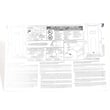
Installation guide
 Owner’s manual
 Error Codes



How to find model number on Kenmore?
On Kenmore electric range model 79095042502, the model and serial number are printed on an identification (serial) plate located on the right side of the oven front frame, behind the storage drawer or lower panel. Use the number exactly as shown when ordering parts.
- Pull the storage drawer straight out (or remove the lower panel on some versions).
- Look at the right side of the oven front frame (the frame opening behind the drawer).
- Find the serial plate with the model and serial number.
- Write down both numbers for future reference.
- Match the model number exactly when searching for Kenmore range parts.
| Item | What it’s used for | What it looks like |
|---|---|---|
| Model number | Identifies the exact range design and correct replacement parts | Starts with 790 for this Kenmore series |
| Serial number | Identifies the specific unit and production details | A longer code, often letters and numbers |
We use the model number to match the correct wiring, surface element controls, oven temperature sensor, bake element, and other components for your exact Kenmore range configuration. Even small model differences can change which parts fit.
For the serial plate illustration and product record section, use the 79095042502 owner's manual.
Last updated: January 2026
How do I get my Kenmore oven out of lock mode?
On the Kenmore 79095042502 electric range, lock mode is cleared at the control panel by using the Control Lock (or Oven Lock) key sequence. Press and hold the lock key for about 3 seconds until the lock indicator turns off and you hear the door latch click, then the oven functions return to normal. See the exact steps in the 79095042502 owner's manual.
- Make sure the oven is not running a self-clean cycle.
- Press and hold Control Lock (sometimes labeled Oven Lock or shown with a lock icon) for 3 seconds.
- Wait for the lock light to go out.
- Listen for the latch motor click; the door should unlock.
- If the keypad is unresponsive, turn off power at the breaker for 1 minute, restore power, then try again.
A locked door usually means the range still thinks it is in a high-heat condition or the latch circuit is stuck.
| What you notice | What it usually means | What to do next |
|---|---|---|
| Lock light is on, oven is cool | Control lock is enabled | Hold the lock key for 3 seconds again |
| Door won’t open after self-clean | Oven is still too hot or cooling down | Wait 30 to 90 minutes, then retry unlock |
| Lock light is off but door is stuck | Latch mechanism binding | Power cycle, then gently pull door while unlocking |
| Hot surface light stays on | Surface heat circuit issue | Follow range hot surface light wont turn off video |
Lock mode prevents accidental heating and helps keep the oven door secured during high-temperature operation. Unlocking the correct way protects the door latch and avoids damage to the control panel.
If the lock won’t clear after a power reset and cooldown, the issue is often in the oven control or latch circuit. On this model, a failing temperature sensor can also cause abnormal heat readings that keep safety features active; check the oven probe 316233903 if you are troubleshooting repeated lock or heating problems.
Last updated: January 2026
How do I reset my Kenmore oven?
For Kenmore electric range model 79095042502, the most reliable “reset” is a power reset: turn the range off, shut off power at the breaker (or unplug it), wait a few minutes, then restore power and reset the clock and any oven functions per the 79095042502 owner's manual.
- Turn all surface element knobs to OFF.
- Turn OFF the range breaker (or unplug the power cord).
- Wait 3 to 5 minutes.
- Restore power.
- Reset the clock and reselect your cooking mode (Bake, Broil, etc.).
Your range should not be operated during a power failure. If power resumes after an outage, the range can begin operating again if it was left on, so always confirm everything is off and then reset the clock and oven function using the 79095042502 owner's manual.
These checks narrow down the most common causes on an electric range:
- Confirm the range has 240 volts at the outlet or junction box (a tripped half-breaker can leave you with lights but no heat).
- Try Bake and Broil; if one works and the other does not, a heating element may be failing.
- If temperatures are inaccurate or you see temperature-related errors, the sensor can be involved; check the oven probe 316233903.
- If the oven light works but the oven will not heat, inspect wiring connections at the terminal block; see the kelvinator range terminal block 5304409888.
| Symptom | What it often points to | Example part for this model |
|---|---|---|
| Broil works, bake does not | Bake element issue | Oven bake element 316225001 |
| Bake works, broil does not | Broil element issue | Frigidaire range broil element 316203200 |
| Oven heats poorly or erratically | Temperature sensor issue | Oven probe 316233903 |
A power reset clears many control glitches and is the safest first step after a power interruption. Resetting the clock and oven function also ensures the control is operating normally before you replace parts.
Last updated: January 2026