 Owner’s manual
 Error Codes



How to find the exact model of dryer on a dryer?
Your exact dryer model is printed on the model and serial number plate, not just in the paperwork. For Kenmore model 11064812200, we use that plate number as the most reliable match for the correct parts list and the correct 11064812200 owner's manual.
Where to look on the dryer
We look for a label or metal plate that lists both Model and Serial. Common locations include:
- Door opening area (open the dryer door and check the frame)
- Behind the door on the front panel
- Inside the cabinet on the side panel near the opening
- On the back panel of the dryer
- Near the lower front (behind a small access panel on some designs)
What to write down (and why)
Record both numbers exactly as shown; they are used for parts compatibility and service information.
- Model number (example: 11064812200)
- Serial number
- Date of purchase (helpful for your records)
- Any suffixes or extra digits on the plate (do not omit them)
Why it matters
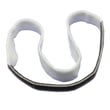
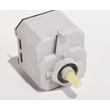
Kenmore dryers often share a similar look across multiple series, but internal components can differ. Using the model and serial number plate prevents ordering the wrong items, such as a dryer drum belt 341241 or a dryer door switch WP3406107.
Quick check: model number vs. serial number
| Item | What it tells us | Used for |
|---|---|---|
| Model number | The exact dryer design family | Correct diagrams and parts list |
| Serial number | The production run details | Service identification and revisions |
If the plate is hard to read
- Wipe the plate gently with a damp cloth and dry it
- Use a flashlight at an angle to make stamped text easier to see
- Take a close-up photo and zoom in
Last updated: February 2026
Where is the part number on a Kenmore dryer?
On a Kenmore electric dryer model 11064812200, the model and serial information is printed on the model and serial number plate. On most Kenmore dryers, you can find this plate just inside the door opening on the cabinet frame; use it to identify the correct parts.
What to look for on the label
The plate typically lists several identifiers. For ordering parts, the most important is the model number.
- Model number (for this dryer: 11064812200)
- Serial number (unique to your specific dryer)
- Electrical ratings (common on electric dryers)
- Sometimes a manufacturing code or date information
Quick steps to find it
- Open the dryer door.
- Check the cabinet frame around the door opening (often the top, side, or lower edge).
- If you do not see it there, check the back panel area for a rating plate.
- Record the model and serial numbers exactly as shown.
- Use the recorded model number to match diagrams and parts lists.
Why it matters
Kenmore dryers share many similar-looking parts across different series. Using the exact model number from the plate helps us match the correct heating, drive, and safety components for your configuration.
Common examples of parts you match by model
| Dryer symptom | Part commonly involved | Example part for 11064812200 |
|---|---|---|
| Drum not turning | Drum belt, idler pulley | Dryer drum belt 341241 |
| No heat | Heating element, thermal cut-off | Dryer element 279838 |
| Dryer will not start when door closes | Door switch | Dryer door switch WP3406107 |
Reference for your exact model
For the official location description and how to record the numbers, use the 11064812200 owner's manual.
Last updated: February 2026
How to hard reset a Kenmore dryer?
To hard reset your Kenmore electric dryer model 11064812200, unplug it (or switch the breaker off) for at least 1 minute, then restore power and try starting a timed cycle with the door fully closed. This clears many temporary control and safety lockouts and is the first step we recommend.
Hard reset steps (safe and effective)
- Turn the cycle selector to OFF.
- Unplug the dryer (or turn both dryer breakers off if it is hardwired).
- Wait 1 to 5 minutes.
- Restore power.
- Close the door firmly and press PUSH TO START.
- If it still will not start, confirm the controls are set to an On/running position.
For the exact start and stop procedure for this model, follow the 11064812200 owner's manual.
If the dryer still will not start after a reset
A “reset” will not fix an open safety circuit or airflow problem. These checks solve most no-start and no-heat complaints:
- Make sure the door is closing and latching; a failed door switch can prevent starting (see dryer door switch WP3406107).
- Check house power: many electric dryers can run but not heat if one leg of power is missing.
- Clean the lint screen and confirm the vent is not crushed or kinked behind the dryer.
- If the dryer overheated, a blown thermal cut-off can stop heat and sometimes stop operation (see dryer thermal cut-off fuse kit 279816).
- If the drum will not turn and you hear the motor but no movement, inspect the belt (see dryer drum belt 341241).
Quick symptom guide
| What you see | What it usually points to | What to check next |
|---|---|---|
| Nothing happens when you press start | Door or power issue | Door latch, door switch, breaker |
| Runs but no heat | Heating circuit or airflow | Venting, heater, thermal cut-off |
| Hums but drum does not turn | Belt or drum support issue | Belt, idler pulley, drum rollers |
Why it matters
Resetting restores the dryer to a known “baseline,” but persistent problems usually come from airflow restrictions, door safety switching, or heat safety devices. Fixing the root cause prevents repeat shutdowns and overheating.
Last updated: February 2026
How to take off the front panel of a Kenmore dryer?
On Kenmore electric dryer model 11064812200, the front panel typically comes off after you disconnect power, release the top, remove the mounting screws (often inside the door opening and along the top edge), then lift the panel up and off while supporting any connected wiring.
Before you start (safety and access)
- Unplug the dryer (or switch off the breaker) before removing any panels.
- If the dryer was recently running, let the heater housing and drum area cool.
- Pull the dryer forward enough to work comfortably without stressing the vent.
- Keep a small container for screws so nothing gets lost.
- Take a quick photo of wire connections before disconnecting anything.
Typical front panel removal steps
- Disconnect power.
- Release the main top: many Kenmore 110-style dryers use spring clips near the front corners; slide a putty knife under the front edge of the top to release the clips, then lift the top.
- Remove front panel screws:
- Open the door and remove screws around the door opening that secure the front panel.
- Remove any screws at the top edge of the front panel (visible with the top lifted).
- Lift and remove the front panel: pull the top of the panel slightly forward, then lift it up off the lower retaining tabs.
- Disconnect wiring if needed: if your panel has a door switch harness, unplug it before fully separating the panel.
What you can service once the front is off
| Symptom | Common area you can reach | Example part for this model |
|---|---|---|
| Drum not turning, squealing | Belt and idler area | Dryer drum belt 341241 |
| Thumping, rumbling | Drum support components | Dryer repair kit 4392065 |
| No heat (after confirming airflow) | Heater housing area | Dryer element 279838 |
Why it matters
Removing the front panel the right way prevents bent cabinet edges, stripped screw holes, and broken door switch wiring. It also gives you safe access to the drum, belt, idler pulley, and heating components for inspection and replacement.
For model-specific diagrams and panel fastener locations, follow the disassembly guidance in the 11064812200 owner's manual.
Last updated: February 2026









