 Installation guide
 Owner’s manual
 Error Codes







How to reset whirlpool dishwasher F2 e2?
On a Whirlpool WDT920SADE2 dishwasher, an F2 E2 error is typically cleared by doing a power reset and then restarting the cycle correctly. Turn power off at the breaker (or unplug) for 5 minutes, restore power, then close the door and press START/RESUME to run a short cycle.
Reset steps (safe, quick)
- Turn the dishwasher off at the circuit breaker (preferred) or unplug it.
- Wait 5 minutes to clear the control.
- Restore power.
- Close the door firmly.
- Press START/RESUME to begin a cycle.
- If you need to stop what it is doing, press CANCEL/DRAIN and let it drain fully.
If the code comes back right away
F2 E2 is commonly tied to a user interface or keypad communication issue. These checks often resolve it without parts:
- Make sure no keys are stuck; wipe the control panel dry.
- Power reset again after drying the panel.
- Confirm the door is fully latched; a loose latch can interrupt operation.
- If the dishwasher will not start after pressing START/RESUME, close the door and press START/RESUME again (the control will not resume until the door is closed).
Common symptoms and what they point to
| What you notice | What it usually means | What to do next |
|---|---|---|
| Beeping, flashing lights, won’t respond | Keypad/UI not reading correctly | Reset, dry panel, retry cycle |
| Starts then stops when door moves | Door not latching consistently | Inspect latch alignment; consider replacing latch |
| Error returns after reset every time | UI or control communication problem | Check wiring connections; consider UI/control diagnosis |
Parts that are often involved (when troubleshooting confirms)
Why it matters
Resetting clears temporary control glitches so the dishwasher can complete a wash cycle. If F2 E2 returns, it usually indicates an input or communication problem that can prevent starting, canceling, or resuming cycles.
For model-specific button behavior and indicator meanings, use the WDT920SADE2 user guide.
Last updated: January 2026
Is it normal for a dishwasher to run for 2 hours?
Yes. For the Whirlpool WDT920SADE2 dishwasher, a 2-hour cycle is normal; energy-efficient cycles run longer because the dishwasher uses less water and lower wattage, with built-in soaks and pauses to improve cleaning.
What cycle times to expect on WDT920SADE2
Most loads on this model typically land in the 2 to 3 hour range, and certain option selections can push total time beyond that.
- Typical cycle time is about 2 1/2 hours
- Many loads average 2 to 3 hours per load
- The first cycle can run longer while the optical water sensor calibrates
- Adding options (such as heated drying or sanitizing features) can increase the displayed time
- Some combinations can extend total time past 3.5 hours
For the most accurate cycle-time expectations and option behavior, follow the cycle chart and notes in the WDT920SADE2 owner's manual.
Why it runs longer (and what you can do)
Longer run times are usually a sign the dishwasher is doing what it was designed to do: clean well while using less energy and water.
Helpful tips:
- Use the cycle that matches the soil level (Heavy for baked-on, Normal for everyday)
- Avoid overloading; make sure spray arms spin freely
- Use rinse aid for better drying and fewer spots
- If you want dishes done sooner, choose shorter cycles when available (often labeled 1-hour)
- Use Delay Start if you prefer it to run overnight
Quick guide: what’s normal vs. what’s not
| What you notice | Usually normal | What to check |
|---|---|---|
| Cycle takes ~2 to 3 hours | Yes | Cycle choice and options selected |
| Pauses during main wash | Yes | This is part of efficient washing |
| First run takes longer than later runs | Yes | Optical sensor calibration |
| Time keeps increasing dramatically every load | Sometimes | Filter/soil buildup, loading, water temperature |
When long run time points to a problem
If the dishwasher is running unusually long and cleaning is getting worse, focus on wash performance basics first (water supply, loading, and draining). If you also have draining symptoms, a failed drain component can contribute; the dishwasher drain pump WPW10348269 is a common part involved in drain issues.
Why it matters
A 2-hour cycle is one of the main ways modern Whirlpool dishwashers deliver strong cleaning while cutting water and energy use; the longer time is typically the tradeoff for efficiency.
Last updated: January 2026
What's the most common problem with a whirlpool dishwasher?
The most common Whirlpool dishwasher problems are poor cleaning and draining issues. On the Whirlpool WDT920SADE2, these usually trace back to loading and detergent habits, a clogged drain path, or wear items such as the drain pump, door latch, or water inlet valve. See the WDT920SADE2 owner's manual for model-specific operating tips.
Most common symptoms and what they usually mean
- Dishes still dirty: spray coverage blocked by loading, detergent issues, or circulation problems
- Water left in the tub: drain hose kink/obstruction, disposer knockout plug not removed, or a weak drain pump
- Won’t start or stops mid-cycle: door not fully latched, control not resumed, or power supply issue
- Suds or overflow: wrong soap type (hand soap or laundry detergent) or too much detergent
- Leaks at the bottom of the door: door seal wear or door not closing squarely
Quick checks we recommend first (no parts yet)
- Confirm nothing blocks the detergent dispenser when the door closes (large utensils and plates are common culprits).
- Load with soiled surfaces facing down and inward; avoid overlapping bowls and plates that trap food.
- Use only automatic dishwasher detergent; avoid hand-washing soap to prevent suds.
- If the cycle did not finish, close the door and press START/RESUME to continue.
- For draining complaints, check for a kinked drain hose and clear food obstructions in the drain path or disposer.
When a part is the likely fix
| Symptom | Common part involved | What it affects |
|---|---|---|
| Not draining | Dishwasher drain pump WPW10348269 | Pushes water out to the drain hose |
| Won’t start | Dishwasher door latch WPW10653840 | Confirms the door is closed so the cycle can run |
| Not filling or fills slowly | Dishwasher water inlet valve WPW10327249 | Controls water entering the dishwasher |
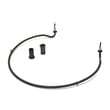
| Poor drying | Element assembly W10703867 | Heats water and supports drying performance |
Why it matters
Most “common problems” are really performance issues caused by loading, detergent choice, and a restricted drain path. Fixing those first prevents repeat clogs, reduces service calls, and helps parts like the pump and heater last longer.
Last updated: January 2026
What's the difference between Sani Rinse and High Temp wash?
On the Whirlpool WDT920SADE2 dishwasher, Hi Temp Wash boosts heat during the main wash to improve cleaning on tough, baked on food, while Sani Rinse boosts heat through the wash and final rinse to achieve a sanitizing rinse and light the Sanitized indicator when completed.
What each option does on WDT920SADE2
- Hi Temp Wash: raises the main wash temperature to improve cleaning performance for tough, baked on soils.
- Sani Rinse: sanitizes dishes and glassware to NSF/ANSI Standard 184 for residential dishwashers; it raises the main wash temperature and also raises the final rinse temperature.
- Sani indicator behavior: the Sanitized indicator turns on at the end of the cycle when the option completes successfully; if the cycle is interrupted or water does not reach the required temperature, the indicator may not light.
- Time impact: both options can add cycle time.
Quick comparison
| Option | Where the heat boost happens | Primary goal | Best use examples |
|---|---|---|---|
| Hi Temp Wash | Main wash | Better cleaning | Greasy pans, casserole dishes, dried on food |
| Sani Rinse | Main wash + final rinse | Sanitizing rinse | Cutting boards, baby items, illness season loads |
Tips for best results
- Start with hot water at the sink before starting the cycle; this helps the dishwasher reach target temperatures faster.
- Use rinse aid for better drying, especially when using hotter options.
- Avoid interrupting the cycle if you want the sanitizing result.
- For heavy soil, pair the option with an appropriate cycle (such as Heavy or Sensor, depending on your load).
Why it matters
These options change how the dishwasher uses heat. Hi Temp Wash focuses on cleaning power during the wash, while Sani Rinse is designed to deliver a sanitizing final rinse and provide a completion indicator. For cycle by cycle option details, use the WDT920SADE2 owner's manual.
Last updated: January 2026










