 Installation guide
 Owner’s manual
 Error Codes






How do I reset my KitchenAid wall oven?
To reset your KitchenAid KEBC107KSS03 wall oven, turn the oven off, then reset power at the home breaker for about 1 minute and restore power. When power returns, clear any “PF” message by pressing CANCEL/OFF, then reset the clock if needed (see the KEBC107KSS03 owner's manual).
- Press CANCEL/OFF to stop any cooking cycle.
- Turn OFF the oven at the circuit breaker (or unplug if it’s accessible).
- Wait about 60 seconds.
- Restore power.
- If “PF” appears, press CANCEL/OFF to clear it.
- Set the time of day again if the clock is flashing.
These checks fix the most common “looks dead” or “buttons won’t work” situations.
- Make sure the household breaker is fully reset (OFF then ON).
- Check whether Control Lock is enabled; when locked, only a few pads work.
- If “Err” shows after a key press, press CANCEL/OFF and re-enter the setting.
- If the oven overheated recently, let it cool; some functions pause until temperatures drop.
- If the oven is in or just finished Self-Clean, the door can stay locked until it cools.
| Display message | What it means | What to do |
|---|---|---|
| PF | Power was interrupted | Press CANCEL/OFF, then set the clock |
| Blank display (idle) | Normal when not in use | Select a cooking mode to test |
| Err | Invalid key press | Press CANCEL/OFF and retry |
A proper power reset clears temporary control glitches and confirms your KEBC107KSS03 is getting stable power. If “PF” keeps returning, focus on the home circuit (breaker, wiring, connections) using the KEBC107KSS03 installation guide.
Last updated: January 2026
What is the error code F2 E3 on KitchenAid Superba?
On KitchenAid wall ovens such as model KEBC107KSS03, error code F2 E3 means the touch pad (keypad) is shorted or a key is being detected as held down too long. Press CANCEL/OFF and watch the display for about 60 seconds; if the code returns, the keypad or its connection needs service.
- Press CANCEL/OFF once; wait 60 seconds.
- If the code clears, try a simple function (like Bake) and watch for the code to reappear.
- If the code returns quickly, stop pressing keys repeatedly; that can keep the fault active.
- Turn power off at the breaker for 1 minute, then restore power and recheck.
- If the panel beeps or acts like buttons are being pressed when you are not touching it, treat it as a keypad short.
| Cause | What you may notice | What we do next |
|---|---|---|
| Key stuck or being “held” | Beeping, one function won’t cancel | Clean around keys, retry after reset |
| Moisture or cleaner got into the panel | Code appears after wiping/spraying | Let the panel dry fully; avoid spraying controls |
| Loose keypad ribbon/connector | Intermittent F2 E3 | With power off, reseat the connector |
| Failed touch pad/control assembly | Code returns immediately after reset | Replace the failed control component |
A shorted or “held” key can prevent normal operation and repeatedly interrupt cooking cycles. Fixing the keypad issue stops nuisance shutdowns and restores reliable control response.
For KEBC107KSS03 keypad care, control operation, and troubleshooting guidance, use the KEBC107KSS03 owner’s manual.
Last updated: January 2026
Why is my KitchenAid Superba oven not heating up?
If your KitchenAid electric wall oven model KEBC107KSS03 runs but will not heat, the most common causes are a failed bake or broil element, a bad temperature sensor, or a power or wiring issue that prevents 240 volts from reaching the heating circuit. Start with basic power checks, then test the heating parts.
- Confirm the oven is not in Delay Start or Sabbath mode.
- Try Bake and Broil; if neither heats, suspect power supply, control, or safety devices.
- Look for visible damage: burned wire ends, loose connectors, or a blistered element.
- If the oven recently overheated, let it cool fully and try again (a safety device can open during extreme heat).
These parts commonly affect heat output and temperature regulation:
- Bake element: if it is open (no continuity), the oven will not heat in Bake. Consider bake element 4451175.
- Broil element: some models use broil to assist preheat; a failed broil element can cause weak or no heat in certain modes. Consider broiler element WPW10207400.
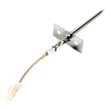
- Oven temperature sensor: if the sensor reads incorrectly, the control can limit or stop heating. Consider wall oven temperature sensor WPW10131825.
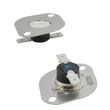
- High-limit thermostat: if it opens, it can interrupt heating for safety. Consider oven high-limit thermostat WP9759242.
Turn off power at the breaker before accessing wiring.
- Verify the oven has 240 VAC supply (many “dead heat” issues are a tripped breaker on one leg).
- Check continuity of the bake and broil elements.
- Check the sensor circuit for a stable resistance reading (compare to the spec chart in the owner's manual).
- Inspect harness connections at the elements, sensor, and control for heat damage.
| Symptom | Most likely cause | Good next step |
|---|---|---|
| Display works, no heat in Bake or Broil | Lost 240V supply, high-limit open, control not sending power | Check breaker, then test thermostat and output voltage |
| Broil works, Bake does not | Failed bake element or bake relay/wiring | Test bake element first |
| Oven heats but temperature is wrong | Sensor out of range, airflow issue | Test/replace sensor, verify door seal and vents |
An electric built-in oven needs full 240-volt power and accurate temperature feedback to heat safely. A single failed component (element, sensor, thermostat, or wiring connection) can stop the entire heating cycle or cause poor baking performance.
Last updated: January 2026








