 Installation guide
 Owner’s manual
 Error Codes




What is Sabbath Mode on a KitchenAid oven?
Sabbath Mode on your KitchenAid KEBS278SSS04 sets the oven to stay in a Bake mode until you turn it off (or for a timed portion, if you set it that way). While it’s active, tones are muted and the display will not show temperature or message updates.
What changes when Sabbath Mode is on
Sabbath Mode is designed to limit normal control and feedback functions while keeping the oven operating.
- Only the number keys and START respond
- No audible tones will sound
- The display will not show messages or temperature changes
- Heat source icons stay lit on the display
- Opening or closing the door does not switch the oven light on or off
- Heating elements do not react immediately when the door is opened or closed
How it behaves on a double oven (KEBS278SSS04)
Because KEBS278SSS04 is a 27 inch electric built-in double oven, you can choose which cavity you’re setting for baking before enabling Sabbath Mode.
| Feature | Upper oven | Lower oven |
|---|---|---|
| Selectable before starting Bake | Yes | Yes |
| Can be set independently for baking | Yes | Yes |
| Temperature range for Bake | 170°F to 500°F | 170°F to 500°F |
For the exact key sequence and any model-specific display wording, follow the steps in the owner's manual.
Power outage behavior (important)
If a power failure happens while Sabbath Mode is set, the oven will remain in Sabbath Mode after power returns, but it will no longer be actively cooking. Plan to check food safety any time power is interrupted.
Why it matters
Sabbath Mode changes how the control panel, tones, display, oven light, and element response behave. Knowing these differences helps prevent “false alarms” like thinking the oven is unresponsive when it is operating as designed.
Last updated: February 2026
How to reset KitchenAid wall oven?
To reset your KitchenAid KEBS278SSS04 wall oven, we recommend doing a power reset by turning the oven’s circuit breaker OFF, waiting about 1 minute, then turning it back ON. When power returns, set the clock and test BROIL to confirm normal operation (see the owner's manual).
Quick reset steps (power reset)
- Turn the oven circuit breaker OFF (or remove the fuse) to fully cut power.
- Wait 60 seconds.
- Turn the breaker ON.
- When “CLOCK ENTER TIME” appears, touch START and set the time.
- Touch BROIL, then START.
- After about 5 minutes, check for heat; then touch OFF.
If the display is acting “stuck” (Sabbath Mode check)
If the oven seems unresponsive or behaves differently than normal, it may be in Sabbath Mode. The manual for this model describes enabling/disabling Sabbath Mode using a specific key sequence.
| What you see | What it usually means | What to do |
|---|---|---|
| “ON” indicator not lit and oven not actively cooking | Sabbath Mode state without active cooking | Touch OFF to return to normal mode |
| “SABBATH ENABLED” or “SABBATH DISABLED” appears | Sabbath feature was toggled | Follow the steps in the owner's manual to enable or disable it |
When a reset does not fix the problem
A reset restores power and clears many temporary control glitches, but it will not fix a failed heating or safety component.
Check these common items:
- Household breaker or fuse (must be intact and tight)
- Electrical supply connection (oven must have full power)
- Error code showing an “F” followed by numbers
- No heat during BROIL or BAKE after the reset
Parts that commonly relate to “no heat” symptoms
If the oven powers up but does not heat, these model-compatible parts are often involved:
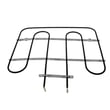
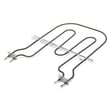
- Bake element WPW10207398
- Range broil element WP9760774
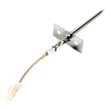
- Wall oven temperature sensor WPW10131825
- Wall oven thermal fuse WP8304452
Why it matters
Resetting the oven is the fastest way to clear a control lockup after a power interruption or keypad glitch. Testing BROIL right after the reset confirms the control is responding and the oven is able to produce heat.
Last updated: February 2026
What is the error code F2 E3 on KitchenAid KEBS278SSS04?
On the KitchenAid KEBS278SSS04, error code F2 E3 points to a keypad (touch pad) problem, most often a key that is stuck or a shorted touch pad circuit. Cancel the cycle and watch the display; if the code returns, the touch pad or the touch pad and control assembly needs service.
What to do first (quick reset and check)
- Press CANCEL/OFF once.
- Wait about 60 seconds and see if the code comes back.
- Wipe the control panel dry if there is any moisture or cleaner residue.
- If the oven is unresponsive, turn power off at the breaker for 1 minute, then restore power.
- If F2 E3 returns quickly, plan on troubleshooting the keypad/control.
What usually causes F2 E3
| Likely cause | What you may notice | Typical fix |
|---|---|---|
| Key held down too long | Beeping, random inputs | Inspect for stuck key; replace touch pad if it repeats |
| Touch pad shorted | Code returns immediately after cancel | Replace touch pad or touch pad/control assembly |
| Moisture/cleaner intrusion | Code appears after cleaning | Let panel dry; avoid spraying directly on controls |
Parts and checks that commonly go with this symptom
Even though F2 E3 is a keypad-related code, we often see it alongside heat and wiring issues that stress electronics. These checks help rule out related problems:
- Verify the oven is not overheating; a failed sensor can contribute to control issues.
- Inspect wiring connections at the control for discoloration or loose terminals.
- If you suspect temperature regulation problems, test or replace the wall oven temperature sensor WPW10131825.
- If the oven is completely dead after an overheat event, check the wall oven thermal fuse WP8304452.
Why it matters
A shorted keypad can cause unintended commands (like starting a cycle or changing settings) and can also prevent normal operation. Addressing F2 E3 quickly helps protect the electronic oven control and keeps the oven safe and predictable to use.
Where to confirm model-specific control details
Use the owner's manual for your KEBS278SSS04 to review control panel functions, cancel behavior, and any model-specific troubleshooting notes.
Last updated: February 2026
Why is my KitchenAid wall oven not turning on?
If your KitchenAid KEBS278SSS04 wall oven looks dead or will not start, the most common causes are a tripped breaker or blown house fuse, the control being locked, or a failed safety or control component such as the thermal fuse or transformer. Start with power and control lock checks in the owner's manual.
Quick checks first (no parts)
- Confirm the household fuse is intact and tight, or reset the circuit breaker.
- Verify the electrical supply is connected (the oven must have proper power at the junction box).
- If the display shows “CONTROL LOCKED” or a lock icon, press and hold START for about 5 seconds to unlock.
- Try a basic function test: set the clock prompt, then select BROIL and press START.
- If an error code appears (an F code), turn the oven off and stop troubleshooting.
What to check next (common failed parts)
If power is good and the control is unlocked but the oven still will not power up or run, these parts are common suspects on electric wall ovens:
| Symptom | Most likely area | Part to consider for KEBS278SSS04 |
|---|---|---|
| Completely dead (no display) | Safety cutout or low-voltage supply | Wall oven thermal fuse WP8304452, range control transformer WPW10111628 |
| Display works but no heat | Heating circuit or temperature feedback | Bake element WPW10207398, wall oven temperature sensor WPW10131825 |
| Starts then shuts down, overheats cabinet | Cooling/airflow issue | Wall oven cooling fan assembly WP8303972 |
Why it matters
A “not turning on” complaint can be a simple power issue, but it can also be a safety shutdown. The installation checks call out verifying the breaker/fuse and supply connection first; the manual also notes Control Lock can prevent most keys from working, which can look like a failure.
When to stop and get service
- The breaker trips repeatedly after reset.
- You smell burning insulation or see heat damage.
- An F error code appears during the operation check.
Last updated: February 2026







