 Installation guide
 Owner’s manual
 Error Codes



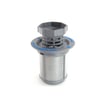
Where can I find my Kenmore Elite dishwasher model number?
On Kenmore Elite dishwasher model 63016309406, the model number is printed on the model/serial number label located just inside the dishwasher door opening (typically along the left side of the tub opening). Confirm the exact label location in the 63016309406 owner's manual.
How to find it quickly
- Open the dishwasher door fully.
- Look around the tub opening edge, starting on the left side.
- Find the sticker or metal tag labeled Model/Serial Number.
- Write down the full model number and serial number exactly as shown.
- Take a clear photo of the label; it helps when ordering parts like a pump, valve, or door seal.
What the label helps you do
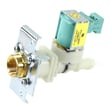
Having the correct model number ensures you get parts that fit your exact Kenmore Elite dishwasher, such as the dishwasher water inlet valve 00607335 or the correct rack and pump components.
| You need to do this | Use this from the label | Why it matters |
|---|---|---|
| Order replacement parts | Model number | Prevents wrong-fit parts |
| Check compatibility | Model and serial | Some parts vary by production run |
| Get accurate troubleshooting steps | Model number | Matches the right diagrams and procedures |
Why it matters
Kenmore dishwashers can look similar across series, but internal parts (wash system, door sealing surfaces, and electronics) can differ. Using the model/serial label avoids delays and repeat repairs.
Last updated: January 2026
What is the code F2E2 on a Kenmore Elite dishwasher?
On a Kenmore Elite dishwasher, error code F2E2 points to a communication problem between the user interface (keypad/console) and the main control board. On model 63016309406, this often shows up as unresponsive buttons, beeping, or a cycle that will not start.
What to do first (quick checks)
- Reset power: turn the dishwasher breaker OFF for 5 minutes, then turn it back ON.
- Make sure the door is fully closed and latching; a poor door close can mimic control issues.
- Check for stuck keys: press each button once; if one feels jammed, the console can trigger F2E2.
- If the display is acting erratically, avoid repeated start attempts; it can lock up the controls.
- Review any model-specific reset or diagnostic steps in the 63016309406 owner's manual.
Likely causes and what they mean
F2E2 is usually not a water, drain, or pump problem. It is typically one of these:
| Likely cause | What you may notice | Typical fix |
|---|---|---|
| Keypad/console not sending signals | Buttons do nothing or act “random” | Inspect console; replace console if failed |
| Loose or oxidized ribbon/connector | Works sometimes, fails after vibration | Reseat connectors with power off |
| Main control not receiving UI data | Unit powers up but will not run cycles | Control diagnosis and replacement |
If you suspect the console itself (dead or inconsistent buttons), the model uses a dedicated console assembly; see the console 00432941 for the correct replacement part reference.
Why it matters
The dishwasher relies on constant communication between the console and the main control to start, select cycles, and run safely. When that signal is interrupted, the control stops responding to prevent incorrect operation.
Safety note before any inspection
If you remove panels or access wiring, shut off power at the breaker first. The installation instructions for this model include important electrical safety guidance in the 63016309406 installation guide.
Last updated: January 2026
How to do a hard reset on a Kenmore dishwasher?
For a Kenmore Elite dishwasher model 63016309406, the most reliable “hard reset” is a control reset: cancel the current cycle, drain if needed, then restart the control by turning power off briefly and powering back on. Use the exact button sequence shown in the 63016309406 owner's manual.
Quick reset options (start with the simplest)
- Cancel and drain: Press Cancel/Drain to stop the cycle and pump out water.
- Power reset: Turn the dishwasher OFF, then restore power after about 1 minute.
- Restart a fresh cycle: Close the door fully, select a cycle, then press Start.
- Check the door latch: A reset will not help if the door is not shutting and latching.
Model-specific button reset (what to look for)
Kenmore Elite 63016309406 models commonly use Cancel/Drain and On/Off for control functions. In the manual, a typical sequence is:
- Press and hold Cancel/Drain.
- While holding it, press and hold On/Off.
- Release when the display changes (often showing 0 or 1).
Use the exact timing and buttons for your console layout in the 63016309406 owner's manual.
If it still will not start after resetting
These checks solve the most common “dead” or “won’t start” complaints:
- Confirm the breaker is on (or replace a blown fuse).
- Make sure the door is shut and latched.
- Run the hot water at the nearest sink until it is hot, then start the dishwasher (helps cycles that seem to stall with cold incoming water).
- Clean the filter area if you suspect poor wash performance after a reset; a clogged filter can mimic control issues.
Common symptoms and what they usually mean
| Symptom after reset | Most likely cause | What to do next |
|---|---|---|
| No lights/display | Power supply issue | Check breaker, outlet, wiring |
| Won’t start, lights on | Door not latched | Inspect latch alignment |
| Stops mid-cycle | Water supply or heating issue | Verify hot water supply, review error codes |
Why it matters
A “hard reset” clears a stuck cycle and gets the control back to a known state, but it does not fix underlying problems like a tripped breaker, an unlatched door, or a water supply issue.
For fault codes and what they mean on Kenmore dishwashers, use Kenmore he dishwasher error codes.
Last updated: January 2026
What are the common problems with Kenmore dishwashers?
Common problems on Kenmore dishwashers like model 63016309406 include not starting (door not fully shut and latched), poor cleaning from blocked spray arms or filters, drainage problems, leaks at the door, and weak drying when rinse aid is low. Use the 63016309406 owner's manual troubleshooting chart to match symptoms to the fastest fix.
Most common symptoms and what usually causes them
- Won’t start: door not shut and latched, power issue (tripped breaker), control lock settings
- Poor cleaning: spray arm nozzles need cleaning, filters not seated, rack overloaded, wrong cycle
- Not draining: clogged filter area, blocked drain hose, failing drain pump
- Leaking: dirty or damaged door gasket, loose hose connections, over-sudsing from wrong detergent
- Dishes not drying: rinse aid empty, cycle choice, door opened too soon
Quick checks you can do first (no parts needed)
- Confirm the door closes fully and latches; a partially closed door can prevent starting.
- Check the filter area and remove debris; then re-seat the filter system firmly.
- Inspect spray arms and clear clogged nozzles (food, labels, hard-water scale).
- Use only automatic dishwasher detergent; hand soap creates suds and can cause leaks and poor washing.
- For drying, refill rinse aid; after the cycle, crack the door open slightly to vent moisture.
Common problem-to-part mapping (when checks don’t solve it)
| Symptom | Most likely area | Example part for 63016309406 |
|---|---|---|
| Standing water after cycle | Drain system | Drain pump 00642239 or drain hose 00263099 |
| Weak wash action, gritty dishes | Wash/recirculation system | Dishwasher recirculation pump assembly 00442548 or sump filter 00441905 |
| Slow fill or no water entering | Water supply | Dishwasher water inlet valve 00607335 |
| Water at bottom of door | Door sealing | Door seal 00432490 |
Why it matters
Most “big” dishwasher failures start as simple flow problems: a clogged filter, blocked spray arm, or restricted drain path. Fixing those early improves cleaning, prevents odors, and reduces strain on the pump and motor.
Last updated: January 2026





