 Installation guide
 Owner’s manual
 Error Codes


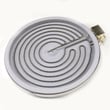
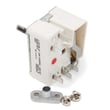
Can I look up Frigidaire parts by model number?
Yes. Looking up parts by model number is the most accurate way to get compatible replacement parts for your Frigidaire LFES3025PFF electric range because it filters results to the exact configuration your range was built with.
For this model, the serial plate is located on the oven front frame behind the oven door. Use the full model number and serial number when ordering parts or requesting service details (the serial plate may also include a lot number/letter).
- Open the oven door and look along the front frame area.
- Write down the model number (LFES3025PFF) exactly as shown.
- Record the serial number as well (helpful for correct revisions).
- Keep the information with your paperwork for faster ordering.
For diagrams, labeling, and additional “before you call” guidance, use the LFES3025PFF owner's manual.
Model-number search narrows parts by fit and electrical rating, which matters on an electric range for items like heating circuits and controls.
- Prevents ordering a similar-looking part that will not mount or wire correctly
- Helps match surface elements (size and wattage) and oven components
- Reduces returns caused by version differences within the same brand
- Speeds up troubleshooting because you can cross-check symptoms to the correct assemblies
| What you are fixing | Example part name | Example part ID |
|---|---|---|
| Oven temperature accuracy | Range oven temperature sensor | 5304504897 |
| Oven not baking | Range bake element, 2,750-watt | 139027501 |
| Broil not working | Range broil element | 5304521498 |
Electric ranges often have multiple element sizes, control styles, and wiring harness variations. Using the exact LFES3025PFF model number keeps your repair aligned with the correct Frigidaire design so the range heats, cycles, and fits as intended.
Last updated: February 2026
How to reset a Frigidaire electric range?
To reset your Frigidaire electric range model LFES3025PFF, we recommend doing a full power reset: turn the range off, shut off power at the breaker (or unplug it), wait 5 to 10 minutes, then restore power and recheck operation using the steps in the LFES3025PFF owner’s manual.
- Turn all surface elements and the oven off.
- If the range is hardwired, switch the range breaker OFF; if it’s corded, unplug it.
- Wait 5 to 10 minutes to let the electronic oven control fully discharge.
- Restore power.
- Set the clock and test Bake and a surface element.
- If an error code returns, use the Frigidaire self-cleaning range error codes guide to identify the next check.
A reset fixes temporary control glitches, but repeated failures usually point to a heat-sensing or control issue.
Common next checks:
- Confirm the range is properly grounded and wired correctly at the terminal block.
- If the oven temperature is erratic or you see sensor-related errors, test/replace the range oven temperature sensor 5304504897.
- If the display or touch area is unresponsive, inspect the control panel for damage and consider the kenmore range oven control overlay 316419141 if your overlay is worn or peeling.
| Symptom | Reset helps most when | Likely not a reset issue when |
|---|---|---|
| Blank or frozen display | Power glitch after outage | No power at outlet/breaker trips immediately |
| Random beeping | Control logic hiccup | Keypad stuck, moisture intrusion, heat damage |
| Oven not heating | Control locked up | Failed element, sensor, wiring, or control |
The LFES3025PFF uses an electronic oven control; a proper power reset clears minor software lockups and restores normal operation without replacing parts. If problems return quickly, checking wiring, sensor feedback, and the control interface prevents repeat shutdowns.
Last updated: February 2026
Where can I find my Frigidaire stove model number?
On your Frigidaire LFES3025PFF electric range, we find the model number on the serial plate located on the oven front frame behind the oven door. Open the oven door fully and look along the front frame area for the rating plate with the model and serial information.
- Turn the oven off and let it cool completely.
- Open the oven door.
- Look on the oven front frame (the frame around the oven opening), behind the door.
- Find the serial plate and record the model number, serial number, and any lot number/letter.
- Keep the information with your paperwork for parts ordering and service.
Most Frigidaire range rating plates include these fields:
| Label item | What it’s used for |
|---|---|
| Model number | Matching the correct parts and diagrams |
| Serial number | Identifying the production run |
| Lot number/letter | Helps narrow down exact configuration |
We use the model number to match the correct Frigidaire parts list for your range, such as a surface element, control switch, or an oven temperature sensor. Using the full model number prevents ordering a look-alike part that will not fit or wire correctly.
For a diagram and additional location notes, check the LFES3025PFF installation guide.
Last updated: February 2026




