Installation guide
 Owner’s manual
 Error Codes








How do you reset the heating on a GE dryer?
To reset heating-related issues on your GE GFDS170EH1WW electric dryer, we power-cycle the dryer (turn it off, then remove power briefly) and then confirm the cycle and temperature settings. If it still tumbles but won’t heat, we reset both breakers because electric dryers need full 240V.
Quick reset steps (GFDS170EH1WW)
- Press Power to turn the dryer off (note: Power does not disconnect power).
- Unplug the dryer for 1 minute, then plug it back in.
- Press Power to “wake up” the display.
- Select a heated cycle (not Air Fluff/No Heat), choose Temp (High, Medium, Low, Extra Low), then press Start/Pause.
- If the dryer tumbles but does not heat, reset both dryer breakers (or replace both fuses) in the home electrical panel.
For the exact control steps and cycle options, follow the GFDS170EH1WW owner’s manual.
Settings that commonly look like “no heat”
Air-only and low-heat options can make it seem like the heater failed.
| What you select | What it does | Heating result |
|---|---|---|
| Air Fluff/No Heat | Tumbles without heat | No heat (normal) |
| Time Dry + Temp set | Timed drying with chosen temperature | Heat depends on Temp |
| Sensor cycles (Normal/Mixed, Cottons, etc.) | Auto adjusts time based on moisture | Heat varies by cycle/Temp |
If it still won’t heat after reset
These checks solve most “runs but no heat” complaints on electric dryers:
- Confirm the dryer is on a dedicated 240V circuit; a half-tripped breaker can let it run but not heat.
- Check the exhaust vent for restrictions; poor airflow can cause overheating and shut down heat.
- If airflow and power are good, test the heating circuit components (heater, thermistors, wiring).
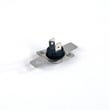
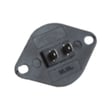
Common heat-related parts for this model include the dryer heating element WE11M10001, GE dryer heater assembly WE11X21156, and dryer heating element control thermistor WE4M398.
Why it matters
A proper reset clears control glitches, but most “no heat” cases come from a power issue (one breaker tripped) or airflow problems. Fixing those first prevents repeat heating shutdowns and long dry times.
Last updated: February 2026
Where is my thermal fuse located on my GE dryer?
On the GE GFDS170EH1WW electric dryer, the thermal fuse is typically mounted on the blower housing inside the cabinet, near the exhaust duct where air leaves the drum. You usually access it by unplugging the dryer and removing the rear panel (or front panel, depending on the design).
How to find it on GFDS170EH1WW
Use these steps to locate the fuse safely and quickly:
- Unplug the dryer power cord (or switch off the breaker) before opening any panels.
- Pull the dryer away from the wall so you can reach the back.
- Remove the rear access panel screws and lift the panel off.
- Look for the blower housing near the exhaust outlet; the thermal fuse is a small, flat safety device attached to that housing.
- Take a photo of the wire locations before disconnecting anything.
For panel access and safety notes specific to this model, follow the GFDS170EH1WW installation guide.
What it looks like and what it does
The thermal fuse is a one-time safety cutoff. If the dryer overheats, it opens the circuit and the dryer may not run or may run with no heat (symptoms vary by design).
| Item | Typical description | Why it matters |
|---|---|---|
| Thermal fuse | Small plastic or metal-bodied fuse with 2 wires | Stops operation if overheating occurs |
| Blower housing | Metal duct housing near exhaust outlet | Common mounting point because it senses hot airflow |
If the fuse is blown, fix the cause first
Replacing a thermal fuse without correcting airflow problems often leads to repeat failure.
- Clean the lint screen and the lint screen housing.
- Inspect and clean the exhaust ducting and outside hood flapper.
- Avoid crushed or extra-long vent runs; use rigid or UL-listed metal duct when possible.
- Check for lint buildup inside the cabinet (blower area and duct path).
The maintenance intervals and vent-cleaning guidance are covered in the GFDS170EH1WW owner’s manual.
Why it matters
A restricted exhaust can lengthen drying time and raise operating temperatures. Keeping airflow clear helps protect key heating components such as the heating element and thermistors, and helps the dryer dry faster with less wear.
Last updated: February 2026
Where to find part number on GE dryer?
On your GE GFDS170EH1WW electric dryer, we find the model and serial label on the front of the dryer behind the door; that label is the fastest way to confirm the correct part number for your exact unit. See the GFDS170EH1WW owner's manual for the label location.
Where to look on the dryer
Check these spots in order (most common first):
- Open the dryer door and look on the front panel behind the door (label is typically on the cabinet front).
- Check the door opening area and door frame for a rating plate.
- If the label is missing or unreadable, check the rear panel for any secondary stickers.
What to write down (so you get the right part)
We recommend recording these items exactly as shown:
- Model number (for this page: GFDS170EH1WW)
- Serial number (helps confirm production run)
- Any revision or engineering code printed near the model/serial
- The part name you need (for example, drum belt, heater, door switch)
Quick guide: model vs. serial vs. part number
| Item | What it identifies | Why it matters when ordering |
|---|---|---|
| Model number | The dryer design family | Ensures parts match the correct platform |
| Serial number | The exact unit build | Helps confirm version changes within a model |
| Part number / part ID | The replacement component | Ensures you receive the correct replacement part |
Why it matters
GE can use different components within the same model series over time. Using the model and serial label helps us match the correct GE replacement part the first time, whether you are replacing a wear item like the dryer drum belt WE03X29897 or an electrical part like the dryer door switch WE4M415.
Last updated: February 2026