 Installation guide
 Owner’s manual
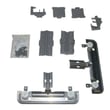


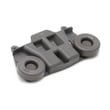





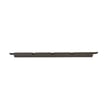

How much does it cost to replace a dishwasher panel?
For Kenmore dishwasher model 66514522N611, replacing a dishwasher panel typically costs $190 to $235 for the front panel (if that is the part you mean) or $200 to $235 for the console/control panel assembly, plus any labor if you hire service. Confirm the exact panel style in the 66514522N611 installation guide before ordering.
Typical part cost ranges for this model
Prices vary by finish (stainless, black, white) and whether you need the decorative front panel or the control console.
- Front panel (decorative door panel): typically $190 to $205
- Console/control panel assembly: typically $200 to $235
- Hardware or related pieces (as needed): varies by what is damaged
| What you’re replacing | What it does | Typical part price range (66514522N611) |
|---|---|---|
| Front panel | Outer decorative door face | $190 to $205 |
| Console assembly | Houses buttons/controls and display area | $200 to $235 |
Parts on this model that commonly get called “the panel”
Use these examples to match what you see on your dishwasher:
- Front panel: front panel (includes item 8) (stainless) W10920090, front panel (includes item 8) (black) W10920085, front panel (includes item 8) (white) W10920089
- Control/console area: console assemblies (multiple versions exist for this model)
Labor and DIY considerations
If you hire a technician, labor commonly adds $150 to $300+ depending on your area and whether wiring or door alignment needs adjustment.
- Turn off power at the breaker before any disassembly
- Protect the door surface; the installation instructions warn not to use the door panel as a worktable without covering it
- If the dishwasher must be pulled out, plan for water line and drain hose handling
- Keep the tech sheet with the access panel (the guide notes not to remove it)
Why it matters
Ordering the wrong “panel” is the most common reason for returns. On 66514522N611, the front panel, door assembly, and console are separate parts with different prices and finishes, so identifying the correct component saves time and money.
Last updated: January 2026
Why is the start button not working on my Kenmore Ultra Wash quiet guard?
On the Kenmore dishwasher model 66514522N611, the Start/Resume button commonly won’t respond when the controls are locked, the door isn’t fully latched, or the door was opened for more than 3 seconds during a delay start. Start by unlocking the controls and confirming the door latch is engaging, then retry Start/Resume.
Quick checks that fix most “Start button not working” issues
- Control Lock is on: When the Lock indicator is lit, all buttons are disabled. Press and hold CONTROL LOCK for 3 seconds to turn it off (then try Start/Resume). See the 66514522N611 owner's manual.
- Door not fully latched: Push the door firmly until it clicks; the dishwasher will not start if the latch switch is not made.
- Delay start behavior: If you set a delay and open the door for more than 3 seconds, you must press START/RESUME again to continue the countdown.
- Power reset: Turn off the breaker (or unplug) for 5 minutes, restore power, then try a normal cycle.
- House power issue: Check the dishwasher circuit breaker or fuse if the console is dead or intermittent.
What to do if the door won’t “click” or the latch feels loose
A weak or broken latch can prevent the Start/Resume command from being accepted because the control does not sense a safe, closed door.
- Inspect the strike area for bent metal or misalignment.
- Check for detergent buildup around the latch.
- If the latch mechanism is worn, replace the dishwasher door latch WPW10653840.
Symptom guide
| What you see | Most likely cause | What we recommend |
|---|---|---|
| Lock light on, buttons don’t respond | Control Lock enabled | Hold CONTROL LOCK 3 seconds |
| Buttons respond, but cycle won’t start | Door not latched | Re-seat door; inspect latch |
| Delay set, door opened, nothing happens | Delay paused | Press START/RESUME again |
| Random or dead console | Power or control issue | Reset power; inspect wiring |
Why it matters
The Start/Resume button is “permission-based”; the control must see a closed door and an unlocked console before it will energize the wash motor, fill valve, and heater. Fixing the lock or latch restores normal starting and prevents mid-cycle interruptions.
Last updated: January 2026
How to reset Kenmore Ultra Wash Quiet Guard dishwasher?
To reset your Kenmore dishwasher model 66514522N611, we recommend canceling the current cycle and restarting it: press Cancel/Drain, wait for the drain to finish (the Cancel/Drain light turns off after about 2 minutes), then select a new cycle and press Start/Resume. For exact button names on your console, use the 66514522N611 owner's manual.
Quick reset steps (most reliable method)
- Press Cancel/Drain once to stop the cycle and force a drain.
- Wait about 2 minutes for the drain to complete and the Cancel/Drain light to turn off.
- Confirm the detergent dispenser is still closed; refill if it popped open.
- Select your desired cycle and options.
- Press Start/Resume to restart from the beginning.
If the buttons seem unresponsive
Sometimes the control panel will not accept inputs if the door is not fully latched or the control is waiting for a safety condition.
- Open the door slightly, then close it firmly until it latches.
- Press Start/Resume to resume if the cycle was paused.
- If the dishwasher is stuck mid-cycle, use Cancel/Drain first, then restart.
- Check your home circuit breaker if the dishwasher appears completely dead.
- If the tub will not drain, inspect the drain hose for kinks and clear food buildup in the filters.
What “reset” does (and does not) do
| Action | What it accomplishes | When to use it |
|---|---|---|
| Cancel/Drain + restart | Clears the current cycle and starts fresh | Wrong cycle selected, cycle acting odd |
| Start/Resume | Resumes a paused cycle | Door opened mid-cycle |
| Power cycle at breaker | Reboots the control | Panel frozen or no response |
Why it matters
A proper reset prevents incomplete draining and helps the electronic control start the wash sequence correctly, which improves cleaning and reduces standing water issues.
Last updated: January 2026
What are the common problems with Kenmore dishwashers?
Common problems we see on the Kenmore 66514522N611 dishwasher include not starting, not draining, poor cleaning, leaks, and weak drying. Most issues trace back to loading or detergent mistakes, a clogged filtration system, or a failed part such as the door latch, drain pump, or heating element; use the 66514522N611 use and care guide troubleshooting chart to narrow it down.
Most common symptoms and what usually causes them
- Dishwasher won’t start or stops mid-cycle: door not fully latched, controls “asleep,” control lock on, or a failing door latch.
- Won’t drain: blocked filter area, kinked drain hose, clogged air gap (if used), or a failing drain pump.
- Dishes still dirty: spray arms blocked, filter clogged, water not hot enough (target 120°F incoming), or too little detergent for hard water.
- Suds/foam in tub: wrong detergent (hand dish soap), too much detergent, or rinse aid cap left loose.
- Poor drying or spotting: rinse aid empty, heating issue, or heavy plastic loads holding water.
Quick checks we recommend before replacing parts
- Confirm the door closes and latches firmly; the Start/Resume light can blink if the door is not fully closed.
- Check for tall items hitting the upper rack or spray arm; re-load so nothing protrudes.
- Verify hot water supply is at least 120°F (49°C) at the sink before starting.
- Use fresh automatic dishwasher detergent; adjust amount for soil level and hard water.
- If you see foam, stop the cycle and correct the detergent type immediately.
Parts that commonly fix these problems on model 66514522N611
| Symptom | Common part involved | Example part for this model |
|---|---|---|
| Won’t start, won’t run | Door latch/switch not proving closed | Dishwasher door latch WPW10653840 |
| Won’t drain | Drain pump not pumping out | Dishwasher drain pump W10876537 |
| Not drying, water not heating | Heating circuit issue | Element assembly W10703867 |
| Leaks at door | Lower door seal worn or deformed | Dishwasher door seal, lower W10909089 |
Why it matters
Catching the root cause early prevents repeat wash failures and helps avoid secondary damage, such as water left in the sump, detergent over-sudsing, or overheating from restricted wash flow.
Helpful DIY references
- If you’re seeing a flashing code or unusual light pattern, use Kenmore 665 model dishwasher error codes.
- For better results and fewer “dirty dish” complaints, follow how to use your dishwasher efficiently.
Last updated: January 2026










