 Owner’s manual
 Error Codes










How do you reset a Kenmore electric stove?
To reset a Kenmore electric range model 79094321300, shut off power at the breaker (or unplug the cord) for about 1 minute, then restore power and reset the clock and any oven settings. Our manual also notes to turn the range off during a power failure.
Quick reset steps (power cycle)
- Turn all surface burner knobs and oven controls to OFF.
- Unplug the range, or switch OFF the range circuit breaker.
- Wait 60 seconds (this clears many control glitches).
- Restore power.
- Set the clock and reselect any cooking mode (Bake, Broil, Timed Bake).
- Test a surface element and the oven to confirm normal operation.
If the control panel still acts up
Some symptoms point to a specific component issue rather than a simple reset.
- If one surface burner will not turn on or will not regulate heat, check the range surface element control switch 316436001.
- If the oven functions do not respond correctly, the oven switch 316436000 can be a common suspect.
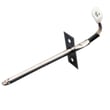
- If the display is normal but the oven temperature seems off, check the oven temperature sensor (probe) connection and consider the oven probe 316233903.
What a reset can and cannot fix
| Situation | Reset helps? | What to do next |
|---|---|---|
| Display frozen, beeping, wrong mode selected | Yes | Power cycle, then reprogram settings |
| After outage, clock flashing or wrong time | Yes | Reset clock per the 79094321300 owner's manual |
| Burner or oven will not heat at all | Sometimes | Check breaker, terminal block, elements, switches |
| Error code keeps returning | Sometimes | Use Kenmore 790 manual-clean range error codes to pinpoint the failure |
Why it matters
A proper reset clears minor electronic glitches and ensures the range does not resume cooking unexpectedly after power returns. It also restores safe, accurate operation of timed features and temperature settings.
Last updated: February 2026
Where can I find my Kenmore electric range model number?
On Kenmore electric range model 79094321300, the model and serial number are printed on an identification plate located on the right side of the oven front frame, inside the storage drawer or warmer drawer compartment. The quickest way is to pull the drawer open and look along the right-side frame. See the 79094321300 owner's manual for the exact label location illustration.
How to locate the model number label
- Turn the range off and let it cool.
- Pull the storage drawer (or warmer drawer) fully open.
- Look on the right side of the oven front frame inside the drawer opening.
- Write down both the model number and serial number for parts lookup and service.
Common places customers check (and why they miss it)
- Behind the oven door jamb: common on some ranges, but this model typically uses the drawer area.
- Back panel: sometimes has electrical info, but not always the model/serial plate.
- Side panels: usually not the primary ID plate location.
What the label information is used for
- Matching the correct Kenmore parts for 79094321300
- Confirming the correct wiring and control style (freestanding electric range)
- Speeding up troubleshooting and service scheduling
| Label item | What it tells us | Why it matters |
|---|---|---|
| Model number | Exact range configuration | Ensures correct part fit |
| Serial number | Production-specific identifier | Helps confirm revisions |
Why it matters
Kenmore ranges often share similar styling across model families (for example, 790.9432* and related series), so using the exact model number from the ID plate prevents ordering the wrong bake element, control switch, or control panel part.
Last updated: February 2026
Why is my Kenmore Elite stove not working?
If your Kenmore electric range model 79094321300 is not working, the most common causes are a power supply problem (plug, breaker, terminal block), a control fault (beeping with an F-code), or a failed heating circuit (surface element control switch, bake/broil element). Use the 79094321300 owner's manual troubleshooting checklist to narrow it down fast.
Quick checks (start here)
- Confirm the range is plugged in firmly and the outlet has power.
- Check the home breaker(s) for a tripped condition (ranges often use a 2-pole breaker).
- If the display is dead, verify the power cord connections at the rear terminal block.
- If the control is beeping and shows F1, F3, or F9, press STOP/CLEAR, then reprogram the oven.
- If a surface burner will not heat, confirm you are turning the correct knob for that element.
What the symptom usually points to
| Symptom | Most likely cause | What we recommend |
|---|---|---|
| Entire appliance does not operate | No power, loose cord, house wiring issue | Check breaker, outlet power, then inspect wiring connections (power off) |
| Control beeps and shows F1/F3/F9 | Electronic control detected a fault | Clear with STOP/CLEAR; if it returns, service is needed |
| Surface element does not heat | Incorrect setting, bad switch, element issue | Verify control; test/replace the switch if needed |
| Element too hot or not hot enough | Cookware issue or control issue | Use flat, medium/heavy pans; check control operation |
Parts that commonly fix “not working” complaints
- If a burner will not respond or heats erratically, a failed infinite switch is common; see range surface element control switch 316436001.
- If the range is completely dead or has intermittent power, inspect for heat damage at the power connection; see terminal block 5304409888.
- If the oven will not bake or broil, the heating elements and temperature sensing circuit are typical suspects; check wiring and visible damage.
Why it matters
A range that is fully dead is usually a power delivery issue, while beeping with an F-code is usually a control fault. Separating those two paths prevents replacing good parts and helps you restore safe, reliable heating.
Last updated: February 2026






