Owner’s manual
 Error Codes






What model Samsung oven do I have?
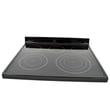
If you have the Samsung electric freestanding range shown on this page, your model number is NE59J7630SG. On the appliance itself, you can confirm the exact model by checking the model and serial tag, which is commonly found behind the storage drawer area; see the NE59J7630SG owner's manual for the exact label location.
Where to find the model and serial tag
On most Samsung freestanding electric ranges like NE59J7630SG, the model tag is easiest to spot after you remove the lower storage drawer.
- Pull the range away from the wall slightly if you need better light
- Remove the storage drawer (open fully, then lift and pull out)
- Look along the frame behind the drawer opening (often on the left or right side)
- Write down the full model and the full serial number
- Take a clear photo of the tag before ordering parts
What the model number tells us (and why it matters)
The model number is what we use to match the correct Samsung parts list, wiring layout, and control configuration for your range.
| What you’re doing | What to use | Why it helps |
|---|---|---|
| Ordering a surface switch or radiant element | Model number (NE59J7630SG) | Ensures correct fit and electrical rating |
| Looking up a wiring diagram or troubleshooting steps | Model + serial | Confirms the correct version/revision |
| Checking oven temperature issues | Model number + symptom | Points to the right sensor/control checks |
Quick tip for parts matching
If your cooktop burner will not heat or heats erratically, the model number helps us narrow the correct control and element style. For example, this model has surface element control switches such as range surface element control switch DG44-01006A DG44-01006A DG44-01006A.
Why it matters
Samsung model numbers can look very similar, but small suffix differences can change the correct oven control board, temperature sensor, or surface element switch. Confirming the tag first prevents wrong-part returns and repeat repairs.
Last updated: February 2026
What is the lifespan of a Samsung oven?
A Samsung electric range oven like model NE59J7630SG typically lasts 10 to 15 years. Most owners get the longest life by keeping the oven clean, avoiding power-surge damage to electronics, and repairing common wear items (like sensors, switches, and control boards) as soon as symptoms show up.
Typical lifespan and what affects it
Most electric freestanding ranges fall into a similar lifespan range, but real-world life depends on how hard the oven works and how well key components hold up.
- Heavy daily baking and high-heat broiling can shorten element life
- Self-clean cycles run extremely hot and can stress wiring and electronic controls
- Power surges and loose connections can damage the control board and display
- Poor airflow or blocked vents can overheat internal components
- Prompt repairs prevent small issues from turning into bigger failures
Common parts that can limit oven life (and what they do)
If your oven is heating unevenly, not reaching temperature, or acting “glitchy,” these model-related parts are often involved:
| Symptom | Likely system involved | Example part for NE59J7630SG |
|---|---|---|
| Oven temp swings, underbakes | Temperature sensing | Oven temperature sensor DG32-00002B |
| Dead display, random beeps | User interface/display | Range display board DE07-00129A |
| No bake/broil control, error behavior | Electronic control | Range oven control board DE92-03761B |
Maintenance that helps you reach 10 to 15 years
We recommend these habits for a Samsung electric freestanding range:
- Wipe spills quickly to prevent baked-on residue and smoke
- Use self-clean sparingly; follow the timing and cooling steps in the NE59J7630SG owner's manual
- Keep the door gasket area clean so heat stays in the cavity
- Avoid slamming the oven door; it protects hinges, door alignment, and switches
- Use cookware that matches burner size to reduce surface element stress
Why it matters
Knowing the typical lifespan helps you decide when a repair makes sense. If your NE59J7630SG is under about 10 years old, replacing a failed sensor, display, or control component is often the fastest way to restore reliable baking and broiling.
Last updated: February 2026
How to hard reset a Samsung oven?
To hard reset your Samsung NE59J7630SG electric range oven, we reset power to the entire range by turning the range circuit breaker OFF for 5 minutes, then turning it back ON. This clears many control glitches, frozen touch panels, and some error-code conditions.
Hard reset steps (power cycle)
- Turn the range breaker OFF (or unplug the range if it is safely accessible).
- Wait 5 minutes (up to 20 minutes for stubborn lockups).
- Turn the breaker ON (or plug back in).
- Set the clock if prompted.
- Test Bake and Broil for a quick function check.
Soft reset (when the panel still responds)
If the display is working but acting odd, a soft reset is often enough.
- Press Clear/Off once to cancel a cycle.
- If a keypad is unresponsive, hold Clear/Off for about 3 seconds.
- If the oven is in Control Lock, unlock it first (the lock method varies by model).
Check the exact key sequence for your control panel in the NE59J7630SG owner's manual.
If the reset does not fix the problem
A reset helps with temporary electronic glitches. If the issue returns quickly, we focus on the circuit that matches the symptom.
| Symptom after reset | Most common cause | What we check next |
|---|---|---|
| Oven temp is way off | Temperature sensing problem | Test/replace oven temperature sensor DG32-00002B |
| Display is blank or scrambled | Display or control issue | Inspect connections; consider display board DE07-00129A |
| Oven will not start or acts erratic | Control board problem | Verify power supply; consider oven control board DE92-03761B |
Why it matters
Power-cycling fully discharges the control electronics and forces the oven control to reboot. That is the fastest safe first step before testing parts like the temperature sensor, display board, or oven control board.
Last updated: February 2026
What is the bAd LinE on my Samsung range?
On the Samsung NE59J7630SG electric freestanding range, bAd LinE is not a standard Samsung range error code; it usually indicates the display is showing a misread message caused by a power interruption, a stuck key, or a control-to-display communication issue. Start with a safe power reset and keypad check using the NE59J7630SG owner's manual.
What to do first (safe steps)
- Press Cancel/Off once; wait 30 seconds.
- Turn the range OFF at the double-pole breaker for 2 to 5 minutes, then turn it back on.
- If the message returns, wipe the control panel dry and make sure no button is being held down.
- If the range was just installed or moved, confirm it is on a proper 240V circuit and the breaker is fully on.
- If you smell burning or see arcing, turn the breaker off immediately.
What the message usually points to
| What you notice | Most common cause | What typically fixes it |
|---|---|---|
| Message appears after outage or flicker | Control glitch from power event | Breaker reset (power cycle) |
| Beeping or random inputs | Stuck or wet touchpad area | Dry/clean panel; power reset |
| Message returns quickly after reset | Control/display communication problem | Service diagnosis; board or harness check |
Parts that are commonly involved (when the message won’t clear)
If the reset and keypad checks do not stop the message, a technician typically checks the control electronics and connections:
- Samsung range oven control board DE92-03761B (main control that runs bake/broil and reads inputs)
- Range display board DE07-00129A (display/interface that shows messages)
- Wiring harness connections between boards (reseat and inspect for heat damage)
Why it matters
A persistent control-panel message can prevent normal heating, cause beeping, or indicate an electrical/control problem that can worsen with continued use.
Last updated: February 2026