Installation guide
 Owner’s manual
 Error Codes











How do I reset my Kenmore 79092209017 electric oven?
To reset your Kenmore 79092209017 electric range oven, we recommend doing a power reset first: turn the range off, shut off the circuit breaker for 1 minute, then restore power and set the clock. This clears many control glitches without changing normal settings.
- Power reset (recommended): breaker OFF for 1 minute, then ON
- Cancel/clear reset: press Cancel/Off once, wait 30 seconds, then try Bake again
- After a self-clean lock issue: allow the oven to cool fully, then try Cancel/Off; a hot door can stay locked until it cools
- If the display is blank: confirm the house breaker is fully ON (some breakers trip halfway)
A reset helps when the control is confused, but it will not fix a failed heating or sensing part. Check these common causes:
- Oven heats unevenly or won’t reach set temp: test the oven temperature sensor and wiring
- Oven won’t bake but broil works (or vice versa): inspect the heating element for damage
- Error code keeps returning: use the model-family error code guide to match the symptom
| Symptom after reset | Most likely area | Example part for this model |
|---|---|---|
| Temperature swings, over/underheats | Temperature sensing | Frigidaire range oven temperature sensor 316490000 |
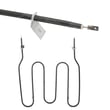
| Oven won’t heat in Bake | Bake heating circuit | Frigidaire range bake element 316407501 |
| Door won’t unlock after self-clean | Door lock system | Range oven door lock motor and switch assembly 5304528973 |
Resetting clears temporary electronic faults, but repeated lockups, recurring error codes, or no-heat symptoms usually point to a component issue (sensor, element, door lock, or wiring) that needs diagnosis.
If you remove panels or check wiring, shut off power at the breaker first. The installation instructions also warn not to loosen the factory-installed terminal block nuts because that can cause a poor connection and electrical failure; follow the installation guide for safe power-connection details.
Last updated: February 2026
What is the code F90 on a Kenmore 79092209017 stove?
On the Kenmore 79092209017 electric range, error code F90 (often shown as F9, F90, or F91 to F95) points to a problem with the oven door lock system. The control is not seeing the door lock mechanism move and switch positions correctly, which commonly affects self-clean operation.
- Turn off power to the range at the breaker for 30 seconds, then restore power.
- If the oven is in or just finished a self-clean cycle, allow extra time for the door area to cool before trying to open it.
- Check that nothing is physically blocking the door from closing fully.
- If the door is locked, avoid forcing it; forcing can bend the latch or damage the lock linkage.
- Review the operating steps for self-clean and door locking in the owner's manual.
Most F90 lock errors come from one of these issues:
- Door lock motor not driving the latch
- Lock switch not changing state (stuck, misaligned, or failed)
- Latch mechanism binding from heat, grease, or misalignment
- Wiring connection issue between the lock assembly and control
| Symptom you notice | Most likely area | Example part for this model |
|---|---|---|
| Door will not lock for self-clean | Lock motor/switch assembly | Range oven door lock motor and switch assembly 5304528973 |
| Door locks but code returns quickly | Lock switch feedback or wiring | Range oven door lock motor and switch assembly 5304528973 |
The oven control uses the lock switches as a safety check. If the lock does not reach the expected position, the range may cancel self-clean, disable certain bake functions, or keep the door locked to prevent unsafe operation.
If the code started right after moving or installing the range, confirm the range has a solid electrical connection and proper grounding. The installation guide covers safe electrical connection requirements and terminal block access steps.
Last updated: February 2026
Why is my Kenmore electric range not heating?
If your Kenmore electric range model 79092209017 is not heating, the most common causes are a failed bake or broil heating element, a bad oven temperature sensor, or a power supply problem (one leg of 240V missing). Start by confirming the range is getting full power, then test the heating components.
- Make sure the range is not in Delay Start or Sabbath mode (if equipped); reset the clock/timer settings.
- Try Bake and Broil; if one works and the other does not, the non-working element is the likely failure.
- Check the house breaker: many ranges use a double-pole breaker; one side tripping can leave lights working but no heat.
- If the oven heats but is inaccurate, suspect the temperature sensor.
- If the oven will not start after self-clean, a door lock issue can prevent heating.
These parts are listed for model 79092209017 and are frequent causes of heating failures:
| Symptom | Most likely part | What it affects |
|---|---|---|
| Oven will not heat or heats erratically | Frigidaire range oven temperature sensor 316490000 | Tells the control the oven temperature |
| No bake (broil may still work) | Frigidaire range bake element 316407501 | Primary heat source for baking |
| No broil (bake may still work) | Range broil element 316203301 | Top heat for broiling |
| Oven stuck after self-clean, won’t heat | Range oven door lock motor and switch assembly 5304528973 | Confirms door lock position to the control |
A range can appear “on” but still not heat if the 240V supply is incomplete.
- Verify the outlet and cord connection are correct for 3-wire or 4-wire setups.
- Inspect the terminal block area for loose or overheated connections.
- Follow the electrical connection and grounding requirements in the installation guide.
Heating problems are often either a failed heating component (element or sensor) or a power delivery issue. Checking power first prevents replacing good parts and helps restore safe, reliable baking temperatures.
Last updated: February 2026