Owner’s manual
 Error Codes


How to put bottom grill on Whirlpool refrigerator?
On the Whirlpool WRX735SDHZ01 bottom-mount refrigerator, the bottom grille (base grille) installs by aligning it with the lower front openings and snapping it into place. If your grille uses screws, start them by hand and tighten just until snug. For the exact removal and reinstall method, use the WRX735SDHZ01 user manual.
Steps to reinstall the bottom grille (base grille)
- Unplug the refrigerator (or turn cooling off) if you will be working near wiring or moving the unit.
- Stand at the front and line up the grille tabs/clips with the slots along the lower front frame.
- Push the grille straight in until you feel the clips snap and the grille sits flush.
- If your grille has screws, install them after the grille is seated; do not overtighten.
- Confirm the grille is not rubbing the freezer drawer and that the drawer opens fully.
If the grille will not snap in
- Check for bent tabs or cracked clip points on the grille.
- Make sure the refrigerator is level; the manual shows how to access the leveling screws behind the grille.
- Look for packaging material, dust buildup, or a misrouted water line blocking the grille area.
- Verify both ends are aligned evenly before pushing; one side cocked can prevent the other side from latching.
Quick fit check
| What you see | What it usually means | What to do |
|---|---|---|
| Grille bows out in the middle | Not fully clipped | Press along the length until it clicks in multiple spots |
| One corner pops out | Tabs not aligned | Remove and re-seat that side first |
| Freezer drawer rubs | Grille not seated or unit not level | Re-seat grille; adjust leveling screws if needed |
Why it matters
A properly installed base grille helps protect the lower components, supports correct airflow around the machine compartment, and prevents the freezer drawer from catching or rubbing during operation.
Last updated: January 2026
What is the most common problem with Whirlpool refrigerators?
For the Whirlpool WRX735SDHZ01, the most common service issue we see is cooling performance problems (fridge too warm, freezer too warm, or temperature swings). These are often caused by restricted airflow, dirty condenser coils, or a failing fan or temperature-sensing component; see the WRX735SDHZ01 refrigerator user manual for model-specific troubleshooting steps.
Most common symptoms customers notice
- Fresh food section too warm but freezer seems OK
- Ice maker slow or not making ice
- Loud humming, rattling, or clicking noises
- Frost buildup that reduces airflow
- Water leaking or puddles (often tied to drainage or water supply issues)
Quick checks that solve many “common problems”
Before replacing parts, we recommend these basics for WRX735SDHZ01:
- Confirm the controls are set near 38°F (3°C) fridge and 0°F (-18°C) freezer.
- Make sure air vents are not blocked by food packages.
- Clean dust from the condenser area (restricted heat release can cause warm temps).
- Verify doors seal fully and close easily.
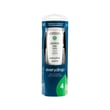
- If you have a dispenser, replace the water filter on schedule and reset the filter status.
When a part is likely involved
If the basics do not help, these components are common culprits on modern Whirlpool refrigerators:
| Symptom | Common suspect | Example compatible part for this model |
|---|---|---|
| Fridge warm, freezer OK | Airflow or damper issue | Refrigerator damper control assembly WPW10196393 |
| Temps fluctuate or error-like behavior | Temperature sensing issue | Refrigerator thermistor W10316760 |
| Warm temps plus unusual fan noise | Evaporator fan problem | Motor, evaporator (includes heater harness and defrost thermostat) W11334745 |
Why it matters
Cooling issues are the “most common” because they can come from simple maintenance (airflow and coil cleaning) or from key control and airflow parts. Addressing them early helps protect food, improves ice production, and reduces compressor run time.
Last updated: January 2026
Do you remove cardboard from the bottom of a Whirlpool refrigerator?
For Whirlpool model WRX735SDHZ01, we do not recommend removing the cardboard-like panel/cover at the bottom or rear lower area of the refrigerator. That piece is typically a protective air-flow and safety cover for the machine compartment; removing it can expose wiring and affect cooling performance. See the WRX735SDHZ01 user manual for unpacking and installation guidance.
What that “cardboard” piece usually is
On many Whirlpool bottom-mount refrigerators, the material that looks like cardboard is a machine compartment cover (sometimes fiberboard). It is designed to stay in place.
Common purposes include:
- Protecting the condenser area, wiring, and moving parts from damage
- Helping direct airflow across the condenser for proper heat removal
- Reducing dust and debris intrusion into the machine compartment
- Providing a barrier that helps with noise control
What you should remove during setup (and what you should not)
Use this quick checklist when setting up WRX735SDHZ01.
- Remove: exterior tape, foam blocks, and shipping spacers
- Remove: any cardboard used only as packaging around doors, shelves, or drawers
- Keep installed: any screwed-on or clipped-on lower rear/bottom cover that looks like fiberboard
- Keep installed: base grille and panels unless you are cleaning or servicing
Quick decision table
| What you see | Typical location | Remove it? |
|---|---|---|
| Loose cardboard/foam you can lift off | Around shelves, drawers, doors | Yes |
| Panel fastened with screws/clips | Rear lower area or bottom | No |
| Thin sheet under the unit (rare) | Under cabinet base | No (unless clearly labeled as packing) |
Why it matters
That lower cover helps the refrigerator cool efficiently by managing airflow around the condenser area. If it is missing, the compressor may run longer, temperatures can drift, and components can be easier to damage.
Last updated: January 2026
How do I reset the feeler arm on my Whirlpool ice maker?
On Whirlpool model WRX735SDHZ01, the ice maker uses an automatic shutoff system; there is not a model-specific “feeler arm reset” procedure we can apply from the available information. In most cases, restoring normal operation means turning the ice maker OFF and back ON at the control panel and confirming nothing is physically blocking ice production (see the WRX735SDHZ01 user manual).
Reset steps we recommend for WRX735SDHZ01
- Make sure the ice storage bin is seated and latched fully; a misaligned bin can stop dispensing and confuse troubleshooting.
- Use the dispenser control panel to toggle the ice maker OFF, wait about 10 seconds, then toggle it ON.
- If the control panel is unresponsive, unplug the refrigerator (or switch off the breaker) for 2 minutes, then restore power.
- Wait 24 hours for normal ice production after a reset; discard the first batches if the unit has been off.
- Confirm the freezer is cold enough; “too little ice” is often tied to freezer temperature settings.
If you actually have a stuck shutoff arm
Some Whirlpool ice makers use a wire shutoff arm; others use a sensor. If your unit has a physical arm and it is stuck:
- Gently move the arm down and up to confirm it swings freely.
- Remove any ice clumps that could be holding the arm up.
- If the arm is cracked, loose, or won’t stay in position, replacement is typically the fix.
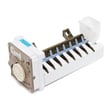
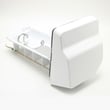
If you need the replacement component for the ice maker mechanism on this model, check the compatible ice maker parts such as the refrigerator ice maker assembly WPW10300024.
Quick checks that prevent repeat issues
| What to check | What “good” looks like | What to do if not |
|---|---|---|
| Ice maker setting | Ice maker is ON | Toggle OFF/ON at panel |
| Ice bin position | Clicks/locks in place | Reseat bin, align auger |
| Water supply | Steady flow to dispenser | Check shutoff valve, line kinks |
| Filter age | Under 6 months | Replace filter, then reset light |
Why it matters
The ice maker shutoff system prevents overfilling the bin. If the bin is not seated, the ice maker is turned off at the panel, or water flow is restricted, the ice maker can appear “stuck” even though it is working as designed.
Last updated: January 2026