 Installation guide
 Owner’s manual
 Error Codes

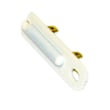
How much does it cost to replace a heating element in a Kenmore dryer?
For Kenmore electric dryer model 11065132410, replacing the heating element typically costs $50 to $120 for the part and $150 to $350 total if you hire a technician (parts plus labor). If you do it yourself, your cost is usually the part plus basic supplies.
Typical cost breakdown
- Heating element part: commonly $50 to $120 (varies by whether it is element-only or an assembly)
- Labor (service call + install): commonly $100 to $250
- Optional add-ons: vent cleaning, terminal block repair, or wiring repair if heat issues caused damage
| Repair approach | What you pay for | Typical total |
|---|---|---|
| DIY replacement | Part + your time | $50 to $120 |
| Pro repair | Part + labor | $150 to $350 |
Before you buy a heating element
A “no heat” complaint is not always a bad element. The installation instructions for this dryer note that if you do not feel heat after the dryer runs about 5 minutes, you should check that both household fuses are intact or that both breakers have not tripped (many electric dryers use a 2-pole supply). See the installation guide for the full heat-check steps.
- Run a timed heat cycle for 5 minutes, then check for heat
- Verify both breakers are on (or both fuses are good)
- Confirm the exhaust vent is not crushed or clogged
- If power and airflow are good, then test heating circuit parts
Parts that are commonly replaced with the element
If you are opening the cabinet on a Kenmore electric dryer, it is common to inspect or replace heat-safety parts at the same time.
- Dryer heating element 279838 (the heater that produces heat)
- Dryer high-limit thermostat WP3977767 (safety thermostat that can open if overheating occurs)
- Dryer operating thermostat WP3387134 (helps regulate drum temperature)
Why it matters
A weak or failed heating circuit can cause long dry times, no heat, or overheating. Checking power supply and airflow first helps you avoid buying parts you do not need and helps the new heating element last longer.
Last updated: February 2026
What is the life expectancy of a Kenmore dryer?
A Kenmore electric dryer like model 11065132410 typically lasts 10 to 13 years. With consistent vent cleaning, lint removal, and avoiding overloads, many dryers reach 15 years or more because wear items (belt, rollers, thermostats) can be replaced as they age.
What most affects dryer lifespan
- Vent airflow: restricted venting overheats the heater and thermostats and shortens component life.
- Lint buildup: lint in the lint screen housing and blower area strains airflow.
- Overloading: stresses the drum support system and drive components.
- Heat settings: high heat on heavy loads increases thermal stress.
- Routine maintenance: small fixes prevent bigger failures.
Common wear parts and what they do
These parts often determine whether a dryer is worth repairing as it ages:
| Part | What you’ll notice when it’s worn | Typical fix |
|---|---|---|
| Drum belt | Drum will not tumble, motor may run | Replace belt 341241 |
| Heating element | No heat or weak heat | Replace dryer heating element 279838 |
| Operating thermostat | Overheating or temperature swings | Replace thermostat (model-specific) |
| Blower wheel | Poor airflow, rumbling, long dry times | Inspect and replace if damaged |
Maintenance checklist to help it reach the high end of the range
- Clean the lint screen every load.
- Check and clean the full vent path regularly (wall duct and outside hood).
- Keep loads to a reasonable size so clothes tumble freely.
- If dry times increase, address airflow first before replacing parts.
- Follow the care and cleaning guidance in the 11065132410 use and care guide.
Why it matters
A dryer that is drying slowly or running hot is usually losing airflow. Fixing airflow early helps protect high-cost components like the heating system, motor, and wiring, and it often restores normal cycle times without major repairs.
Last updated: February 2026
How do I know what model my Kenmore dryer is?
Your Kenmore dryer’s model number is printed on the appliance identification label; for model 11065132410, you’ll typically find it in the door opening (on the frame) or on the back panel. Once you have the full model number, we can match the correct parts, wiring, and installation requirements.
Where to look for the model number label
Check these common locations on Kenmore electric dryers:
- Inside the dryer door opening on the cabinet frame
- On the back panel of the dryer cabinet
- Near the lint screen housing (some designs place the label nearby)
- On the lower front area behind an access panel (less common)
If you see a model that starts with 110., that prefix is a strong clue you have a Kenmore 110-series style dryer; record the entire number exactly as shown.
How to write it down so parts match
Copy the model number and serial number exactly from the label. We recommend:
- Write the full model number (all digits and any punctuation)
- Record the serial number too (helps with production variations)
- Take a clear photo of the label for reference
- Use the full model number when ordering parts like a belt, heating element, or door switch
Quick examples: what you might see
| What’s on the label | What it means for parts lookup |
|---|---|
| 11065132410 | Exact match for this Kenmore electric dryer model |
| 110.6513… | Same model family; you still need the full number |
| 796… or 417… | Different Kenmore platform; parts and troubleshooting differ |
Why it matters
Kenmore dryers can look similar across series, but internal components (like the heater circuit, timer, and drum support parts) can vary by model. Using the exact model number helps ensure the right fit and avoids repeat repairs.
For model-specific identification and documentation, use the 11065132410 owner’s manual and the 11065132410 installation guide.
Last updated: February 2026
How to hard reset a Kenmore dryer?
To hard reset your Kenmore electric dryer model 11065132410, disconnect power by unplugging the dryer (or switching off the breaker) for about 1 to 5 minutes, then restore power and try a cycle. This clears many control glitches and is also the required first step before any service checks in the 11065132410 owner's manual.
Hard reset steps (safe and effective)
- Turn the dryer OFF.
- Unplug the power cord; if it is direct-wired, turn off the breaker.
- Wait 1 to 5 minutes.
- Plug the dryer back in (or turn the breaker back on).
- Press and hold PUSH to START until you hear the dryer engage and the drum begins moving.
- If the dryer still will not run, confirm the door is fully closed.
If the reset did not fix it
A reset helps when the control is “stuck”, but it will not fix a failed part or a power/airflow problem. Check these common causes next:
- Power supply: electric dryers need 240 volts; many use two fuses or two breakers. If one trips, the dryer can run but not heat.
- Start procedure: press and hold PUSH to START long enough for the motor to take over.
- Door switch: if the dryer thinks the door is open, it will not start; consider the dryer door switch WP3406107.
- Overheat protection: restricted venting can trip safety devices; clean lint buildup and confirm strong airflow.
- No heat after reset: heating failures often point to the dryer heating element 279838 or a thermostat such as the dryer operating thermostat WP3387134.
Quick symptom guide
| What you see | Most likely area to check | What to do first |
|---|---|---|
| Won’t start at all | Door switch, start circuit, power | Confirm door shut; reset power; hold START |
| Runs but no heat | 240V supply, heater circuit | Check both breakers/fuses; then heater/thermostats |
| Stops mid-cycle | Airflow restriction, overheating | Clean lint screen and vent path |
Why it matters
Resetting is a fast way to clear a temporary control issue, but dryers also stop for safety reasons. Verifying power, door-switch operation, and airflow prevents repeat shutdowns and helps protect the heating system.
Last updated: February 2026
What causes dryer heating element failure?
In a Kenmore 11065132410 electric dryer, heating element failure is usually caused by restricted airflow (lint buildup or poor venting) that overheats the heater, or by electrical supply problems that stress the circuit over time. Good venting and correct 240-volt power help prevent repeat failures.
Most common causes
- Poor vent airflow: crushed/blocked venting makes the dryer run hotter and longer, which overheats components.
- Lint buildup: lint in the lint screen housing, blower area, or vent pipe restricts airflow.
- Wrong vent material or layout: plastic/foil venting, long runs, and too many elbows reduce airflow.
- Electrical supply issues: electric dryers need 240 volts; a tripped breaker or blown fuse on one leg can leave the drum turning with little or no heat.
- Overheating protection events: repeated overheating can damage the heater and related safety devices.
What we recommend checking first (quick triage)
- Clean the lint screen and confirm strong airflow at the outside vent hood.
- Inspect the vent run for kinks, crushing, or heavy lint; keep it as short and straight as possible.
- Verify the home power supply: many electric dryers use two fuses or two breakers; reset/replace as needed.
- If the dryer runs 5 minutes and you still feel no heat, follow the no-heat checks in the 11065132410 installation guide.
Parts that are often involved
| Symptom | Commonly related part | Example for this model |
|---|---|---|
| No heat, drum tumbles | Heating circuit component failed | Dryer heating element 279838 |
| Overheats or cycles heat oddly | Temperature control issue | Dryer operating thermostat WP3387134 |
| Shuts down on high heat | Overheat protection opened | Dryer high-limit thermostat WP3977767 |
Why it matters
A dryer needs both heat and airflow to dry efficiently. When airflow is restricted, drying times increase and internal temperatures rise, which shortens the life of the heating element and other components. The venting guidance in the owner's manual is the best baseline for preventing repeat heater failures.
Last updated: February 2026
What does F70 mean on a Kenmore dryer?
On the Kenmore 11065132410 electric dryer, F70 means the control is detecting a communication failure between the electronic control board and the user interface. Resetting power and checking the wiring connections between those boards typically resolves it, or confirms a control or harness issue.
What to do first (fast checks)
- Unplug the dryer (or switch the breaker off) for 5 minutes, then restore power and try a cycle.
- If the code returns, confirm the dryer has the correct power supply and is properly grounded per the installation guide.
- Check that the console buttons are not stuck and the control panel is not being pressed by the cabinet.
- If the display flickers or beeps randomly, suspect a loose connection at the user interface.
Wiring and control checks (most common cause)
Disconnect power before opening panels.
- Inspect the main wire harness plugs at the electronic control and at the user interface for a loose fit.
- Reseat each connector: unplug, inspect for corrosion or heat discoloration, then plug back in firmly.
- Look for pinched wires where the top panel and console meet.
- If you have a multimeter, check harness continuity end-to-end (a broken conductor can trigger F70).
Quick symptom-to-likely-cause table
| What you notice | Most likely cause | What we do next |
|---|---|---|
| Code appears immediately on power-up | Loose UI or control connector | Reseat connectors, inspect harness |
| Code appears after vibration or door slam | Intermittent harness connection | Check for pinched/loose wiring |
| Dryer runs but controls act erratic | Failing user interface or control | Verify connections, then replace failed board |
Why it matters
When the control board and user interface cannot “talk,” the dryer may stop mid-cycle, not start, or behave unpredictably. Fixing the connection issue prevents repeat shutdowns and helps avoid overheating risks from improper operation.
Helpful related reference
- Use the Kenmore 110 series electronic control model dryer error codes guide to compare F70 with other display codes and symptoms.
Last updated: February 2026
What are common problems with Kenmore dryers?
Common problems on the Kenmore 11065132410 electric dryer include no heat, long dry times, won’t start, drum not turning, and unusual noises. Most issues trace back to airflow restrictions (lint and venting), power supply problems, or normal wear parts such as the belt, thermostats, and door switch.
Most common symptoms and what usually causes them
- No heat but the drum turns: a tripped breaker or blown fuse on one leg of the 240V supply, a failed heating circuit component, or restricted airflow.
- Long drying times: clogged lint screen, crushed or blocked vent, or poor installation clearances.
- Won’t start: door not fully closed, start button not held long enough, or a failed door switch.
- Drum won’t turn: worn/broken belt or a motor or idler issue.
- Thumping, squealing, or rattling: small objects in the drum area, a dryer that is not level, or worn drum support components.
Quick checks we recommend first (fast, no parts)
- Clean the lint screen before every load.
- Confirm the dryer has proper airflow and venting; avoid long, crushed, or clogged ducts.
- Verify the dryer is getting full 240V power (electric dryers use two fuses/breakers).
- Make sure the door closes completely and the start control is pressed and held as directed.
- Check installation clearances and closet ventilation openings if the dryer is in a closet.
Common parts that fix these problems
If troubleshooting points to a worn or failed component, these are frequent fixes for this model:
| Symptom | Often-involved part | Model-specific example |
|---|---|---|
| Drum won’t turn | Drum belt | Belt 341241 |
| No heat | Heating element | Dryer heating element 279838 |
| Won’t start when door is shut | Door switch | Dryer door switch WP3406107 |
| Overheats or shuts off heat | Operating thermostat or high-limit thermostat | Dryer operating thermostat WP3387134, dryer high-limit thermostat WP3977767 |
Why it matters
Airflow and power issues can mimic “bad parts.” On the 11065132410, a partially tripped breaker can let the motor run while the heater stays off, and a clogged vent can cause long dry times and overheating symptoms.
For model-specific operating steps, clearances, and troubleshooting charts, use the 11065132410 owner’s manual.
Last updated: February 2026











