Installation guide
 Owner’s manual
 Error Codes


Where is the model number on a Kenmore 41791100000 dryer?
On the Kenmore Elite dryer model 41791100000, the model number is typically printed on a rating label inside the dryer door opening. Open the door and check the cabinet frame around the opening (top, sides, or near the latch area) for a sticker or metal plate.
Where to look first
- Inside the door opening on the front cabinet frame
- Along the left or right side of the door opening
- Near the door latch or strike area
- On the inner edge of the door (less common)
- Behind the lower access panel area (only if you do not see it in the door opening)
What the label looks like
Most Kenmore dryers use a white sticker or silver rating plate that includes:
- Model number (example: 41791100000)
- Serial number
- Electrical ratings (volts/amps)
- Sometimes gas type (for gas models)
Why it matters
We use the exact model number to match the correct Kenmore Elite dryer parts list, diagrams, and documentation. That prevents ordering the wrong items such as a belt, idler, thermistor, or user interface.
Quick reference table
| What you need | Where it’s found | What to write down |
|---|---|---|
| Model number | Inside door opening label | 41791100000 |
| Serial number | Same label as model number | Full serial as printed |
| Type/ratings | Same label as model number | Volts/amps (and gas type if shown) |
Related documentation
For additional identification and installation details, use the 41791100000 installation guide.
Last updated: February 2026
How to hard reset a Kenmore dryer?
To hard reset your Kenmore Elite dryer model 41791100000, disconnect power (unplug the cord or switch the breaker off) for about 1 to 5 minutes, then restore power and try a cycle again. This clears many temporary control glitches and wake-up issues.
Hard reset steps (safe and effective)
- Turn the dryer OFF.
- Unplug the power cord from the outlet (or turn the dryer breaker OFF).
- Wait 1 to 5 minutes.
- Plug back in (or turn the breaker ON).
- Press POWER, select a cycle, then press START.
- If the display is still unresponsive, put the dryer to sleep with POWER, then wake it up again (this is also used after the Installation Cycle).
If the dryer still will not run after a reset
A hard reset helps with electronic lockups, but it will not bypass a real safety or airflow problem. Check these common causes next:
- Door not fully closed (door switch not engaging)
- Lint screen clogged or not seated correctly (use the correct Kenmore dryer lint screen 134793600)
- Exhaust vent restricted (long run, crushed flex duct, blocked exterior hood)
- Overheat protection tripped from poor airflow (often tied to the safety thermostat)
- Drive system issue (belt off, idler problem, drum not turning)
Quick symptom guide
| What you see | What it usually means | What to do next |
|---|---|---|
| Powers on, will not start | Door switch, control lock, or start circuit issue | Re-close door firmly; power cycle; review control features in the installation guide |
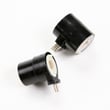
| Runs but no heat (gas models) | Ignition or gas valve coil issue | Check airflow first; then consider coil-seconda 5303931775 |
| Loud squeal or thump | Belt, idler, or roller wear | Inspect belt path; consider dryer idler assembly 134793511 and dryer drum support roller 5304523152 |
Why it matters
Resetting restores the control to a known state, but dryers also stop for safety reasons (overheating, door open, or installation-related power issues). Fixing airflow and worn drive parts prevents repeat shutdowns and protects the motor and thermostat.
Last updated: February 2026
How do I know if my Kenmore dryer thermal fuse is blown?
If your Kenmore Elite dryer model 41791100000 will not start, or it runs but produces no heat, a blown thermal fuse is a top suspect. We confirm it by unplugging the dryer and testing the fuse with a multimeter; a blown fuse shows no continuity.
Common signs of a blown thermal fuse
A thermal fuse is a one-time safety device that opens when the dryer overheats.
- Dryer will not start at all (no motor run)
- Dryer runs but there is no heat (some designs cut heat only)
- Cycle stops early and the dryer seems “dead” afterward
- Burning smell or very hot cabinet before the failure (overheating symptoms)
- Problem returns quickly after a fuse replacement (venting restriction still present)
How we test it (safe, reliable method)
- Unplug the dryer (or switch off the breaker) before opening any panels.
- Access the fuse (location varies by design; check the installation guide).
- Pull at least one wire off the fuse terminal.
- Set a multimeter to continuity or lowest ohms.
- Touch probes to the fuse terminals.
What the meter reading means
| Meter result | What it indicates | What to do next |
|---|---|---|
| Continuity (near 0 ohms) | Fuse is good | Keep troubleshooting heat or power issues |
| No continuity (open/OL) | Fuse is blown | Replace the fuse and correct the overheating cause |
Why the fuse blows (and what to fix so it does not happen again)
A blown thermal fuse almost always points to overheating from poor airflow.
- Clean the lint screen and lint chute
- Inspect and clear the vent duct to the outside
- Check the outside vent hood for blockage or a stuck flap
- Avoid crushed or kinked flexible venting behind the dryer
- Do not run the dryer with an obstructed exhaust path
Parts that are often involved in overheating or airflow problems
Depending on what you find during inspection, these model-compatible parts can be relevant:
- Frigidaire dryer blower wheel and housing assembly 134690800 (air movement)
- Kenmore dryer lint screen 134793600 (lint capture and airflow)
- Limiter 137539200 (temperature safety control)
- Kenmore dryer thermistor 134711300 (temperature sensing)
Why it matters
The thermal fuse is there to reduce fire risk by shutting the dryer down when temperatures get unsafe. Replacing the fuse without fixing the airflow restriction typically leads to repeat failures and longer dry times.
Last updated: February 2026
What is the life expectancy of a Kenmore dryer?
A Kenmore dryer typically lasts 10 to 13 years with normal household use. Your Kenmore Elite dryer model 41791100000 can reach the high end of that range when airflow is kept clear, the dryer stays level, and worn drive parts (belt, rollers, idler) are replaced promptly using the owner's manual.
Typical lifespan and what changes it
Most dryers fail early from heat and airflow stress, or from wear in the drum drive system.
- Heavy loads and frequent cycles shorten life (more heat time and more drum wear).
- Restricted venting overheats components and increases drying time.
- Running unlevel increases vibration and accelerates roller and idler wear.
- Delayed minor repairs (squeals, thumps, slipping drum) often lead to bigger failures.
- Routine lint removal helps the blower housing and ducting stay clear.
Maintenance that extends life on model 41791100000
We recommend these habits for this Kenmore Elite dryer:
- Clean the lint screen every load; replace a damaged screen with the Kenmore dryer lint screen 134793600.
- Keep the exhaust duct short and clear; use proper 4-inch venting practices from the installation guide.
- Confirm the dryer is level and stable on all four legs (reduces noise and wear).
- If you hear squealing or the drum stops turning, inspect the belt and idler system.
- Address thumping or rumbling by checking drum support rollers.
Common wear parts and what they affect
| Symptom | Most likely wear area | Example part for this model |
|---|---|---|
| Drum not turning, burning smell | Belt or idler | White-westinghouse dryer drum belt 134719300, dryer idler assembly 134793511 |
| Squealing, chirping | Idler or rollers | Dryer idler assembly 134793511, dryer drum support roller 5304523152 |
| Thumping, rumbling | Drum rollers | Dryer drum support roller 5304523152 |
Why it matters
A dryer that is vented correctly and kept level runs cooler and with less strain. That directly reduces overheating risk, shortens cycle times, and helps expensive components (like the motor) last longer.
Last updated: February 2026
What is the capacity of my Kenmore 41791100000 dryer?
The drum capacity for your Kenmore Elite 41791100000 dryer is provided in the specifications section of the product literature for this model. Use the 41791100000 owner's manual to confirm the exact cubic-foot rating for your specific unit.
Where to find the exact capacity
Look in these common spots in the documentation for model 41791100000:
- Specifications or features pages (often near the front or back)
- A section labeled product dimensions or product data
- The model and serial tag inside the door opening (sometimes lists drum size)
- Any included spec sheet that came with the dryer at installation
Typical capacity for this dryer class (for planning loads)
Kenmore Elite full-size dryers are typically built in the large-capacity range used for family loads and bedding.
| Dryer class | Typical capacity range | Common loads |
|---|---|---|
| Compact | 3.4 to 4.5 cu. ft. | Small loads, apartments |
| Full-size | 7.0 to 7.5 cu. ft. | Towels, mixed loads |
| Extra-large | 7.6 to 9.0 cu. ft. | King bedding, bulky items |
Why it matters
Capacity affects airflow and tumbling. When the drum is packed too tightly, clothes do not lift and drop properly, airflow drops, and drying times increase. Power supply also impacts dry time; the installation guide notes that 208V operation can take longer than 240V.
Tips to get the best real-world drying performance
- Load loosely; leave space at the top for tumbling
- Clean the lint screen before every load; replace it if torn or warped (see Kenmore dryer lint screen 134793600)
- Keep the vent run short, smooth, and clear of lint buildup
- Dry bulky items with similar items to keep the load balanced
- If dry times suddenly increase, check airflow first before replacing parts
Last updated: February 2026