 Installation guide
 Owner’s manual
 Error Codes





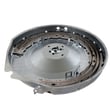

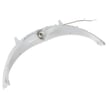
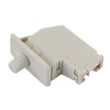


What is the most common problem with a GE electric dryer?
The most common issue we see with a GE electric dryer like model GTD72EBPN0DG is no heat or long dry times, usually caused by a power supply problem (one breaker tripped), restricted airflow from lint buildup, or a failed heating component such as the heating element or thermostats.
- Drum tumbles but there’s no heat: often a tripped breaker (electric dryers can run on 120V but need full 240V to heat) or a failed heater circuit component.
- Clothes take too long to dry: most often a vent restriction or lint blockage.
- Dryer shuts off or overheats: airflow problem can overheat the heater housing and trip safety controls.
- Lint on clothes: lint screen not cleaned before each load, or airflow issues.
- Check both breakers/fuses in the home electrical panel; reset both if needed.
- Clean the lint screen before every load (the manual warns not to run without the filter installed).
- Inspect and clean the exhaust ducting at least yearly; a partially clogged vent lengthens dry time.
- Run a timed cycle on high heat and confirm strong airflow at the outside vent hood.
If power and venting are good, these are common repair paths for GTD72EBPN0DG:
| Symptom | Common part area | Example part on this model |
|---|---|---|
| No heat, tumbles normally | Heater circuit | Dryer heating element WE11M10001 |
| Overheating or cycling heat | High-limit/safety control | Dryer high-limit thermostat WE04X26138 |
| Heat control problems | Temperature sensing | Dryer thermistor WE4M448 |
A dryer that is not heating or taking too long to dry is often telling you airflow is restricted or the heater circuit is being interrupted. Fixing venting and lint buildup first helps prevent repeat failures of heating elements and thermostats.
For model-specific operating and troubleshooting steps (including venting and care/cleaning guidance), use the owner's manual. For ordering parts listed for GTD72EBPN0DG or searching by model number, use Sears PartsDirect.
Last updated: February 2026
What is the lifespan of a GE dryer?
A GE dryer like model GTD72EBPN0DG typically lasts 10 to 13 years. You can often reach the high end of that range by keeping airflow strong (clean lint system and venting) and fixing wear items early, using the maintenance guidance in the owner's manual.
- Airflow and venting: A restricted exhaust makes the dryer run hotter and longer.
- Lint control: Clean the lint screen every load; lint buildup strains the heater and motor.
- Wear parts condition: Drum glides, bearings, and the idler system wear over time and can cause noise and drag.
- Heat system health: Thermistors and high-limit thermostats protect the heater; failures can cause poor drying or overheating.
- Load habits: Overloading increases belt, drum support, and motor stress.
The manual calls out annual exhaust duct inspection and cleaning; that single habit does the most to extend life.
| Task | How often | Why it matters |
|---|---|---|
| Clean lint screen | Every load | Maintains airflow and drying performance |
| Check vent for crushing/kinks | Monthly | Prevents long dry times and overheating |
| Clean/inspect exhaust ducting | At least yearly | Reduces clogging and improves efficiency |
| Listen for new squeals/scrapes | Ongoing | Catches drum support wear before bigger damage |
If your GTD72EBPN0DG starts getting noisy, taking longer to dry, or shutting off on heat, these are common culprits:
- Drum support wear: dryer drum glide bearing, upper WE03X37320, dryer drum glide bearing WE03X37319
- Heat-related protection and sensing: dryer thermistor WE4M448, thermostat hi limit WE04X30381
- Heating performance issues: dryer heating element WE11M10001
A dryer that is forced to run with poor airflow or worn drum support parts uses more energy, dries slower, and puts extra strain on the heater assembly, drive motor, and electronic controls. Keeping the venting clean and addressing early symptoms is the simplest way to get a full service life.
You can order replacement parts for GTD72EBPN0DG from the parts list for this model, or search by model number on Sears PartsDirect.
Last updated: February 2026
How to tell if a dryer thermal fuse is blown?
A blown thermal fuse in your GE dryer model GTD72EBPN0DG usually shows up as a dryer that will not start or that runs but has no heat. The reliable way to confirm it is to unplug the dryer and test the fuse for continuity with a multimeter; no continuity means the fuse is blown. See the owner's manual for model-specific access and safety notes.
- Unplug the dryer (or switch off both breakers for the dryer circuit).
- Access the thermal fuse (commonly on the blower housing or exhaust duct inside the cabinet).
- Pull at least one wire off the fuse terminal so you do not read the rest of the circuit.
- Set your multimeter to continuity (beep) or the lowest ohms setting.
- Touch a probe to each terminal:
- Good fuse: continuity (beep) or near 0 ohms
- Blown fuse: no beep, OL, or very high resistance
| What the dryer does | What it often means | What to check next |
|---|---|---|
| Won’t start at all | Thermal fuse open, door switch issue, or power problem | Verify power, then test fuse |
| Tumbles but no heat | Heating circuit issue (element, thermostats, power supply) | Check both breakers, then heating parts |
| Stops mid-cycle | Overheating condition triggered safety device | Check venting and lint buildup |
A thermal fuse usually opens because the dryer overheated. After replacing the fuse, we always correct airflow problems first.
- Clean the lint screen before every load (replace if damaged)
- Inspect and clean the exhaust ducting; remove kinks and clogs
- Confirm the outside vent damper opens freely
- Avoid overloading; heavy loads restrict tumbling and airflow
- If dry times are long, address vent restriction before replacing more parts
If your GTD72EBPN0DG tumbles but does not heat, these model-matched parts are common suspects after you confirm proper airflow and power:
- GE dryer heater assembly WE11X21156
- Dryer heating element WE11M10001
- Thermostat hi limit WE04X30381
- Dryer high-limit thermostat WE04X26138
The thermal fuse is a one-time safety device. Replacing it without fixing restricted venting or lint buildup often leads to repeat failures, longer dry times, and overheating.
You can order replacement parts for GTD72EBPN0DG from the parts list for this model, or search by model number on Sears PartsDirect.
Last updated: February 2026
Is it worth it to fix a dryer?
Yes, it’s worth fixing a GE dryer like model GTD72EBPN0DG when the problem is a common wear item (heat, airflow, or drum support) and the repair cost is reasonable compared with replacement. It’s usually time to replace when multiple major components fail or the dryer has repeated breakdowns.
- If the dryer tumbles but doesn’t heat, check power and heating components first; many fixes are straightforward.
- If clothes take too long to dry, focus on venting and lint buildup before replacing parts.
- If the dryer is noisy, drum glides and bearings are common, cost-effective repairs.
- If the repair involves the motor, control board, or drum assembly, compare total repair cost to a new dryer.
- If you’re unsure, use the troubleshooting steps in the owner's manual to narrow the failure.
These are typical repairs that often restore performance without major teardown cost:
| Symptom | Likely area | Example part on this model page |
|---|---|---|
| No heat (drum turns) | Heating circuit, thermostats, sensors | GE dryer heater assembly WE11X21156, thermostat hi limit WE04X30381 |
| Long dry times | Exhaust ducting, lint path restrictions | GE dryer lint screen WE03X23881, dryer lint chute assembly WE01X25335 |
| Squealing, scraping, thumping | Drum support and belt drive | Dryer drum glide bearing WE03X37319, dryer idler assembly WE03X27417 |
We recommend leaning toward replacement when you’re facing any of these:
- Multiple major parts at once (for example: motor plus control board)
- A history of repeated overheating or airflow problems that return quickly
- Structural or high-dollar assemblies needed (drum assembly, door assembly, major panels)
A dryer that “works” but has blocked exhaust or lint restrictions can run longer, waste energy, and overheat. The GTD72EBPN0DG manual specifically calls out checking ducting, outside damper operation, and cleaning the exhaust system when dry times are long.
- Use the parts list for GTD72EBPN0DG on this page to price out the repair before you commit.
- Follow the electrical grounding and outlet guidance in the installation guide if you suspect a power supply or receptacle issue.
- For broader model-based part search, use Sears PartsDirect.
Last updated: February 2026






