Owner’s manual
 Error Codes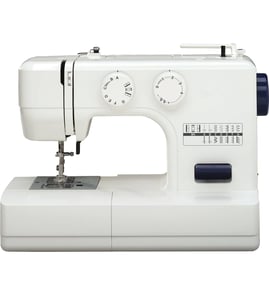

How old is a Kenmore 38515008100 sewing machine?
The Kenmore sewing machine model 38515008100 is part of Kenmore’s long-running 385-series machines. The exact age depends on the original purchase date, but your model is a later 385-series mechanical machine; the best model-specific reference is the publication and warranty information in the owner's manual.
How to estimate the age (most reliable methods)
Use these checks in order; they give the most accurate “how old is it” answer for a specific machine.
- Check your original receipt or any service paperwork for the purchase date.
- Look for a date stamp on the motor, wiring tag, or underside label (often month/year).
- Compare your machine’s features and accessories to the parts and diagrams listed in the owner's manual.
- If your machine shows an error message (some 385-family machines do), match it to the Kenmore 385 error codes reference to confirm the control style.
What the manual tells us about this model
Your manual identifies the machine as Model 385.15008100 and includes warranty terms that start from the date of purchase (not the manufacturing date). That means the purchase date is the single best way to determine how old your specific unit is.
Warranty coverage snapshot (from the manual)
| Coverage area | Coverage length | What it applies to |
|---|---|---|
| Internal mechanical parts | 25 years | Defects in material/workmanship |
| Electrical/electronic equipment | 2 years | Motor, wiring, switch, speed control |
| Parts and mechanical adjustments | 90 days | Operational service (excluding normal maintenance) |
Why it matters
Age helps us choose the right maintenance approach (cleaning lint from feed dogs, checking the shuttle/hook race for thread jams, and inspecting wiring and foot control). It also helps when diagnosing symptoms like “machine doesn’t work” or “noisy operation” using the troubleshooting steps in the manual.
Last updated: February 2026
What are the 7 common sewing machine troubles?
For the Kenmore 38515008100 mechanical sewing machine, the 7 most common troubles are thread breaking (top or bobbin), skipped stitches, needle breaking, seam puckering, fabric not feeding smoothly, and the machine not running or jamming. Most are fixed by correct threading, tension adjustment, needle choice, and cleaning lint from the shuttle area.
The 7 common troubles (and the most common causes)
- Needle thread (top thread) breaks: incorrect threading, tension too tight, bent or dull needle
- Bobbin thread breaks: bobbin not threaded correctly, lint in shuttle area, damaged bobbin
- Needle breaks: needle inserted wrong, needle clamp screw loose, tension too tight
- Skipped stitches: wrong needle, bent/dull needle, needle not inserted correctly, thread not threaded correctly
- Seam puckering: top tension too tight, incorrect threading, needle too heavy for fabric
- Fabric not feeding smoothly: feed dogs packed with lint, stitches too fine, drop feed not raised
- Machine won’t run / jams: not plugged in, thread caught in shuttle race, push-clutch disengaged
Quick checks we recommend first
- Rethread completely (top thread and bobbin) with the presser foot up.
- Set tension back to a normal starting point, then fine-tune.
- Install a new needle matched to fabric and thread weight.
- Clean lint from the feed dogs and shuttle/hook area.
- Turn the handwheel by hand to confirm nothing is binding before using the foot control.
Tension symptoms you can read at a glance
| What you see on the seam | What it usually means | What to do |
|---|---|---|
| Bobbin thread shows on top | Top tension too tight | Lower the needle thread tension |
| Needle thread shows on bottom | Top tension too loose | Raise the needle thread tension |
| Stitches look uneven or bumpy | Thread path or tension issue | Rethread and recheck tension |
Why it matters
These issues are connected: incorrect threading or tension can cause thread breaks, skipped stitches, puckering, and even jams. Cleaning lint from the shuttle and feed dogs prevents drag that leads to poor feeding and noisy operation.
Helpful model-specific resources
- Use the troubleshooting chart and tension adjustment steps in the owner's manual.
- If your Kenmore 385-series machine displays a code or you suspect an electronic fault, use Kenmore 385 error codes to narrow the problem quickly.
Last updated: February 2026
Is Kenmore sewing machine 38515008100 low shank?
Yes. The Kenmore sewing machine model 38515008100 uses a low-shank presser foot setup, so low-shank feet (including many walking feet and specialty feet made for low-shank machines) are the correct fit for this model. For model-specific accessory guidance, use the owner's manual.
How to confirm low shank on your machine
We recommend checking these quick identifiers on the 38515008100:
- The presser foot attaches with a standard low-shank style ankle (common on many Kenmore 385-series machines).
- The presser foot sits relatively close to the needle plate when lowered (typical low-shank geometry).
- The presser foot is held by the presser foot holder and thumb screw shown in the parts names section.
- You can raise the presser foot lifter to the highest position to remove or swap feet more easily.
What this means when buying presser feet
Low-shank compatibility helps you choose the right accessory type (walking foot, zipper foot, buttonhole foot, etc.) without clearance issues.
| Foot type you’re shopping for | What to look for | Why it matters |
|---|---|---|
| Walking foot (even feed) | “Low shank” in the description | Prevents poor fit and rubbing on the needle bar |
| Zipper foot | “Low shank” | Keeps needle alignment correct for zipper stitching |
| Quilting or edge guide foot | “Low shank” | Maintains proper fabric control and stitch consistency |
Why it matters
Using the correct shank type prevents installation problems, needle strikes, skipped stitches, and uneven feeding. A correctly matched low-shank foot also helps keep stitch length and fabric movement consistent.
Last updated: February 2026
How to determine the value of an old sewing machine?
The value of an older sewing machine depends most on the exact model, working condition, and how complete it is (foot pedal, power cord, presser feet, bobbins, case, and manuals). For a Kenmore 38515008100, a clean, fully working machine with accessories typically sells for more than an untested or incomplete one; use the owner's manual to confirm features and included accessories.
What to check first (quick value checklist)
- Model identification: confirm the full model number 38515008100 on the machine label
- Operating condition: stitches form correctly, feed dogs move fabric, reverse works, motor runs smoothly
- Completeness: foot controller, cords, standard presser foot set, bobbins, needles, attachments, case
- Cosmetic condition: cracks, missing knobs, rust, heavy discoloration, damaged decals
- Service history: recently cleaned and lubricated (or clearly maintained)
- Local demand: prices vary by region and season
Simple pricing method that works
- Find comparable sold listings for the same model number (not just “Kenmore 385”).
- Adjust for condition and completeness (working and complete is the biggest multiplier).
- Account for repair costs if it is sluggish, noisy, or locks up.
Typical value drivers (at a glance)
| Factor | Usually increases value | Usually decreases value |
|---|---|---|
| Function | Sews multiple stitch types consistently | Skips stitches, jams, won’t turn on |
| Accessories | Original feet, attachments, case | Missing foot controller, missing bobbin parts |
| Condition | Clean, smooth handwheel, quiet motor | Rust, cracked housing, burning smell |
Why it matters
Buyers pay for a machine they can sew with immediately. A Kenmore mechanical sewing machine that runs smoothly and includes the foot controller and accessories is easier to sell and commands a higher price than a “project” machine.
If the machine has an error code or won’t run
Even though many 385-series machines are mechanical, some Kenmore models display codes. Use our Kenmore 385 error codes reference to interpret what you see and decide whether a simple fix or a repair is needed before selling.
Last updated: February 2026
What bobbin does a 38515008100 use?
The Kenmore sewing machine model 38515008100 uses a front-loading bobbin case system; the correct bobbin is the standard metal Class 15-style bobbin used with a removable bobbin case and shuttle hook. For the exact accessory listing for your machine, check the owner's manual.
How to confirm you have the right bobbin
Use these quick checks on your 38515008100:
- You insert the bobbin into a separate bobbin case, then latch the case into the shuttle.
- The bobbin thread should feed clockwise from the bobbin when it sits in the bobbin case.
- You pull the thread through the slot and under the tension spring on the bobbin case.
- You typically pull out about 4 inches (10 cm) of thread before installing the case.
- The machine uses a shuttle hook and bobbin case, not a drop-in top bobbin.
What to avoid (common mix-ups)
Many bobbins look similar but do not fit or stitch correctly.
| Bobbin type | Typical material | Common in | Likely fit for 38515008100? |
|---|---|---|---|
| Class 15-style (front-load) | Metal | Mechanical machines with bobbin case | Yes |
| L-style | Metal or plastic | Many drop-in systems | No |
| Class 66 | Metal | Older Singer-style systems | No |
Why it matters
Using the wrong bobbin can cause inconsistent tension, looping, thread breaks, or the machine locking up because the bobbin may rub the bobbin case or shuttle.
If the fabric is not feeding or stitches look off after changing bobbins
These steps fix most bobbin-related issues:
- Re-seat the bobbin case until the latch locks in place.
- Re-thread the bobbin case under the tension spring.
- Clean lint from the shuttle area and feed dogs.
- Try a fresh needle and quality thread.
- If the fabric still will not move, follow our guide: sewing machine fabric not moving.
Last updated: February 2026