 Installation guide
 Owner’s manual
 Error Codes





How to light Magic Chef pilot light?
The Magic Chef CER3725AAW is an electric range, so it does not use a standing pilot light. Surface burners and the oven heat using electric elements controlled by knobs and switches; use the operating steps in the CER3725AAW owner's manual.
- Put cookware on the correct surface element.
- Push in and turn the surface control knob to the desired heat setting.
- Confirm the element “ON” indicator light turns on when a surface control is on.
- Turn the knob back to OFF when finished.
- For oven use, select the bake or broil function and allow preheat time (if your model has an indicator).
These checks cover the most common no-heat symptoms on electric ranges:
- Verify the range has power (a tripped breaker can leave the unit partially powered).
- Check for a failed bake element (often visible blistering, cracks, or a burned spot).
- Inspect wiring connections at the back where the power cord connects.
- If the oven light works but the oven will not heat, test the bake circuit and controls.
| Symptom | Most likely area | Example part for this model |
|---|---|---|
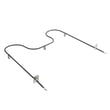
| Oven will not bake | Heating circuit | Bake element WP74010750 |
| Range seems dead or intermittent | Power connection | Terminal block WPW10245259 |
| Oven light out only | Lamp | Oven bulb 8009 |
Trying to “light a pilot” on an electric range can send you down the wrong path. Electric heating problems are usually caused by a failed element, a loose power connection, or a control issue, so the fastest fix comes from checking the electrical heating components.
Last updated: January 2026
Why is my Magic Chef oven not lighting?
If your Magic Chef CER3725AAW oven is not lighting up, the most common causes are a burned-out oven light bulb, a loose power connection, or a tripped breaker. Start by confirming the range has power, then replace the bulb using the safety steps in the CER3725AAW owner's manual.
- Make sure the range plug is fully seated in the outlet.
- Check the house circuit breaker (reset if tripped) or replace the fuse if your home uses fuses.
- Confirm the oven control is set correctly (some settings do not turn the light on automatically).
- If the oven just finished a self-clean cycle, let it cool; some functions behave differently while hot.
- If the light was on during self-clean, the bulb can burn out from the high heat.
We recommend replacing the bulb first because it is the most common reason the oven will not “light.”
- Turn off power to the range at the breaker (important to prevent shock).
- Let the oven cavity cool completely.
- Remove the bulb cover (if equipped), then remove the bulb.
- Install the correct replacement bulb and reassemble.
- Restore power and test.
If you need the replacement part, use the exact bulb listed for this model: oven bulb 8009.
| Symptom | Most likely cause | What to do |
|---|---|---|
| Oven works but interior is dark | Burned-out bulb | Replace bulb |
| No display, no heat, no light | Power supply issue | Check plug, breaker, supply |
| Light flickers when door moves | Loose socket or wiring | Inspect socket and wiring |
A working oven light helps you monitor baking and broiling without opening the door, which helps maintain stable oven temperature and reduces uneven cooking.
Last updated: January 2026
How do I find the model number on my CER3725AAW?
Your Magic Chef range’s model number is on the appliance ID label; once you find it, match it exactly (letters and numbers) when ordering parts for model CER3725AAW. The owner's manual also has a place to record the model and serial numbers for future reference.
Check these common ID-label locations for a freestanding electric range like CER3725AAW:
- Frame area behind the oven door (around the door opening)
- Oven door edge (on the door itself)
- Storage drawer area (remove the drawer and look on the frame)
- Back panel of the range (near the power cord entry)
Record the information exactly as shown on the label:
- Model number (example: CER3725AAW)
- Serial number
- Date of purchase (if available)
- Any revision or manufacturing code printed with the model/serial
Use this as a simple guide when you are looking at the tag.
| Item | What it’s used for | Example format |
|---|---|---|
| Model number | Identifies the exact range design so parts fit | Letters and numbers (CER3725AAW) |
| Serial number | Identifies your specific unit for service history | Longer string, often numbers |
Magic Chef ranges can use different bake elements, surface element control switches, knobs, and wiring parts depending on the exact model. Using the correct model number helps you get the right replacement part the first time.
Last updated: March 2026




