 Installation guide









How do I reset my Maytag dryer f1 code?
For a Maytag MDE25PDAYW1 electric commercial dryer, the correct reset is a power reset: disconnect power for 5 minutes, restore power, then start a cycle. If the F1 code returns, the dryer needs diagnostic troubleshooting rather than repeated resets; follow the MDE25PDAYW1 installation guide.
Reset steps (safe and effective)
- Turn the breaker OFF (or unplug the dryer).
- Wait 5 minutes.
- Restore power.
- Close the door fully (the dryer will not run with the door open).
- Press a cycle selection button firmly.
- Let the dryer run for at least 5 minutes to confirm normal operation.
If the F1 code comes back after the reset
On commercial dryers, an F1 code indicates the control has detected a fault condition that requires troubleshooting. Start with the basic operational checks the guide calls out, then move to diagnostics.
- Confirm the electric supply is connected.
- Check the circuit breaker is not tripped and any fuses are not blown.
- Make sure the door closes and latches; listen for the door switch to activate.
- Verify a cycle button was pressed firmly and the display shows cycle time.
- If the dryer is in a failure mode, enter diagnostic or set-up mode using the console button sequence described in the guide.
Quick decision table
| What happens after the reset | What it usually means | What to do next |
|---|---|---|
| Dryer runs normally | Temporary control glitch | Monitor; keep lint and venting maintained |
| F1 returns immediately | Active fault still present | Do the power and door checks; then run diagnostics |
| F1 returns during a cycle | Fault occurs under operation | Stop using it; run diagnostics and inspect wiring with power off |
Why it matters
Resetting clears a temporary glitch, but a repeating F1 means the dryer is detecting a real fault. Using diagnostics and basic power and door checks prevents repeated shutdowns and helps you target the correct repair.
Last updated: January 2026
How to fix F2E2 Maytag dryer?
For a Maytag MDE25PDAYW1 electric commercial dryer, an F2E2 error is commonly tied to a keypad or user-interface communication problem. Start with a safe power reset, then check the console connections and door-latch operation before replacing any parts. Use the MDE25PDAYW1 installation guide for safety steps and access-panel guidance.
Step-by-step fix (in order)
- Disconnect power at the breaker (or unplug if accessible) for 5 to 10 minutes, then restore power.
- Confirm the door is fully closed and latching; the dryer will not run with the door open.
- Press a cycle selection button firmly and verify the display shows cycle time.
- If the error returns, disconnect power and reseat console/user-interface wiring connectors (look for loose plugs or corrosion).
- Inspect wiring for pinched, broken, or burned spots, especially where the harness passes through metal panels.
- If the keypad is unresponsive or the error returns immediately, replace the user-interface component; on this model that is often the membrane switch.
Parts that commonly solve F2E2 on this model
If the reset and wiring checks do not stop F2E2, the most common repair is replacing the console membrane switch.
| Symptom | Most likely cause | What to do |
|---|---|---|
| Buttons do not respond or respond randomly | Failed keypad/membrane switch | Replace commercial laundry membrane switch WPW10135255 |
| Error appears after moving the dryer or vibration | Loose console connector | Reseat connectors; secure harness |
| Dryer stops when door is opened but timer keeps running | Normal operation for this design | Close door and restart cycle |
Why it matters
F2E2 can prevent cycle selection and normal operation. Fixing it early helps avoid repeated downtime and reduces the chance of heat-related issues caused by interrupted cycles.
Safety and quick checks we recommend
- Disconnect power before servicing; electric shock risk is present inside the console.
- Replace all panels before operating.
- Keep the vent clear and avoid crushing or kinking the vent when repositioning the dryer.
Last updated: January 2026
What is the average lifespan of MDE25PDAYW1?
A Maytag electric commercial dryer like model MDE25PDAYW1 typically lasts 15 to 20 years with proper venting, routine lint removal, and timely replacement of wear items such as drum rollers and thermostats. Heavy daily use shortens lifespan; light use extends it.
What affects lifespan most
- Venting and airflow: restricted exhaust overheats the heater and safety thermostats.
- Lint control: a clogged screen or duct increases heat stress and cycle time.
- Wear parts: rollers, idler components, and seals wear from drum rotation.
- Electrical health: loose terminal connections can cause heat damage and shutdowns.
- Load habits: chronic overloading strains the motor and drum support system.
Typical lifespan by use level
| Use pattern | Typical lifespan | What usually fails first |
|---|---|---|
| Light (few loads/week) | 18 to 20 years | Rollers, seals |
| Moderate (daily) | 15 to 18 years | Heating and airflow safeties |
| Heavy commercial (many loads/day) | 10 to 15 years | Rollers, motor, heater circuit |
Maintenance that adds years
Follow the venting and setup requirements in the installation guide and keep these habits consistent:
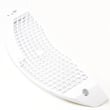
- Clean the lint screen every load; replace it if torn (see screen W10120998).
- Inspect and clean the exhaust duct regularly; keep the run short with minimal elbows.
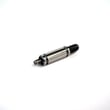
- Listen for thumping or squealing; replace worn drum support parts early (see dryer drum support roller WPW10314173).
- If drying times increase, check airflow first; then test heat controls like the thermistor (see dryer thermistor WP8577274).
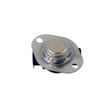
- If the dryer stops heating after overheating, inspect the safety kit (see dryer thermal cut-off fuse kit 279973).
Why it matters
Commercial dryers are built to run longer, but most “end of life” problems start as airflow or wear-part issues. Catching those early prevents heater damage, nuisance shutdowns, and long dry times.
Last updated: March 2026








