Installation guide
 Owner’s manual
 Error Codes



Can you replace the heating element in a GE oven?
Yes. On the GE JKP25SH6SS electric wall oven, we can replace a failed bake or broil heating element by shutting off power, removing the mounting screws inside the oven cavity, pulling the element forward, transferring the wires, and reinstalling the new part.
Before you start (safety and prep)
- Turn off the oven at the circuit breaker (wall ovens are typically on a 240V circuit).
- Confirm the oven is completely cool.
- Pull out all oven racks for working room.
- Protect the oven floor and door glass from scratches or impact.
- Have a nut driver or screwdriver ready (fastener type varies by element).
Replacement steps (bake or broil element)
- Kill power at the breaker and verify the control is dark.
- Remove oven racks.
- Locate the element mounting screws inside the cavity (rear wall for bake, top for broil).
- Remove the screws and gently pull the element a few inches into the cavity.
- Hold the wires so they do not slip back through the insulation; disconnect the terminals.
- Connect the wires to the new element, position it, and reinstall the screws.
- Restore power and test Bake or Broil.
Which part is most likely?
| Symptom | Most common cause | What to check next |
|---|---|---|
| No heat in Bake, Broil still works | Bake element failed | Inspect for blisters, cracks, or burn spots |
| No heat in Broil, Bake still works | Broil element failed | Inspect broil element for visible damage |
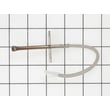
| Temps swing or error related to sensing | Temperature sensing issue | Consider the sensor WB21X22134 |
Why it matters
A weak or open heating element can cause long preheat times, uneven baking, or no heat at all. Replacing the correct element restores normal heating performance and helps the oven control regulate temperature properly.
Helpful model-specific reference
For control operation, troubleshooting, and safety precautions for this wall oven, use the JKP25SH6SS owner’s manual.
Last updated: February 2026
How long do GE wall ovens last?
Most GE wall ovens last about 12 to 15 years with normal household use. For the GE JKP25SH6SS electric wall oven, lifespan depends most on heat exposure, self-clean frequency, and keeping airflow and door sealing in good shape; our maintenance habits make the biggest difference.
Typical lifespan and what changes it
- Typical service life: 12 to 15 years
- Heavy use (daily high-heat baking, frequent broil): often trends toward the lower end
- Light to moderate use: often reaches the upper end
- Frequent self-clean cycles: can shorten life of heat-sensitive components
- Poor ventilation or blocked cooling airflow: increases control and wiring stress
Parts that most often affect “end of life” decisions
When a wall oven starts acting up, these are common repair drivers on this model family:
| Symptom | Common suspect | Example part for JKP25SH6SS |
|---|---|---|
| Oven temperature swings, long preheat, error beeps | Temperature sensor | Sensor WB21X22134 |
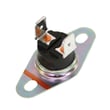
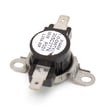
| Oven shuts down, overheats, or trips protection | High-limit thermostat | Wall oven high-limit thermostat WB24T10081 |
| Weak bake or uneven baking | Bake element | GE range bake element WB44T10031 |
| Door heat leaks, poor temperature stability | Door gasket | Range oven door gasket WB32T10010 |
Maintenance that helps you reach 15 years
- Keep the door gasket clean and seated; replace if torn or flattened.
- Use self-clean only when needed; follow the timing guidance in the JKP25SH6SS owner’s manual.
- Avoid covering vents or blocking airflow around the oven cabinet.
- If baking seems consistently hot or cold, use the thermostat adjustment procedure in the JKP25SH6SS owner’s manual instead of relying on inexpensive oven thermometers.
Why it matters
A wall oven can be worth repairing well past 10 years if the cabinet, door, and wiring are in good condition. Catching temperature and overheating issues early helps protect high-cost parts like the control board and keeps cooking performance consistent.
Last updated: February 2026
How to replace the control panel on a GE oven?
On the GE JKP25SH6SS electric wall oven, control panel replacement typically involves shutting off power, removing the control panel mounting screws, tilting the panel out, and transferring any control components to the new panel. Use the JKP25SH6SS owner's manual for your exact control layout and safe access points.
Safety first (before you touch any screws)
- Turn off power at the home circuit breaker (wall ovens are hard-wired; do not rely on the control to be “off”).
- Confirm the display is dark and the oven is cool.
- Protect the cabinet and door glass with a towel.
- Use a container for screws so none fall into the chassis.
- If you smell burning or see damaged wiring, stop and have the oven serviced.
Basic replacement steps (typical GE wall oven process)
- Shut off power at the breaker.
- Open the oven door for access and stability.
- Remove the screws securing the control panel (often along the underside or inside the trim area).
- Pull the bottom of the panel outward, then lift up to release the top tabs.
- Label and disconnect wire connectors one at a time.
- Move any reusable parts (overlay, brackets, switches, or control board) to the replacement panel as needed.
- Reconnect wiring, re-seat the panel tabs, and reinstall screws.
- Restore power and test Bake, Broil, and the clock/timer.
What part are you actually replacing?
Many “control panel” repairs are really a control board or sensor issue. Use this quick check:
| Symptom | Most common cause | What to check next |
|---|---|---|
| Dead display, no response | Power supply issue or control board | Breaker, wiring connections, then control board |
| Oven heats wrong temp | Temperature sensing problem | Sensor WB21X22134 and thermostat calibration steps |
| Error code with beeping | Control detected a fault | Clear/Off, cool-down, then diagnose the code |
Why it matters
The control area carries live wiring and is the “brain” for Bake, Broil HI/LO, and Self Clean. Correct reassembly prevents loose connections that can cause intermittent heating, error codes, or a dead display.
Last updated: February 2026
How to reset GE oven control panel?
To reset the control panel on your GE JKP25SH6SS electric wall oven, press CLEAR/OFF to cancel active cooking and clear many fault conditions. If the display is blank, flashing, or showing an error, reset power at the breaker for at least 30 seconds, then restore power and reset the clock.
Quick reset options (start here)
- Press CLEAR/OFF once to stop Bake, Broil, Self-Clean, and timed cooking.
- If an error code is flashing (often shown as "T--" plus a number/letter), press CLEAR/OFF, let the oven cool for 1 hour, then try using the oven again.
- If the error returns, turn the oven’s circuit breaker OFF for at least 30 seconds, then turn it back ON.
- After any power interruption, reset the clock and re-enter any cooking settings.
What you’ll see on the display (and what it means)
| Display symptom | What it usually indicates | What to do |
|---|---|---|
| Time of day is flashing | Power failure/outage | Reset the clock, then reprogram settings |
| Display goes blank | Home fuse blown or breaker tripped (or blackout mode) | Check/reset breaker, then review settings in the manual |
| "T--" + code and beeping | Function error code | CLEAR/OFF, cool 1 hour; if it repeats, power reset 30+ seconds |
When a reset points to a part issue
If resets do not hold, the problem is often heat-sensing or control related. Common items to check for this model include:
- Loose wiring at the sensor or control (after power is off)
- A failing oven temperature sensor: sensor WB21X22134
- A control problem that keeps returning after resets: range oven control board WB27T10409
- Overheating conditions that can trigger shutdowns (cooling airflow, high-limit protection)
Why it matters
A proper reset clears stuck key inputs, cancels timed operations after a power outage, and helps you confirm whether you have a one-time glitch or a repeating fault that needs service or a replacement part.
For model-specific control behavior and special feature modes, follow the steps in the JKP25SH6SS owner’s manual.
Last updated: February 2026
What are the parts of an electric oven?
An electric wall oven like the GE JKP25SH6SS is built around heating components (bake and broil), temperature sensing, airflow cooling, and door sealing. Knowing the main parts helps you diagnose no-heat, overheating, uneven baking, and door heat-leak problems faster using the JKP25SH6SS owner's manual.
Main parts you will find in most electric wall ovens
- Bake element: primary heat source for baking (usually bottom of the cavity)
- Broil element: high heat from the top for broiling and browning
- Oven temperature sensor: tells the control how hot the oven is
- Electronic control board (clock/control): manages temperature, timing, and modes
- Cooling fan and venting: moves heat away from controls and cabinet
- High-limit thermostat: safety device that opens if temperatures get too high
- Door gasket and door glass: seals heat in and protects the outer door surface
- Racks and rack supports: hold cookware at different positions
Model-relevant parts we commonly see replaced on GE JKP25SH6SS
These are examples of parts on this model that relate directly to heating accuracy and safe operation:
| Symptom | Likely part area | Example part for this model |
|---|---|---|
| Oven temperature is off, long preheat, error beeps | Temperature sensing | Sensor WB21X22134 |
| Control panel area gets very hot, fan never runs | Cooling/airflow | Wall oven cooling fan assembly WB26K5061 |
| Oven shuts down or won’t heat after overheating | Safety limit | Wall oven high-limit thermostat WB24T10081 |
| Top heat is weak or no broil | Broil heating | Range broil element WB44T10051 |
| Bottom heat is weak or no bake | Bake heating | GE range bake element WB44T10031 |
| Heat leaks, poor temperature stability, hot kitchen | Door sealing | Range oven door gasket WB32T10010 |
Why it matters
Each cooking mode depends on a small set of parts working together. For example, the control board relies on the sensor to regulate the bake and broil elements; the cooling fan and high-limit thermostat protect wiring and electronics from excess heat.
Quick safety note before inspecting parts
- Turn off power at the breaker before removing panels
- Wall ovens are hard-wired to a junction box; treat wiring as live until verified off
- Avoid leaning on the open door; weight can tip an unsecured oven
Last updated: February 2026
What is the disadvantage of a wall oven?
A wall oven like the GE JKP25SH6SS typically costs more to buy and install than a range, and it can be more time-consuming to service because it is built into cabinetry. You also need a separate cooktop, which can increase total project cost.
Common disadvantages (what we see most often)
- Higher overall cost (appliance plus cabinet and electrical work)
- Requires a separate cooktop; you are buying two appliances instead of one
- Installation is more complex; these ovens are hard-wired into a junction box (no plug)
- Service access can be harder; built-in placement can add labor time for repairs
- Cabinet and surrounding materials must tolerate heat; proper clearances matter
- Less flexibility to move or replace quickly during a remodel
Installation-related drawbacks to plan for
The biggest “hidden” disadvantage is the install requirement. For this style of GE wall oven, the installation guide calls for direct wiring into an approved junction box and a secure cabinet installation that supports the oven’s weight.
| Topic | Wall oven reality | Why it matters |
|---|---|---|
| Electrical hookup | Hard-wired (direct-wired) | Often requires an electrician |
| Cabinet fit | Tight cutout and support platform | Poor fit can cause shifting or heat issues |
| Service access | Oven may need to be pulled | Adds time and effort for repairs |
Comfort and usability considerations
Wall ovens can be very ergonomic when installed at the right height, but the opposite is also true.
- If installed too low, bending can be uncomfortable when lifting heavy roasts or casseroles
- If installed too high, reaching into a hot cavity can be awkward
- A heavy door should never be used as a step or seat; it can tip the unit if not secured
Why it matters
Wall ovens deliver a built-in look and flexible kitchen layouts, but the tradeoff is higher install complexity and potentially higher repair labor. Reviewing the JKP25SH6SS installation guide before purchase or replacement helps you avoid surprises.
Last updated: February 2026
What is the error code f96 on a GE wall oven?
On the GE JKP25SH6SS electric wall oven, error code F96 points to a problem in the upper cooling fan circuit or a cooling fan obstruction. Clear the code, let the oven cool, and confirm the cooling fan can run freely before using the oven again.
What to do first (safe reset)
- Press CLEAR/OFF to stop the alarm and clear the code.
- Let the oven cool for 1 hour.
- Restore operation and watch for the code to return.
- If the code repeats, disconnect power for at least 30 seconds, then restore power.
- If the code returns again, schedule service; the fan circuit, wiring, or control may need diagnosis.
(These steps align with GE guidance for “T- and a number/letter” function error codes in the JKP25SH6SS owner’s manual.)
Cooling fan checks that often fix F96
- Make sure the oven vents are not blocked by foil, pans, or cabinet items.
- Listen for the cooling fan after preheat or during/after a bake cycle; no fan sound can indicate a fan or control issue.
- Check for grease buildup or debris near the venting path.
- If the fan runs but is noisy or intermittent, the fan motor assembly is a common suspect.
Parts that commonly relate to cooling and overheat protection
| Symptom | Most likely area | Example part for this model |
|---|---|---|
| F96 returns quickly after reset | Cooling fan circuit or fan motor | Wall oven cooling fan assembly WB26K5061 |
| Oven shuts down or overheats | High-limit protection opening | Wall oven high-limit thermostat WB24T10081 |
| Temperature seems erratic with codes | Temperature sensing feedback | Sensor WB21X22134 |
Why it matters
The cooling fan protects the control area from overheating. When the fan circuit is blocked or failing, the oven may shut down, display fault codes, or run inconsistently to prevent heat damage.
Last updated: February 2026
Where is the model number on a GE wall oven?
On the GE JKP25SH6SS wall oven, the model number is printed on a label located on the side trim or on the front of the lower oven frame behind the oven door. Use that label when ordering parts or scheduling service.
Where to look (fast checklist)
- Open the oven door and look along the front frame area (especially on the lower oven).
- Check the side trim area around the oven opening.
- Use a flashlight; the label is often small and easy to miss.
- Write down both the model number and the serial number.
- Take a clear photo of the label for reference.
What the label typically includes
| Item on label | What it’s used for | When you’ll need it |
|---|---|---|
| Model number | Identifies the exact oven configuration | Ordering parts, checking fit |
| Serial number | Identifies production details | Warranty and service calls |
Why it matters
We use the model number to match the correct GE wall oven parts for your exact configuration. Even small model variations can change which control board, temperature sensor, or door parts fit.
If the label is hard to read
- Wipe gently with a damp cloth (do not scrape).
- Try viewing from an angle to reduce glare.
- If the label is damaged, compare the oven’s features and control panel layout with the diagrams in the JKP25SH6SS owner’s manual.
Last updated: February 2026