 Error Codes



How to calibrate a Jenn-Air wall oven?
To calibrate (temperature-adjust) a Jenn-Air wall oven like model W30100W, use the oven control’s calibration or offset feature to raise or lower the displayed temperature so it matches your actual baking results. The exact button sequence varies by control style, but the goal is always the same: set a temperature offset.
Quick calibration steps (most Jenn-Air electronic controls)
- Press Bake (or Upper Bake on double ovens).
- Set a high temperature (commonly 550°F) to enter a stable bake setting.
- Press and hold Bake (or Upper Bake) for about 5 seconds until an offset or calibration value appears.
- Use the AutoSet pad or the arrow/plus-minus pads to adjust the offset.
- Stop pressing keys for about 5 seconds so the control saves the new setting.
How much should we adjust the oven temperature?
Use a simple test first, then adjust in small steps.
- Preheat at 350°F for 20 to 30 minutes
- Check temperature with an oven thermometer placed near the center rack
- Adjust in 5°F to 10°F increments
- Re-test after the adjustment
| What you see | What it usually means | What to do |
|---|---|---|
| Oven runs consistently hot | Control offset is too high | Calibrate down (negative offset) |
| Oven runs consistently cool | Control offset is too low | Calibrate up (positive offset) |
| Temps swing a lot | Normal cycling or a sensing/heating issue | Test sensor and elements |
If calibration does not fix it
If the oven still bakes unevenly or misses temperature by a wide margin after calibration, we focus on the most common causes:
- A failing temperature sensor (common cause of inaccurate temps)
- A weak bake element (slow preheat, underbaking)
- A door seal leak (heat loss, long cook times)
- A control or wiring issue (intermittent heating)
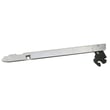
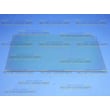
Model W30100W has these common replacement parts available:
Why it matters
Calibration corrects consistent temperature bias without replacing parts. If the oven is off by more than about 25°F consistently, checking the sensor, heating elements, and door seal prevents poor baking results and long preheat times.
Last updated: February 2026
How long do Jenn-Air wall ovens last?
Jenn-Air wall ovens typically last 15 to 20 years with normal household use and basic care. For an older model like the Jenn-Air W30100W electric wall oven, lifespan depends most on heat exposure, door seal condition, and whether key heating and temperature-control parts have been replaced over time.
Typical lifespan and what affects it
Most electric wall ovens fall into a similar life range, but these factors move the needle the most:
- How often you bake/broil (daily use shortens lifespan)
- Self-clean frequency (high heat stresses wiring, sensors, and thermostats)
- Door seal condition (heat leaks make components work harder)
- Electrical health (loose or overheated connections cause failures)
- Timely part replacement (elements and sensors are normal wear items)
Common “wear” parts that extend oven life
If your W30100W is heating unevenly, taking longer to preheat, or not holding temperature, these parts are common fixes:
- Oven sensor 12001656 (temperature regulation issues)
- Broiler element WPW10310260 (weak or no broil heat)
- Range high-limit thermostat WP71001844 (overheating protection trips)
- Wall oven door seal WP71001841 (heat loss, longer cook times)
- Door hinge WP74008014 (door not closing tightly)
Quick “repair vs. replace” checklist
Use this as a practical guide for an electric wall oven:
| What you’re seeing | Most likely path | Why |
|---|---|---|
| Oven won’t reach set temp but otherwise works | Repair | Often a sensor, element, or door seal |
| Door won’t close or heat leaks around door | Repair | Hinges or door seal are replaceable |
| Repeated overheating shutdowns | Repair first | Thermostat or airflow/door seal issues |
| Multiple major issues at once | Compare costs | Several repairs can add up |
Why it matters
A wall oven that cannot hold temperature wastes energy, cooks unevenly, and puts extra strain on wiring and safety controls. Replacing a failing wear part early (like a sensor or door seal) often prevents bigger failures later.
Last updated: February 2026
Why is my Jenn-Air wall oven not turning on?
If your Jenn-Air W30100W electric wall oven is completely dead (no display, no heat), the most common causes are a tripped breaker, a loose/burned power connection, or an internal safety device or wiring issue that interrupts power to the controls.
Quick checks first (no disassembly)
- Confirm the wall oven breaker is ON; many wall ovens use a double-pole breaker that can look on when it is partially tripped.
- Turn the breaker OFF for 5 minutes, then back ON to reset the control.
- Check that the oven is not in a control lock mode (if your model has it).
- If the oven light works but the oven will not heat, the issue is usually in the heating circuit, not the incoming power.
What to check next (power and wiring)
Because a wall oven uses high voltage, we recommend shutting off power at the breaker before any inspection.
- Inspect the junction box connections for loose wire nuts, burned wires, or heat damage.
- Look for pinched or damaged wiring; a failed connection can stop the control from powering up.
- If you find damaged wiring, replacing the harness is often the correct fix; see main harness 71002126.
Common part-related causes on this model
These parts do not fix every “won’t turn on” situation, but they are common failure points when symptoms match.
| Symptom | Likely area | Part to consider |
|---|---|---|
| Oven powers on but overheats or shuts down | Over-temperature protection | Range high-limit thermostat WP71001844 |
| Display works but temperature is erratic | Temperature sensing | Oven sensor 12001656 |
| No heat on bake (broil may still work) | Bake heating circuit | Bake element (inspect for breaks) |
Why it matters
A wall oven that will not turn on is usually a power delivery problem (breaker, connection, harness) or a safety interruption. Checking the simple items first prevents unnecessary part replacement and helps you target the correct circuit.
Last updated: February 2026
What are common problems with Jenn-Air stoves?
Common problems we see with Jenn-Air cooking appliances include the oven not heating or heating unevenly, the oven temperature being off, the door not closing tightly, and intermittent power or control issues. For your Jenn-Air W30100W electric wall oven, the most common fix paths involve checking the heating circuit, temperature sensing, and door sealing.
Most common symptoms and what usually causes them
- Oven will not heat: failed bake or broil element, tripped breaker, loose wiring, or a bad connection at an element receptacle
- Oven heats but temperature is inaccurate: failing temperature sensor or poor airflow from heavy buildup
- Uneven baking or hot spots: weak bake element, rack position issues, or a door that is not sealing
- Door won’t close or pops open: worn hinge or misalignment
- Shuts off or overheats: high-limit thermostat opening due to overheating or airflow issues
Parts we commonly replace on model W30100W
If your symptoms match, these model-compatible parts are good starting points:
| Symptom | Part to check | What it does |
|---|---|---|
| Temperature swings, undercooks/overcooks | Oven sensor 12001656 | Tells the control the actual oven temperature |
| Door won’t stay shut, heat leaks | Door hinge WP74008014 | Keeps the door aligned and tightly closed |
| Long preheat, weak baking | Broiler element WPW10310260 and bake element (listed in parts) | Provides heat for broil and supports overall heating performance |
| Element not heating, arcing/burn marks | Receptacle WP74011278 or receptacle WP74008015 | Connects the element terminals to the wiring harness |
| Overheating or sudden shutoff | Range high-limit thermostat WP71001844 | Opens the circuit if temperatures get unsafe |
Quick checks before replacing parts
- Reset power at the breaker (wall ovens often use a 240V double breaker).
- Look for visible damage: blisters, cracks, or separated spots on elements; burn marks at receptacles.
- Confirm the door closes firmly and the gasket is intact (heat leaks cause long preheat and poor baking).
- If you have a multimeter, test continuity on elements, sensor, and thermostat.
- Inspect wiring connections for looseness or heat damage.
Why it matters
Heating and temperature-control problems usually get worse over time. Catching a weak element, failing sensor, or loose receptacle early helps prevent overheating, poor cooking results, and damage to the wiring harness.
Last updated: February 2026





