Owner’s manual
 Error Codes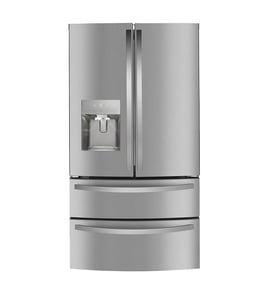



What is the most common problem with Samsung refrigerators?
The most common problem we see with Samsung refrigerators like model RH30H9500SR is a cooling issue caused by restricted airflow or frost and ice buildup around the evaporator area, which can make the fresh food section warm even when the freezer seems OK. Use the RH30H9500SR owner's manual to confirm the correct operating and care steps for your exact configuration.
- Fridge temperature rises while the freezer still feels cold
- Frost or ice buildup inside the freezer or behind interior panels
- Fan noise changes (rattling, buzzing) or the fan seems to stop
- Water leaking or puddles (often tied to defrost drain issues)
- Ice maker slows down or stops producing ice
These are safe, high-impact checks we recommend before replacing parts:
- Do not block air vents with food packages or bags; blocked vents can cause overcooling in one area and poor cooling in another.
- Confirm doors seal and close fully; warm air leaks drive frost buildup.
- Wait at least 5 minutes before plugging the refrigerator back in after unplugging.
- If leaving for vacation, close the water valve if you will not use water or ice.
- Use the correct water filter and replace it on time; the manual warns against generic filters because leaks can occur.
If the checks above do not help, these parts are frequently involved in cooling, airflow, and water system complaints on refrigerators:
| Symptom | Common system involved | Example part for RH30H9500SR |
|---|---|---|
| Warm fridge, frost buildup | Defrost and airflow | Refrigerator defrost heater DA47-00465A |
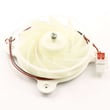
| Warm temps, weak airflow | Evaporator fan circuit | Refrigerator evaporator fan motor (model-specific) |
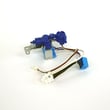
| No ice or no water | Water supply and valve | Refrigerator water inlet valve (model-specific) |
Cooling problems are often a chain reaction: a small airflow restriction or door sealing issue can lead to frost buildup, which then reduces airflow and makes temperatures unstable. Catching it early helps protect food, reduces ice buildup, and prevents water leaks.
Last updated: February 2026
Is 1 or 7 the coldest setting on a Samsung fridge?
On the Samsung RH30H9500SR refrigerator, 7 is the coldest setting and 1 is the warmest. Higher numbers command more cooling; if food starts freezing, move the setting down to a warmer number and confirm airflow is not blocked.
We recommend using the temperature targets in your RH30H9500SR user manual and then fine-tuning by one step at a time.
- Keep interior air vents clear; blocked vents can cause overcooling and freezing
- Avoid packing food tightly against the outlet vents
- After changing a setting, give the refrigerator time to stabilize before changing it again
- If the room is unusually cold, use a warmer setting
- Move high-water-content foods (leafy greens, berries) away from the coldest areas
| Setting number | What it does | When to use it |
|---|---|---|
| 1 to 2 | Warmest range | If items are freezing or the kitchen is cold |
| 3 to 5 | Normal range | Everyday use for most households |
| 6 to 7 | Coldest range | Heavy loading, frequent door opening, hot kitchen |
Correct temperature control protects food quality and helps prevent issues like frozen produce, excess frost, and water filter stress from prolonged overcooling. Keeping vents open also helps the evaporator fan circulate air evenly for stable temperatures.
Last updated: February 2026
How to clear Samsung refrigerator error code?
On Samsung refrigerator model RH30H9500SR, most error codes clear after a power reset: unplug the refrigerator, wait at least 5 minutes, then plug it back in. If the code returns, it is reporting an active problem (often a sensor, fan, or defrost issue) that needs troubleshooting using the RH30H9500SR owner's manual.
- Unplug the refrigerator (or switch off the breaker).
- Wait 5 minutes before restoring power (this is important for the control to fully reset).
- Plug back in and allow 10 to 15 minutes for the display to stabilize.
- If the code reappears, note the exact code and when it shows up (after door opens, after dispensing ice, during cooling).
- If cooling is affected, move perishables to a safe cooler while you troubleshoot.
Many Samsung error codes are not “memory” errors; they are alerts that the control board is currently seeing an abnormal reading.
| What happens after reset | What it usually means | What to do next |
|---|---|---|
| Code disappears and stays off | Temporary glitch or brief power event | Monitor for 24 hours |
| Code returns quickly | Active fault still present | Troubleshoot the system tied to the code |
| Code returns and cooling is weak | Likely airflow/defrost/cooling problem | Check fans, frost buildup, and vents |
- Make sure interior air vents are not blocked by food packages.
- Listen for the evaporator fan; if it is noisy or not running, the fan circuit may be involved.
- Check for heavy frost on the evaporator cover (points to a defrost problem).
- If you see water leaks or dispenser issues, confirm the home water supply is on and pressure is adequate.
- If the issue is ice-related, follow the steps in why your Samsung fridge stopped making ice and how to fix it.
Clearing the code helps you confirm whether it was a one-time control glitch or a real-time failure. If the code returns, addressing the underlying cause prevents temperature swings, ice maker interruptions, and repeat shutdowns.
Last updated: February 2026
How to do autofill on Samsung fridge?
On the Samsung RH30H9500SR refrigerator, AutoFill (AutoFill pitcher) works by turning the feature on at the dispenser controls, then seating the pitcher correctly so the dispenser can fill it automatically. Use the steps in the RH30H9500SR owner's manual to match your exact control-panel buttons.
- Place the AutoFill pitcher fully into its dock or under the dispenser area (it must sit flat and centered).
- Turn AutoFill on at the dispenser control panel (some models show an AutoFill icon or menu).
- Close the door completely so the dispenser recognizes the pitcher position.
- Let the cycle finish; remove the pitcher and confirm the fill level.
- If you want it off, toggle AutoFill off at the control panel.
AutoFill depends on the same basics as the water dispenser. If any of these are off, AutoFill can act like it is “dead” even when the setting is enabled.
- Confirm the refrigerator is connected to a potable water supply.
- Verify household water pressure is in the typical operating range (many Samsung units specify 20 to 125 psi).
- Dispense water for several seconds to purge air after a filter change or water shutoff.
- Make sure the door is closing and sealing; a door left slightly open can prevent dispenser functions.
- If water flow is weak or intermittent, a sticking inlet valve can be a cause; the refrigerator water inlet valve DA62-04027A is the part that opens to feed water to the dispenser.
| What you see | What it usually means | What we recommend |
|---|---|---|
| AutoFill starts, then stops early | Pitcher not seated or door not fully closed | Reseat pitcher; close door firmly |
| AutoFill never starts | AutoFill not enabled or dispenser not getting water | Enable AutoFill; check water supply and pressure |
| Slow fill | Low pressure, air in line, or restricted flow | Purge air; replace filter if due; verify pressure |
AutoFill is convenient, but it is also a quick “health check” for your dispenser system. If AutoFill fails, it often points to a water supply, pressure, filter, or inlet-valve issue before it becomes a no-water or no-ice problem.
Last updated: February 2026