 Installation guide
 Owner’s manual
 Error Codes






Why did my GE oven stop working?
If your GE JT3000SF5SS electric wall oven stopped working, the most common causes are a tripped breaker or blown fuse, controls that are not set correctly (including Sabbath Mode), or the oven being locked out after a clean cycle until it cools. Use the troubleshooting steps in the JT3000SF5SS owner’s manual to pinpoint the exact condition.
Quick checks to do first (no tools)
- Check your home electrical panel; reset the circuit breaker or replace the fuse.
- Confirm the display is on; if it is blank, power is not reaching the oven.
- Press Cancel/Off to clear a stuck cycle or setting.
- Make sure the oven is not in Sabbath Mode (this can make the oven appear not to work).
- If you just ran Self-Clean, wait for the oven to cool; the door can stay locked until it drops below the locking temperature.
What the symptoms usually mean
| What you see | Likely cause | What to do |
|---|---|---|
| Display is blank | No power to oven | Reset breaker or replace fuse; then set the clock if needed |
| Oven will not heat but display works | Controls not set correctly or a mode is preventing operation | Cancel/Off, reselect Bake/Broil, confirm Sabbath Mode is off |
| Door locked and you cannot cook | Oven still above locking temperature after clean | Cancel/Off; allow cooling time, then try again |
| “F” plus a number/letter flashing | Function error code | Disconnect power for 30 seconds, restore power; if it returns, service is needed |
Parts that commonly relate to “stopped heating” (after power and settings)
If the oven has power and the controls respond but temperatures are erratic or it will not regulate heat, these model-matched parts are common suspects:
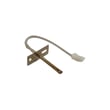
- Wall oven temperature sensor WB21X10165 (sensor feedback for temperature control)
- Range high-limit thermostat WB24X46906 (can open if overheating is detected)
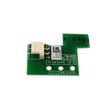
- Wall oven control board, white WB27X29607 (manages heating functions and error codes)
Why it matters
A built-in oven like the GE JT3000SF5SS can look “dead” from a simple power interruption, a special feature setting (Sabbath Mode), or a post-clean lockout. Checking those first prevents unnecessary part replacement and gets you back to baking and broiling faster.
Last updated: February 2026
Can you replace the heating element in a GE oven?
Yes. On the GE JT3000SF5SS electric wall oven, replacing a heating element is a common repair, but we only recommend doing it if you can safely shut off power at the breaker and access the element mounting screws and wiring without stressing the harness.
Safety first (built-in wall oven)
Before any service, disconnect power at the household distribution panel (switch off the circuit breaker or remove the fuse). For built-in ovens, avoid putting weight on the open door because tipping can occur if the unit is not secured in the cabinet; follow the JT3000SF5SS installation guide.
- Turn off the breaker and verify the oven is dead before touching wires.
- Let the oven cool completely.
- Never pull on wires; use needle-nose pliers on terminals if needed.
- Support the element as you remove mounting screws.
- If wiring insulation looks brittle or burned, stop and repair the wiring before installing a new part.
Which “heating element” are we talking about?
Most ovens have at least two heating elements. The replacement steps are similar, but the part differs.
| Mode/area | Common name | What it does | Typical symptom when failed |
|---|---|---|---|
| Bottom of cavity | Bake element | Primary heat for baking/roasting | Slow preheat, uneven baking |
| Top of cavity | Broil element | High radiant heat for broiling | No broil, weak browning |
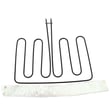
For broil problems on this model, the listed replacement is the wall oven broil element WB44X48685.
Basic replacement steps (typical)
We follow the same general process for most GE wall ovens; use the JT3000SF5SS owner’s manual for any model-specific access notes.
- Shut off power at the breaker.
- Remove oven racks for working room.
- Remove the element mounting screws inside the oven cavity.
- Gently pull the element forward a few inches.
- Disconnect the wire terminals (note positions), then connect the new element.
- Reinstall screws, restore power, and test Bake or Broil.
Why it matters
A weak or open heating element can cause long preheat times, poor cooking results, and temperature swings. Replacing the correct element restores normal bake and broil performance.
Last updated: February 2026
What are the parts of an electric oven?
An electric wall oven like the GE JT3000SF5SS is built around heating, temperature sensing, airflow cooling, lighting, and door sealing components. The most common parts you will see are the bake and broil heating elements, oven racks, temperature sensor, cooling fan system, light, and door hardware.
Main parts you will find in most electric ovens
- Heating system: bake element (bottom) and broil element (top)
- Temperature control: oven temperature sensor and electronic control board
- Airflow and safety: cooling fan and high-limit thermostat
- Interior hardware: oven racks and rack supports
- Lighting: oven light bulb or lamp assembly
- Door system: door gasket, hinges, handle, window/liner, and (on some models) a door lock
Common JT3000SF5SS parts (examples)
These are model-matched examples from our parts list:
| Part function | Example part for this model | What it does |
|---|---|---|
| Temperature sensing | Wall oven temperature sensor WB21X10165 | Tells the control how hot the oven is for accurate baking |
| Broiling heat | Wall oven broil element WB44X48685 | Provides high heat from the top for broiling |
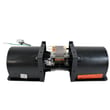
| Air cooling | Wall oven cooling fan assembly WB26X31060 | Moves air to keep controls and cabinet area cooler |
| Door sealing | Gasket WB35X32825 | Helps keep heat inside the oven cavity |
Why it matters
Knowing the major oven parts helps you troubleshoot symptoms faster. For example, uneven temperatures often point to a sensor or control issue, while long cool-down times or hot control panels often point to the cooling fan system.
Quick tips before you order parts
- Match parts to the full model number JT3000SF5SS.
- If the oven is not heating correctly, check the temperature sensor and heating elements first.
- If the control area gets unusually hot, inspect the cooling fan and related components.
- Use the wiring diagram and component locations in the JT3000SF5SS owner’s manual to confirm what you have.
Last updated: February 2026
What does F5 mean on GE oven?
On the GE JT3000SF5SS wall oven, an F5 error code usually points to a problem the control is detecting with the oven’s electronic control system (commonly the control board or a related input circuit). Start by resetting power; if F5 returns, troubleshooting typically focuses on the control and temperature-sensing circuits.
Quick checks we recommend first
- Power reset: Turn the oven circuit breaker OFF for 1 minute, then ON.
- Cancel the cycle: Press Clear/Off (or the equivalent) and try a simple Bake test.
- Let it cool: If the code appears after heavy use, allow a full cool-down and retry.
- Check for obvious heat issues: Make sure the cooling fan is running and vents are not blocked.
- Confirm wiring is secure: Loose connections at the sensor or control can trigger faults.
What usually causes an F5 code
In many GE wall ovens, F5 is commonly tied to one of these conditions:
| Likely cause | What you may notice | What to check next |
|---|---|---|
| Control board fault | F5 appears randomly or immediately on power-up | Inspect connections at the control; consider control replacement if persistent |
| Temperature sensing issue | Poor baking accuracy, overheating, or F5 during preheat | Test/inspect the sensor circuit; replace sensor if out of spec |
| Cooling/overheat protection issue | Code after long bake, cabinet feels very hot | Verify cooling fan operation and related controls |
Parts that commonly relate to F5 troubleshooting
If the basic reset does not help, these model-matched parts are often involved in diagnosis and repair:
- Wall oven temperature sensor WB21X10165 (sensor circuit and temperature feedback)
- Wall oven control board, white WB27X29607 (main electronic control)
- Wall oven cooling fan sensor board WB27T11463 (cooling fan control/sensing)
- Wall oven cooling fan assembly WB26X31060 (moves cooling air to prevent overheating)
Why it matters
An F5 code can stop cooking, but it can also signal an overheating or control problem that affects temperature accuracy and can stress wiring and components. Addressing it early helps protect the control board, sensor circuit, and cooling system.
Where to confirm model-specific steps
For button sequences, troubleshooting tips, and any special features tied to your control panel, use the JT3000SF5SS owner’s manual.
Last updated: February 2026





